This section covers general instructions that may or may not pertain to your device and application.
Supported debugger probes
- KitProg3 onboard programmer / MiniProg4 (CMSIS-DAP)
- JTAG (PSOC™ Control and PSOC™ Edge devices currently do not support the JTAG interface with CMSIS-DAP debugger.)
- IAR I-jet
- J-Link
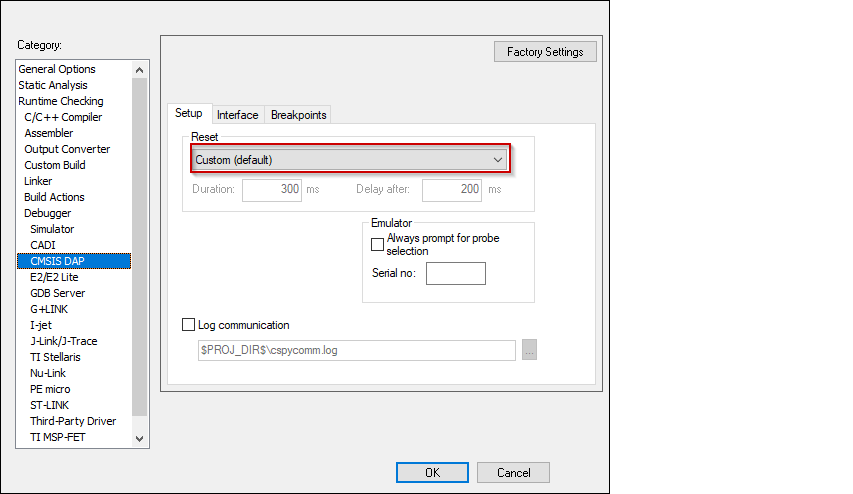
CMSIS-DAP
- Switch to the Setup tab and
select "Custom" from the Reset pull-down
menu.
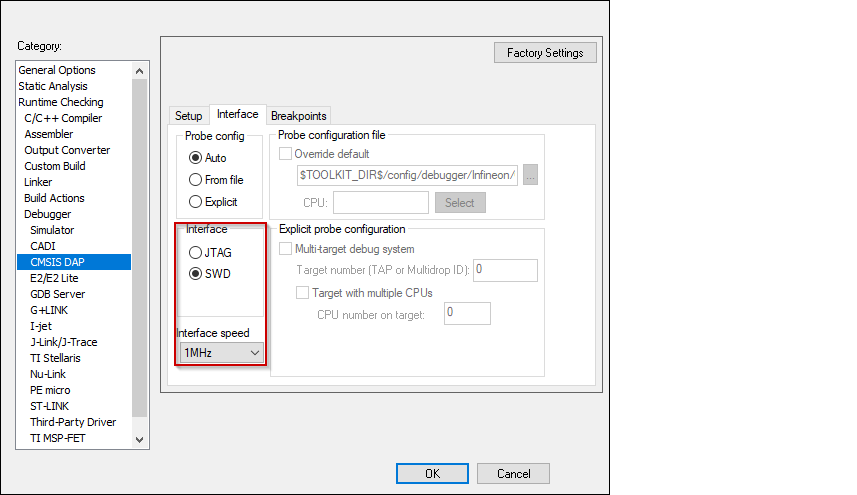
- Switch to the Interface tab,
and select Interface SWD, and set the
Interface speed to 1MHZ.
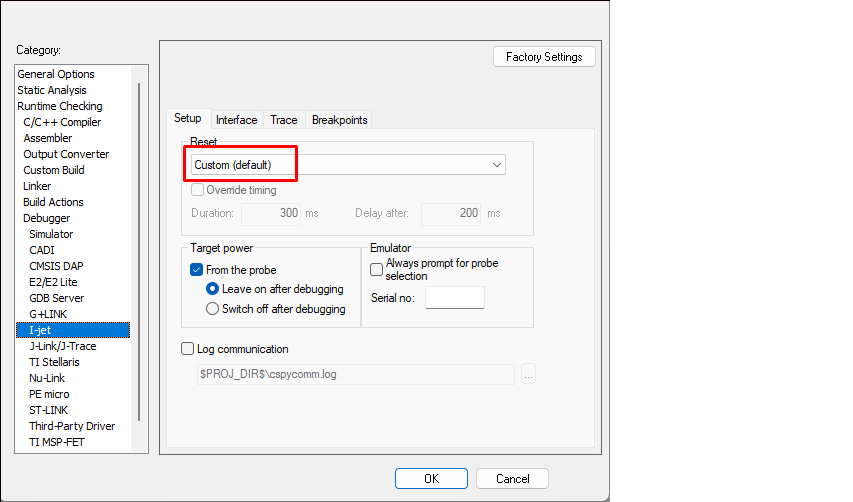
I-jet
- Switch to the Setup tab and
select "Custom" from the Reset pull-down
menu.
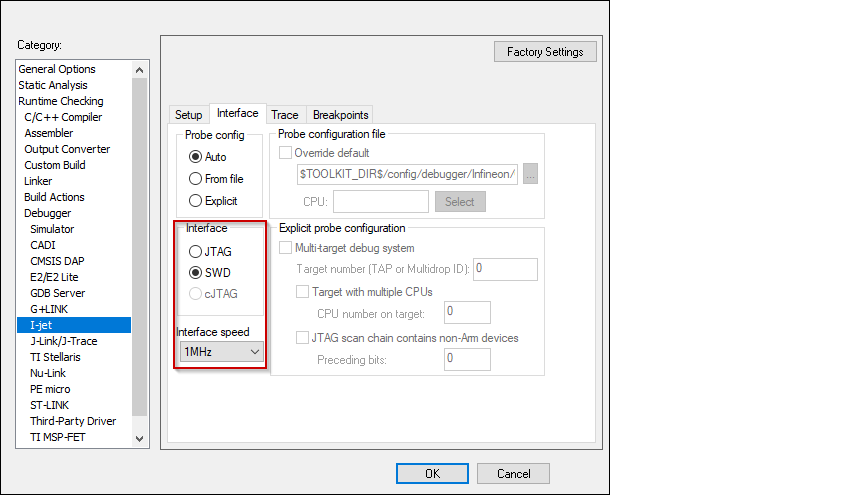
- Switch to the Interface tab,
and select Interface JTAG or SWD, and set the
Interface speed to 1MHZ.
J-Link
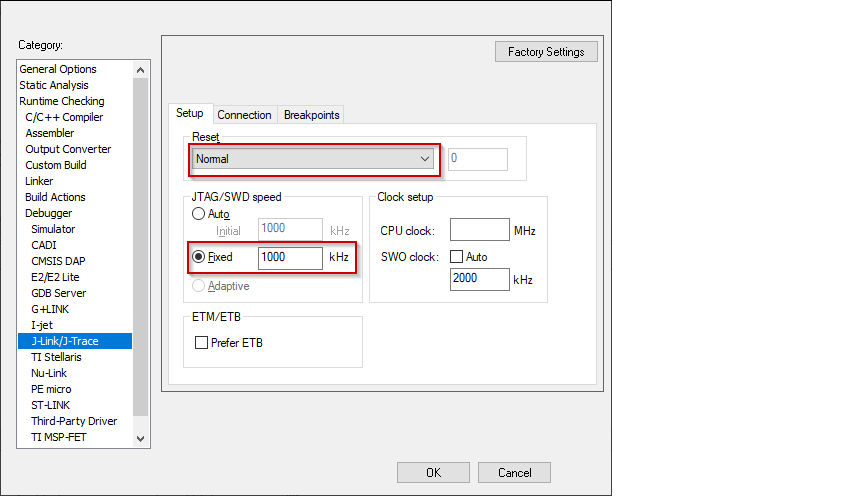
- Switch to the Setup tab and
select "Normal" from the Reset pull-down menu
and set the JTAG/SWD speed to Fixed 1000 KHz.
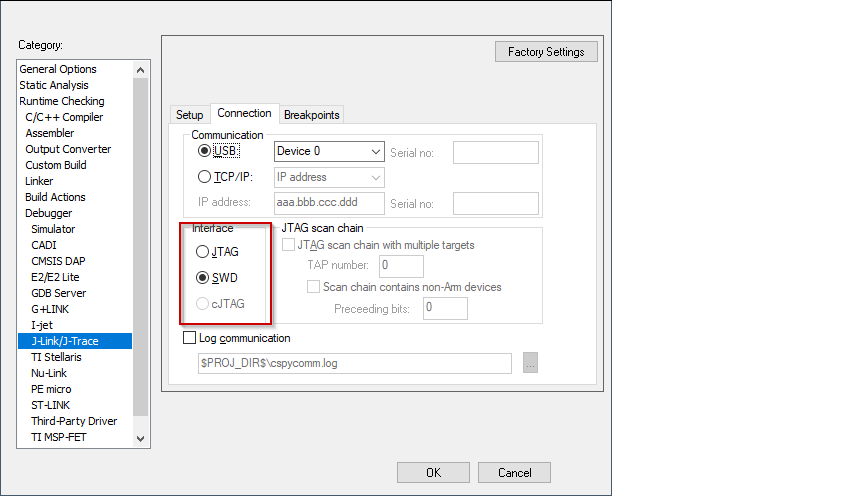
- Switch to the Connection tab,
and select Interface JTAG or SWD.
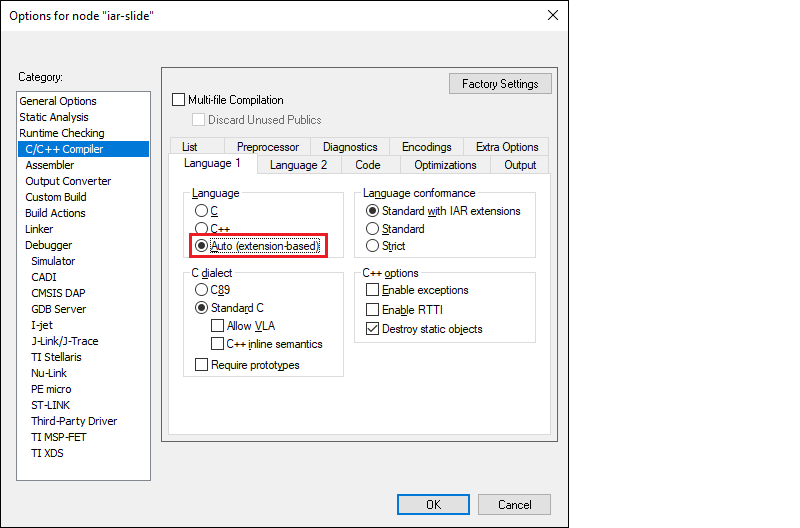
Configure applications with C++ files
Build options, and prebuild/postbuild settings
- C / C++ Compiler > Extra Options
- Assembler > Extra Options
- Linker > Extra Options
Prebuild and postbuild steps from a ModusToolbox application are not included in the export process by default for most devices at this time. If your original application has these steps, you must include them in the IAR Embedded Workbench manually as follows:
- In IAR Embedded Workbench, open the Options dialog, go to the
Build Actions category.
- Click the New button to
open the New Build Action dialog.
- On the New Build Action dialog, enter a command-line argument,
output and/or input files, the working directory, and the build order.
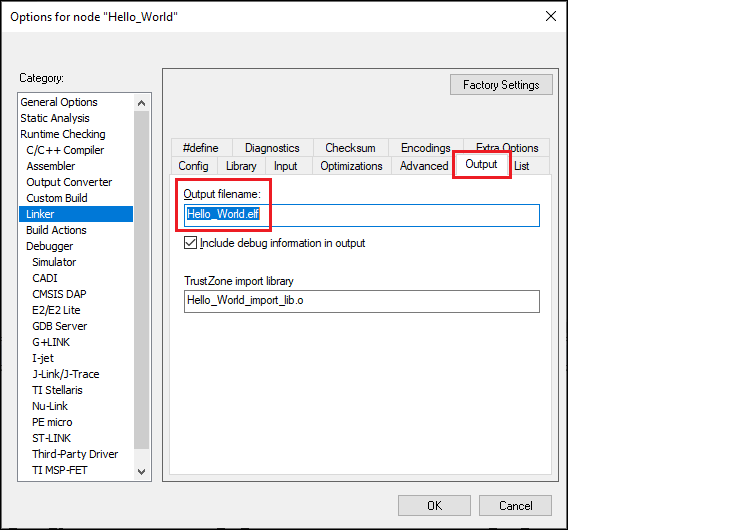
- If using a postbuild script that works with .elf files, switch
to the Linker > Output tab and change
the file extension from ".out" to ".elf" in the Output filename field:
- Click OK to close the
Options dialog.
Refer to the IAR Embedded Workbench Help for more details.
- On the IAR main menu, select
Project > Make to build the application. You should see the
following:
Hello_World.elf

Total number of errors: 0
Total number of warnings: 0
Resolving dependencies...
Build succeeded
Enable softfp VFP mode
- Open the Options dialog for you project/application.
- Go to C/C++ Compiler > Extra Options, and enable Use command line options.
- Enter the following in the entry box, and click OK:
--aapcs std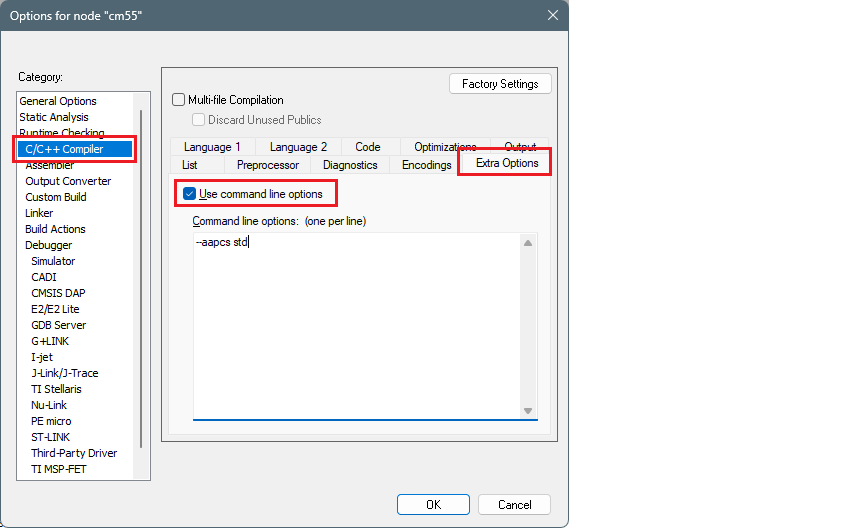
For more information, refer to https://wwwfiles.iar.com/arm/webic/doc/EWARM_DevelopmentGuide.ENU.pdf.
RTOS settings
If your application includes an RTOS, you will need to update compiler and linker settings in IAR Embedded Workbench. This is needed to make the C/C++ library implementation thread safe. This process is described in the IAR C/C++ Development Guide
- Open Project > Options > General Options >
Library Configuration.
- In the Library menu, select "Full".
- Select the Enable thread support in
library check box.
- Click OK.
Once enabled, this will require implementations of functions that perform the locking that are provided by the clib-support library that we provide. https://github.com/Infineon/clib-support/blob/master/README.md
Patched flashloaders
To enable support for different QSPI settings, the ModusToolbox™ QSPI Configurator patches flashloader files and stores them in the application directory. When exporting such applications to IAR Embedded Workbench, these patched flashloader files must be copied into the appropriate directory.
Copy the *.out file located in the [app-dir]\bsps\[Kit-Name]\config\GeneratedSource directory.
Paste the flashloader file to the [install-path]\arm\config\flashloader\Infineon\[device] directory.
Perform ETM/ITM trace
For PSOC™ Control and PSOC™ Edge devices, refer to application note AN242338 - Performing ETM and ITM trace on PSOC™ Control С3 and PSOC™ Edge E8 MCUs.
For PSOC™ 6 devices, refer to application note AN235279 - Performing ETM and ITM trace on PSOC™ 6 MCU.
Multi-core toolbar and CTI usage (I-jet and CMSIS-DAP only)
When multi-core debugging is established through I-jet or CMSIS-DAP drivers, a multi-core toolbar becomes available. It allows you to halt and resume all/single core(s) from within a single IDE instance.
