The "Custom Data Settings" dialog is used to configure, populate, decode, and display application-defined custom data in the CAPSENSE™ Tuner.
- Define a packed structure that matches the custom-data buffer layout.
typedef __PACKED_STRUCT
{
    uint8_t  var1[10u];
    uint16_t var2;
    uint32_t var3;
} customDataStruct_t;
The total required buffer size for the above structure is 16 bytes. In the Configurator, enable the custom-data buffer and edit the custom-data buffer size to the required value. The available buffer size is from 1 to 256 bytes.
-
In the application, write custom data before `Cy_CapSense_RunTuner()`.
uint8_t i; /* First scan */ Cy_CapSense_ScanAllWidgets(&cy_capsense_context); for (;;) { if (CY_CAPSENSE_NOT_BUSY == Cy_CapSense_IsBusy(&cy_capsense_context)) { /* Process raw scan data. */ Cy_CapSense_ProcessAllWidgets(&cy_capsense_context); /* Write application data to the tuner buffer. */ for (i = 0u; i < sizeof(((customDataStruct_t *)CY_CAPSENSE_CUSTOM_DATA_VALUE)->var1); i++) { ((customDataStruct_t *)CY_CAPSENSE_CUSTOM_DATA_VALUE)->var1[i] = cy_capsense_context.ptrWdConfig[0u].ptrSnsContext[0u].status; } ((customDataStruct_t *)CY_CAPSENSE_CUSTOM_DATA_VALUE)->var2 = cy_capsense_context.ptrWdConfig[0u].ptrSnsContext[0u].raw; ((customDataStruct_t *)CY_CAPSENSE_CUSTOM_DATA_VALUE)->var3 = cy_capsense_context.ptrWdContext[0u].status; /* Synchronize the tuner buffer with the tuner. */ Cy_CapSense_RunTuner(&cy_capsense_context); /* Start the next scan. */ Cy_CapSense_ScanAllWidgets(&cy_capsense_context); } } - Configure the custom-data buffer and definitions as follows:
- In the Tuner, open Tools > Custom Data Settings....
The dialog opens.
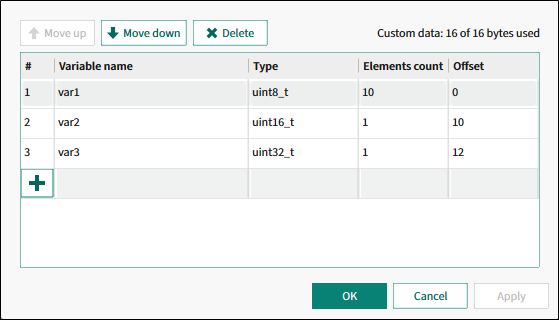
- Add the variables in the dialog window and click OK.
To define the array variable, specify the number of the array elements in the Elements count column.
- Open the Graph View tab.
- Expand the Custom Data chart. Note that it is hidden by default.
- Select the required elements on the chart legend.To check/uncheck all elements of the same array at the same time, press and hold the [Ctrl] key.
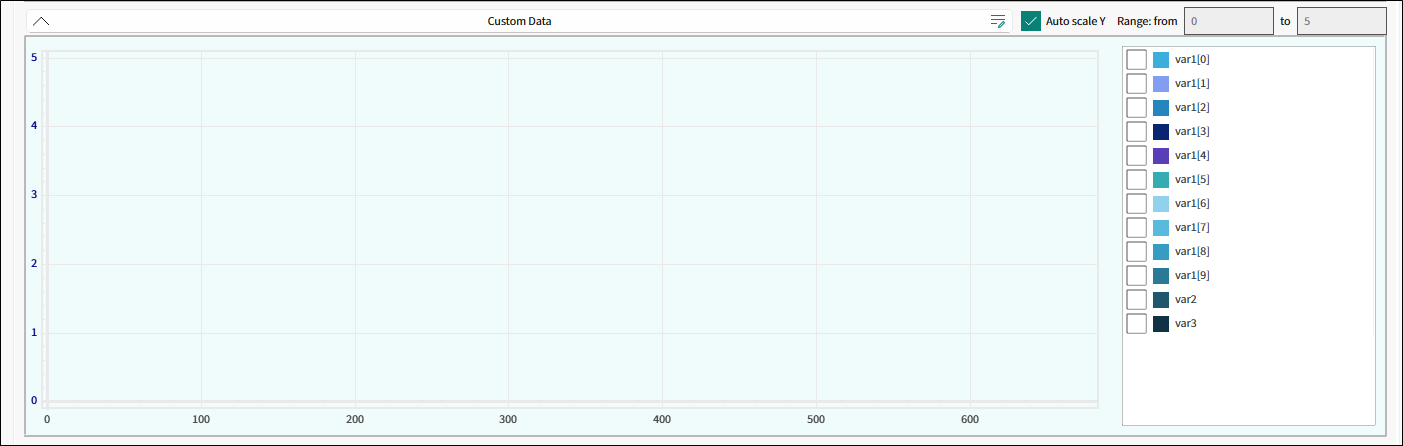
- To include custom data in the Tuner log:
- Open Tools > Options..., enable Custom data in the Logging options.
- Select either the byte array or decoded custom-data variables as the log format.
- Write multi-byte values to the Tuner buffer in the little-endian format for the correct tuner decoding.
The requirements:
- The configured offsets must match the application structure layout.
- The variable must fit completely inside the configured custom-data buffer.
Note:
The Tuner uses custom-data definitions only for decoding and visualization/logging.
The Tuner does not write values into the application custom-data buffer.