Use this chapter to understand the differences between KitProg versions and decide which to use.
Feature Comparison
| Feature | DAPLink | KitProg3 | KitProg2 |
|---|---|---|---|
|
Protocol |
Serial Wire Debug (SWD) |
Serial Wire Debug (SWD) JTAG |
Serial Wire Debug (SWD) |
|
Transport Mechanism |
CMSIS DAP v2.0.0 |
CMSIS DAP v2.0.0 CMSIS DAP v1.2.0 |
CMSIS DAP v1.1.0 Proprietary |
|
USB Mass Storage Device |
Yes |
No |
Yes |
|
USB Endpoints |
Bulk, CDC, MSC |
Bulk and HID, CDC |
HID, CDC |
|
IDE Support |
ModusToolbox™ IAR Embedded Workbench Keil µVision |
ModusToolbox™ PSOC™ Creator IAR Embedded Workbench Keil µVision |
PSOC™ Creator |
|
Programmer Support |
N/A |
ModusToolbox™ Programmer PSOC™ Programmer |
PSOC™ Programmer |
|
Kit support |
See Supported Kits |
The same, see Supported Kits |
|
This comparison does not include programming speed because that depends upon several variables, such as the target flash memory (type and size), programming tool overhead, and the transport mechanism. These vary widely from tool to tool, and kit to kit. However, KitProg3 is 2-4x faster than KitProg2 using the CMSIS-DAP transport mechanism, because it uses Bulk endpoints for faster data transfer. JTAG programming interface is available only for MiniProg4.
Upgrading to KitProg3
You can upgrade the kit firmware by using one of these:
- PSOC™ Programmer (may not include the latest KitProg3 Firmware)
- ModusToolbox™ Programmer (may not include the latest KitProg3 Firmware)
- Firmware Loader Tool (includes latest KitProg3 Firmware with DAPLink)
This section describes how to upgrade kit firmware to KitProg3 by using a Programmer tool. See Update DAPLink Firmware for instructions on how to upgrade kit firmware to latest KitProg3 FW with DAPLink.
Because tools are released individually and on their own schedule, the most recent release of a programming tool may not have the very latest version of KitProg3 to install and update. You can also use the Firmware Loader (fw-loader) tool to upgrade the kit. See Updating KitProg3 for more information.
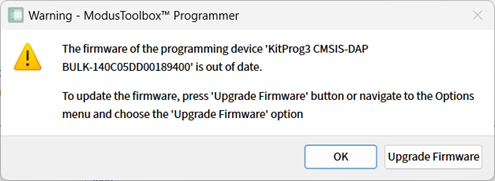
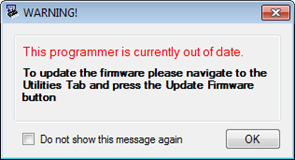
Use a Programmer tool to connect to a kit. The tool connection tells you what firmware is on the kit. If KitProg2 is installed on the kit, the tool notifies you, and gives you the option to upgrade firmware. Click OK to leave the firmware unchanged.
Click Upgrade Firmware and KitProg3 is loaded into the kit. The Programmer tool log window provides progress information and confirms connection to the new KitProg3 firmware on the kit.