Overlay stack-up
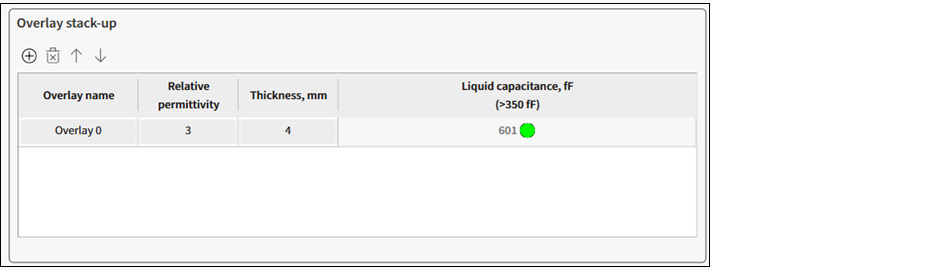
Toolbar
- To add an overlay, click the "plus" icon.
- To remove an overlay, click the "cross" icon.
- To move an overlay up/down, use the arrows.
Verification parameters table
- Overlay name – The name of an overlay stack-up.
- Relative permittivity – Relative permittivity of the overlayer/stack-up material.
- Thickness, mm – The thickness of an overlay stack-up.
- Liquid capacitance, fF (>350fF) – The guarding value of calculated sensor capacitance depending on the sensor design and amount of added liquid. In short, the sensor capacitance caused by added liquid. This parameter must exceed 350fF. The sign in the executive button and a message in the Notice List will be displayed to the indicated inefficient design.
Note:
When the value is below 350fF, you can still
generate a *.dxf file but the sensor may have low performance.
Illustration of overlays between sensor and liquid
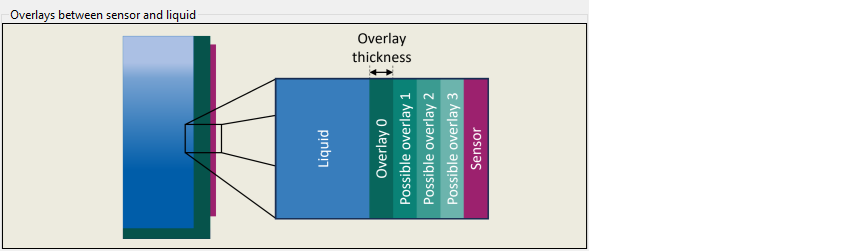
Illustration of overlays between sensor and liquid