Follow steps in Create/export application for IAR Embedded Workbench.
Fix vector table
There is a known issue with an invalid for IAR name for the vector table in the C start-up code. To resolve it:
- Open the Options dialog and select the Debugger item under Category.
- Select the Extra Options
tab, select the Use command line options check
box, and paste the following command-line
option:
--drv_vector_table_base=__Vectors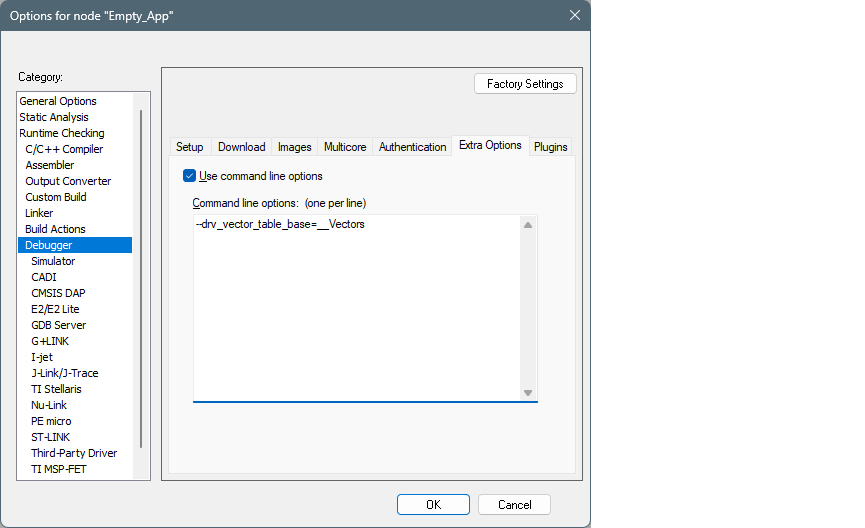
- Click OK to close the Options dialog.
Build, program, debug
To build, save the application and select Project > Make. The Output should display the progress, ending with text similar to this:
Total number of errors: 0
Total number of warnings: 0
Resolving dependencies...
Build succeeded
To program, select Project > Download > Download file… and select the [project_name].final.hex file in [project_root]\build\last_config [you might have to switch to All Files (*.*)].
To debug, select Project > Debug without Downloading.