Follow steps in Create/export application for IAR Embedded Workbench. The project creation process also generates an ide_postbuild.bat file used to execute postbuild commands for the application. When complete, use the instructions in this section to configure, build, program, and debug the application for a PSOC™ 64 secure MCU in IAR Embedded Workbench.
Note:
For a PSOC™ 64 secure MCU, you must also follow
the instructions in the Secure Boot SDK user guide to generate keys and
provision the device.
Configure and build
After creating an application, make a few changes before attempting to build it:
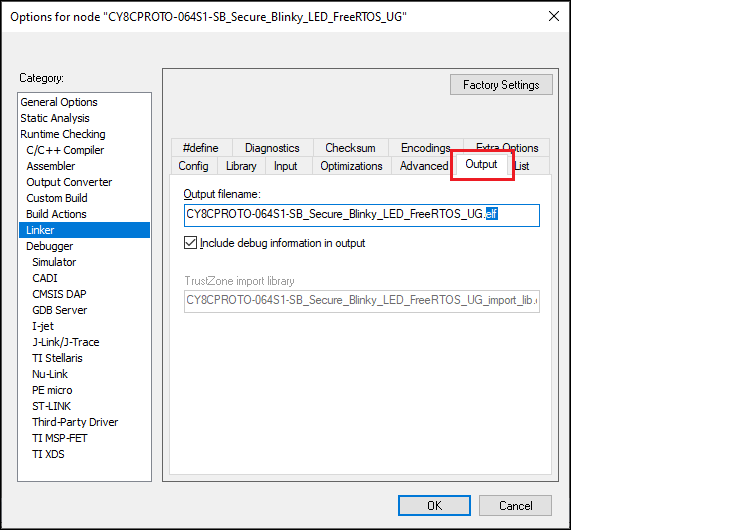
- In IAR embedded Workbench, open the Options dialog, go to Linker > Output, and change the file extension
from ".out" to ".elf" in Output filename
field:
- Click OK to close the dialog.
- On the IAR main menu, select Project > Make to build the application.
Program and debug
- You can set the default debugger options for CMSIS-DAP or J-Link.
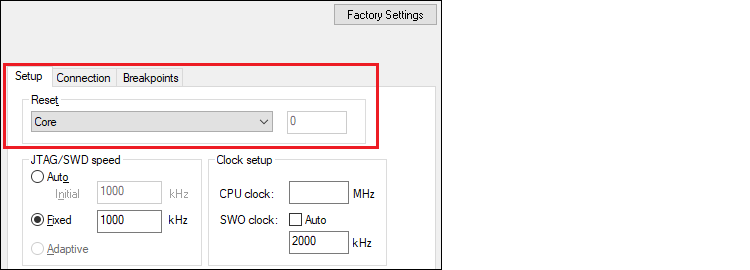
See Program/Debug with KitProg3/MiniProg4 (CMSIS-DAP) or Program/Debug with J-Link.Note:If using J-Link with a PSOC™ 64 "Secure Boot" MCU, you must specify a special type of Reset "Core" under the J-Link > Setup tab, as shown:
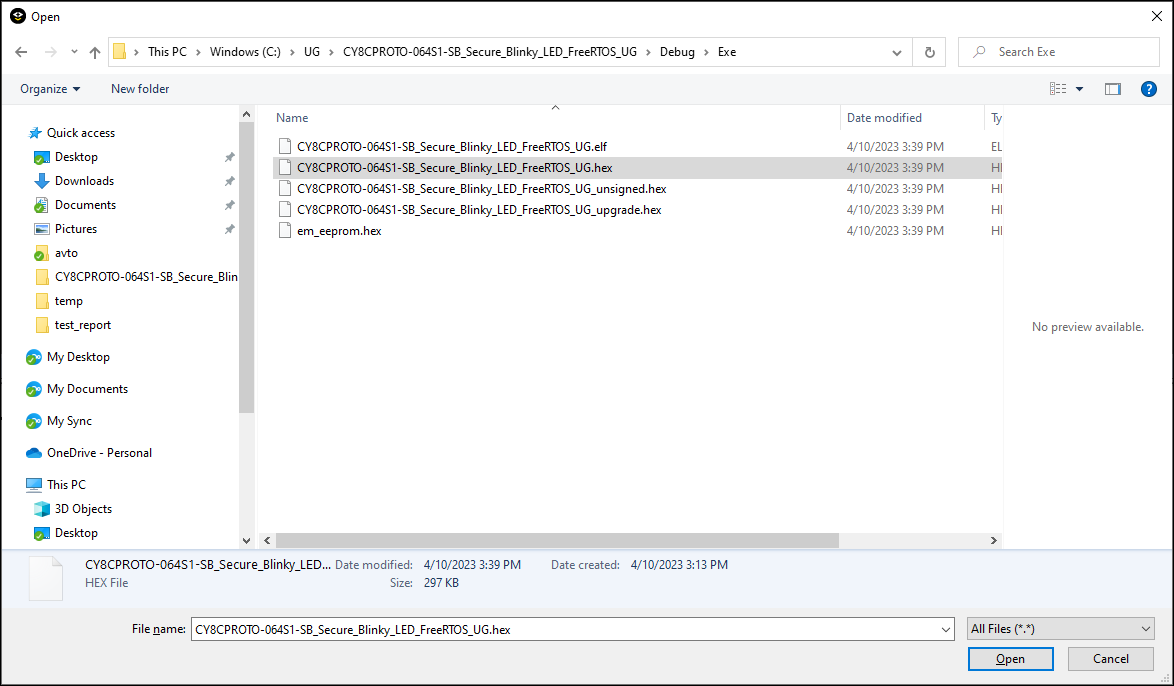
- Select Project > Download >
Download file… and select the <project_name>.hex file in <project_root
>\Debug\Exe.
- Select Project > Debug without Downloading.