If you right-click on a BSP, different commands are available. See
"Working with BSPs" for details.
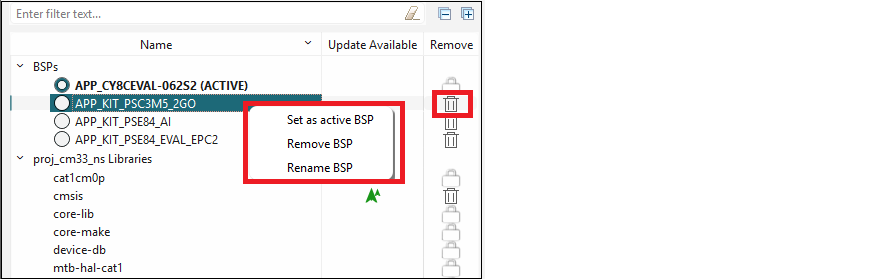
- Set as Active BSP – This button allows you to switch between multiple BSPs, choosing which BSP is active and non-active.
- Rename BSP – This button allows you to specify the name for a BSP created as an in-app BSP.
- Remove BSP – This button allows you to delete a non-active BSP.