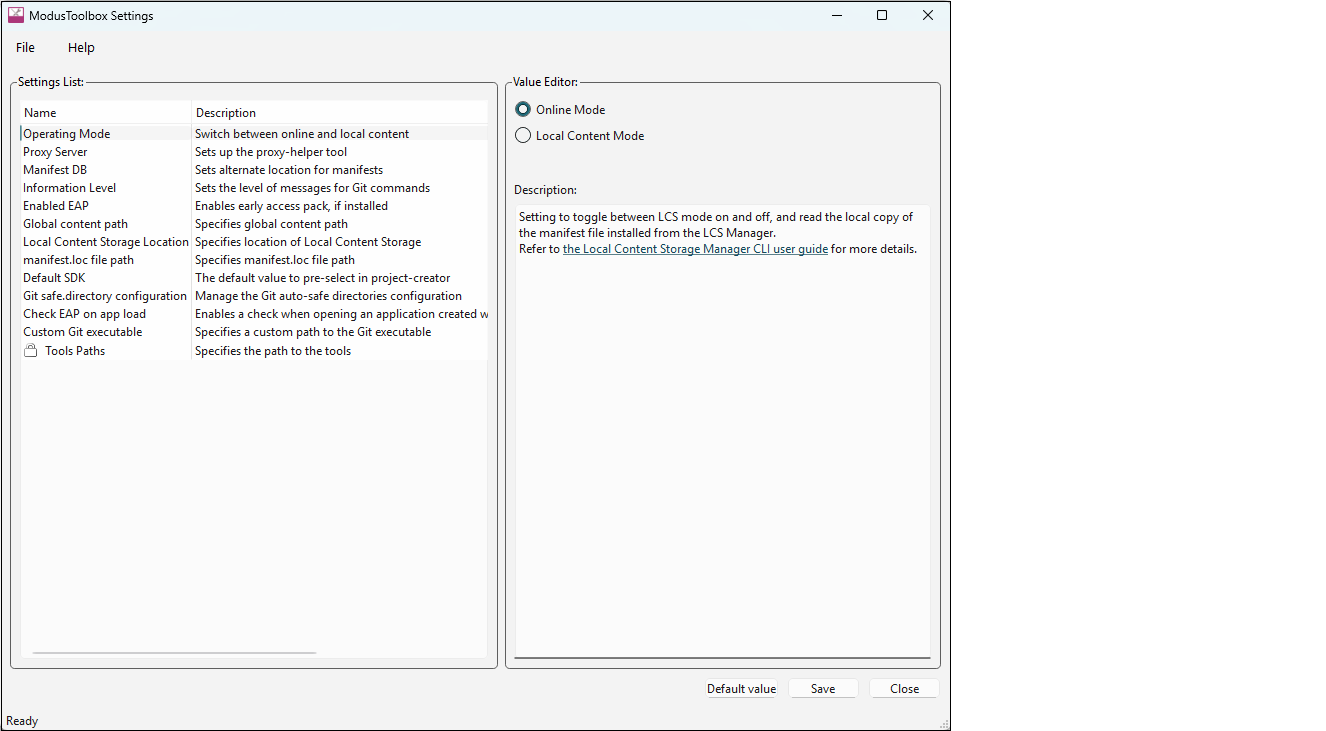
There are various settings for the ModusToolbox™ ecosystem that can be set
for a given user’s development environment. These include proxy settings, information
levels, custom Git executable, and so on. For the ModusToolbox™ 3.5.0 and later tools
package releases, the Settings tool provides a single place to configure these settings.
Menus
The Settings tool contains the following menus:
- File: This menu includes the Exit command to close the Settings tool.
- Help: This menu contains:
- View Help – Opens this document.
- About – Opens the About box for version information, with links to open Infineon.com and the current session log file.
Setting Environment Variables
If you have previously used ModusToolbox™ software, you may have set up different
environment variables which will override the Settings tool. In order for the Settings tool
to run successfully, you will need to unset or delete the following:
- Operating Mode -
MTB_USE_LOCAL_CONTENT - Manifest DB -
CyRemoteManifestOverride - Local Content Storage Location -
MTB_LOCAL_CONTENT_PATH - Enabled EAP -
MTB_ENABLE_EARLY_ACCESS - Global content path -
CY_GETLIBS_GLOBAL_PATH - Alternate global path -
CY_GETLIBS_GLOBAL_PATH - Alternate manifest.loc path –
CyManifestLocOverride