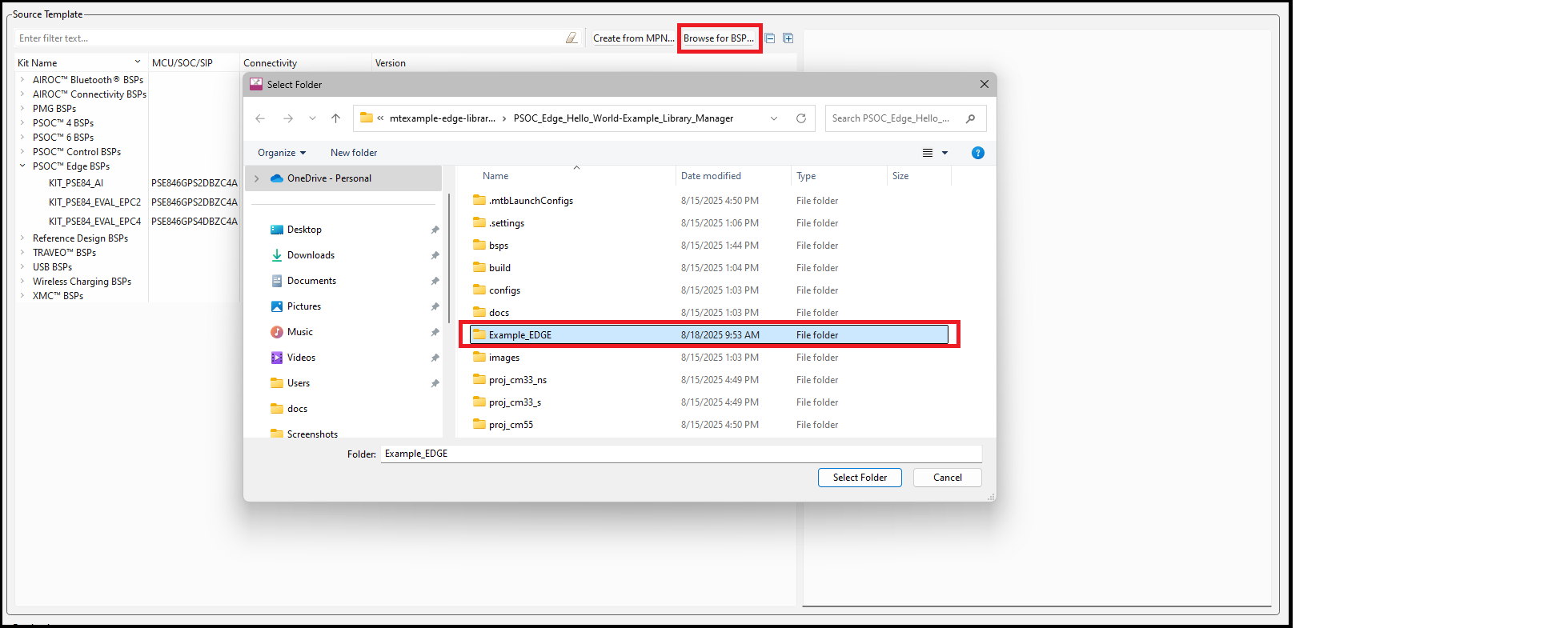
On the Add BSP dialog, click the Browse for
BSP button. Then on the Select Folder dialog, navigate to and select the
desired BSP and click Select Folder.
The added BSP will show up in the Add BSP dialog under Import.
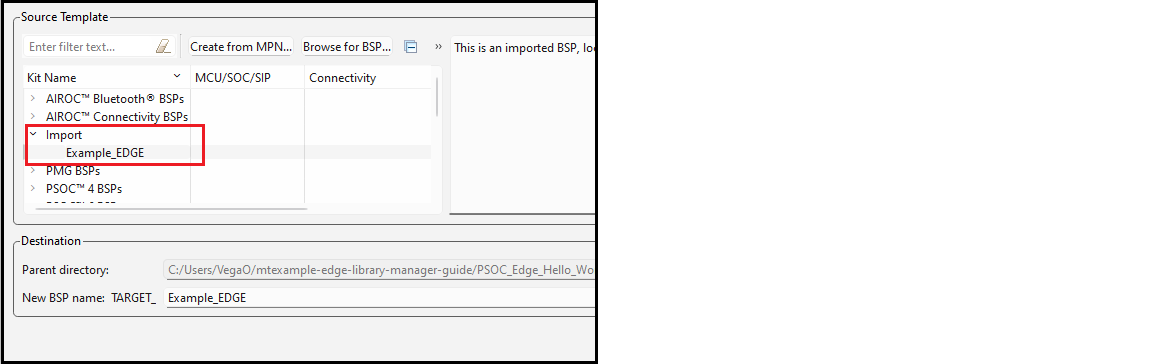
Change the New BSP name, if desired, and click OK. The added BSP will appear on the list of BSPs on the main Library Manager window.