There are several ways to launch the CAPSENSE™ Tuner, and those ways depend on how you use the various tools in ModusToolbox™. However, the easiest way is to launch it using the Device Configurator because the CAPSENSE™ Tuner requires a properly configured CAPSENSE™ application programmed into the device. Refer to the Device Configurator user guide for more details.
From the Device Configurator
You can launch the CAPSENSE™ Tuner from the Device Configurator. Refer to the Device Configurator user guide for more details.
The process differs slightly depending on the hardware block:
- The 4th generation CAPSENSE™ – one CSD resource.
- The 5th generation CAPSENSE™ – two and more MSC resources.
- The 5th generation LP CAPSENSE™ – one MSCLP resource.
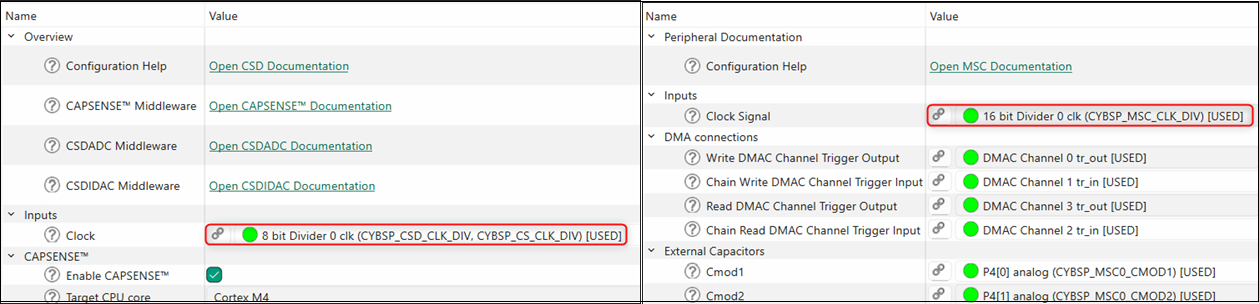
- On the Peripherals tab, select the CSD (CapSense) resource or the CapSense
and one or more MSC or MSCLP resources, as
applicable for your device.

- (Skip this step for MSCLP.) On the Parameters
pane, select an appropriate input Clock.
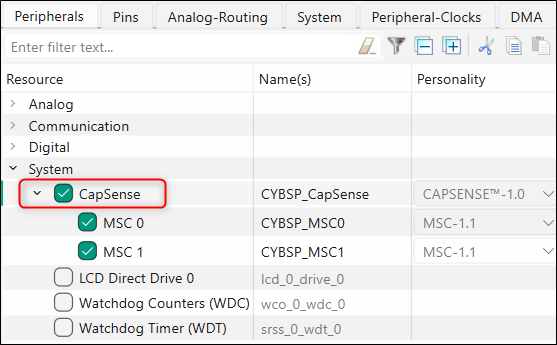
- For the MSC and MSCLP HW blocks, select the CapSense resource category on the Peripherals tab.
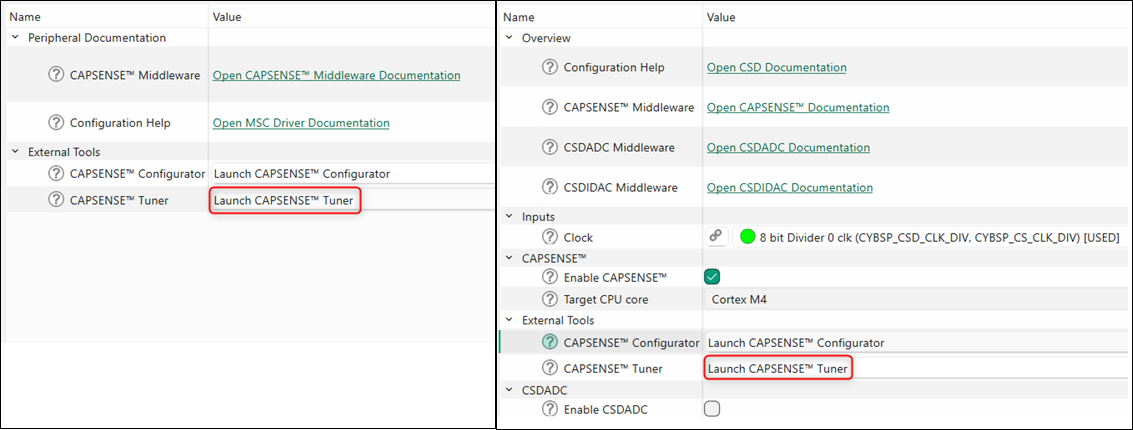
- On the Parameters pane, click the Launch CAPSENSE™ Tuner button.
make command
As described in the ModusToolbox ™ tools package user guide "ModusToolbox build system" chapter, you can run numerous make commands in the application directory, such as launching the CAPSENSE™ Tuner. After you have created a ModusToolbox™ application, navigate to the application directory and type the following command in the appropriate bash terminal window:
make capsense-tunerThis command opens the CAPSENSE™ Tuner GUI for the specific application in which you are working.
VS Code and Eclipse
VS Code and Eclipse have tools to launch the CAPSENSE™ Tuner from within an open application. Refer to the applicable user guide for more details:
Executable (GUI)
You can launch the CAPSENSE™ Tuner GUI by running its executable as appropriate for your operating system. By default, it is installed here:
<install_dir>/ModusToolbox/packs/ModusToolbox-Multi-Sense-Pack/tools/capsense-configurator
When run independently, the application opens without any information. For the Tuner to work, open a specific CAPSENSE™ application configuration file that was created by the CAPSENSE™ Configurator . See Menus under GUI description for more information about opening a configuration file.
Executable (CLI)
You can run the Tuner from the command line. However, there are few reasons to do this in practice.
For information about the command-line options, run the Tuner using the -h
option.
Parallel design
You can simultaneously open the CAPSENSE™ Tuner and Configurator to work with the same <file_name>.cycapsense configuration file. To get the values in the CAPSENSE™ Tuner, which were updated in the CAPSENSE™ Configurator, use the Import option or reopen the CAPSENSE™ Tuner.