The Select Font dialog lets you choose a font installed on the system , a style, and a size.
The dialog is opened by choosing and clicking the ellipsis (…) button in the Main tab.
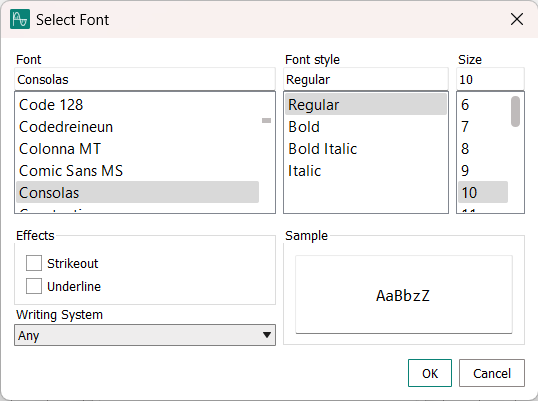
- Font
-
All typefaces that are available on your computer that support the selected writing system.
- Font Style
-
All styles in which the selected font is available on your computer.
- Size
-
The size (in points) in which you want to use the font.
You can either pick a predefined size or enter the desired size into the text field above the list.
- Effects
-
Any visual effects that should be applied to the selected font.
- Writing System
-
The writing system (such as Latin, the standard system used in most of Europe and America, Cyrillic or Chinese) that he selected font must support.
The Font list displays only fonts that contain the symbols for the selected writing system.
- Sample
-
Sample text using the settings made in the dialog.
- OK
-
Closes the dialog and applies the settings.
- Cancel
-
Closes the dialog without applying the settings.