Switch to Kill mode
Attention:
Be aware that after applying Kill mode your device will be permanently locked from any external debugger or programmer software. This operation is not reversible.
Connect the device to the host computer and select it in the
Programmer
,
Board
, and
Device
drop-downs.
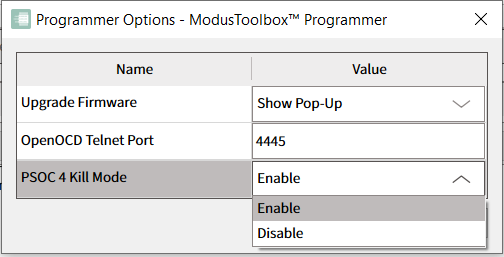
To use Kill mode, go to
Options > Programmer Options
and enable it in
PSOC 4 Kill Mode
drop-down.
Connect to the device (see Connect Device).
Click the
Chip Protection
pull-down and select
Kill
mode.
A warning message asking for confirmation is displays.
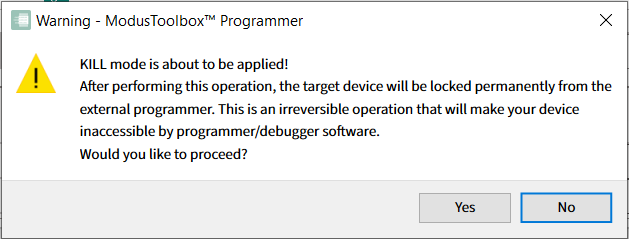
Click
Yes
to apply Kill mode for your PSOC 4, PMG1, PAG2S and CCGx.
When the operation completes, the log is appended with a message, and the device is disconnected from the programmer automatically.
