Program chip-protected/Kill Mode for PSOC™ 4 MCU
The chip-level protection mechanism restricts access of the programmer application to silicon resources. In this mode, access to flash, SRAM, and most of the registers in the PSOC™ 4, PMG1, PAG2s, and CCGx are disabled.
Switch to Protected mode
If you try to connect ModusToolbox™ Programmer to a chip-protected PSOC™ 4/CCGx device, a warning message indicates that the device is in protected mode. The only available operation is Erase device in this case.
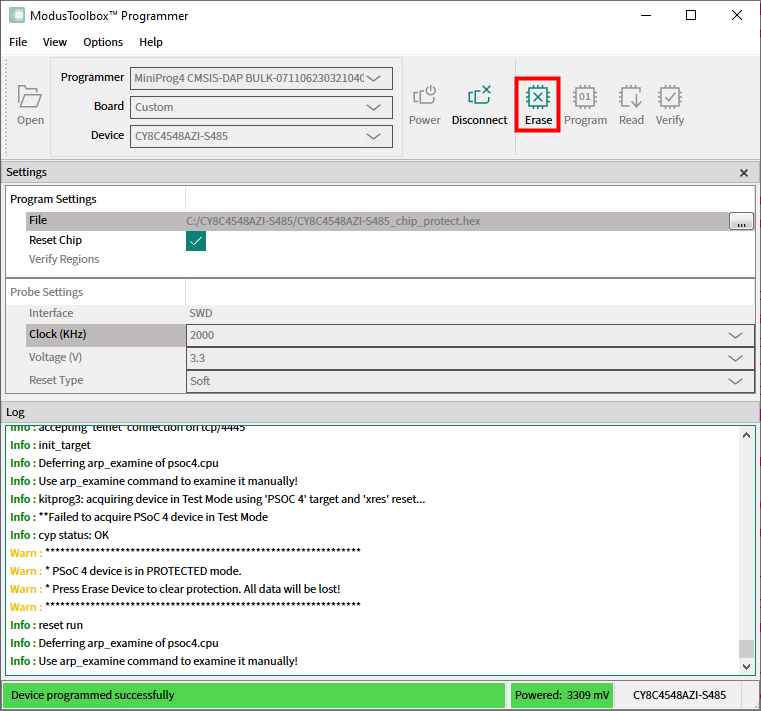
Use the
Erase
button to clear chip protection and move target to the open state.
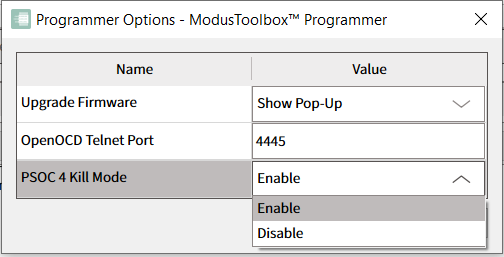
To program the Kill Mode into a PSOC™ 4 /CCGx device, go to
Options -> Programmer Options
and enable it in the
PSOC 4 Kill Mode
drop-down.
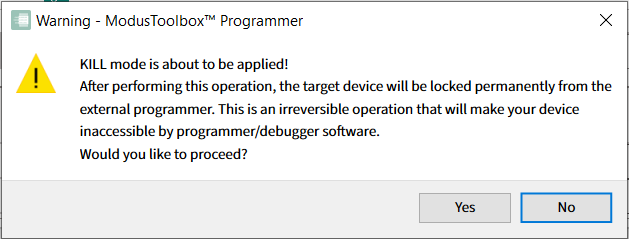
When trying to program a HEX file that applies Kill Mode via the special region 0x90600000, confirm this operation by clicking
Yes
in the dialog.
After programming is completed, the message in the
Log
indicates that the device was transferred to Kill Mode successfully (or that an error occurred).
