Program secure AIROC™ CYW20829 MCU
You can program the flash of an AIROC™ CYW20829 device in Secure lifecycle mode only by providing a valid debug certificate file.
Connect the device to the host computer and select it in the
Programmer
,
Board
, and
Device
drop-downs.
Select the programming file as described in the
Load programming file
section.
Click on the
Debug Certificate
option under
Program Settings
and select the certificate file in the dialog.
The path will display under Settings.
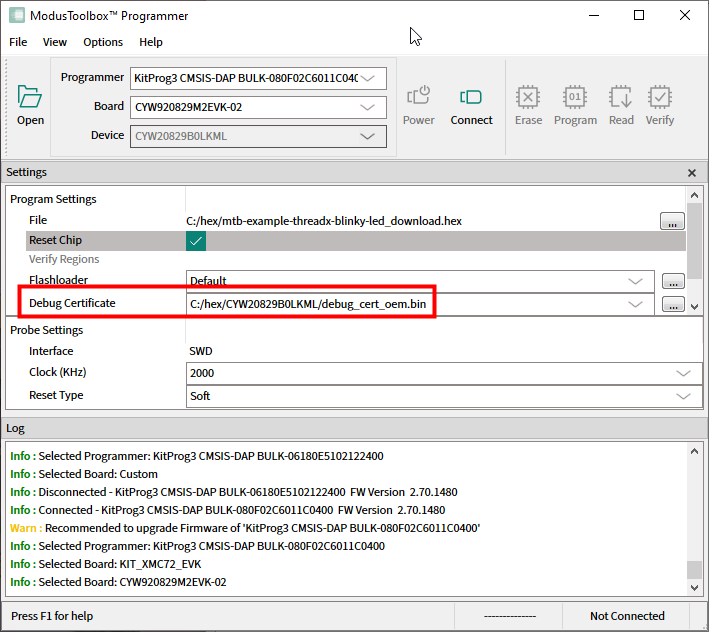
Connect to the device (see
Connect device
).
Click the
Program
button.