Apply chip-protected/Kill Mode for PSOC™ 4 Device
Connect the device to the host computer and select it in the
Programmer
,
Board
, and
Device
drop-downs.
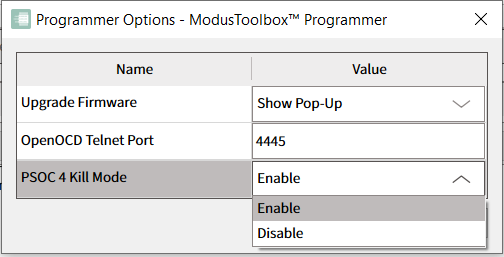
To use Kill Mode, go to
Options -> Programmer Options
and enable it in
PSOC 4 Kill Mode
drop-down.
Connect to the device (see
Connect device
).
Click the
Chip Protection
pull-down and select
Kill
or
Protected
mode.

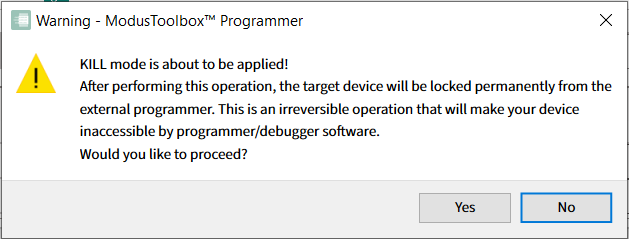
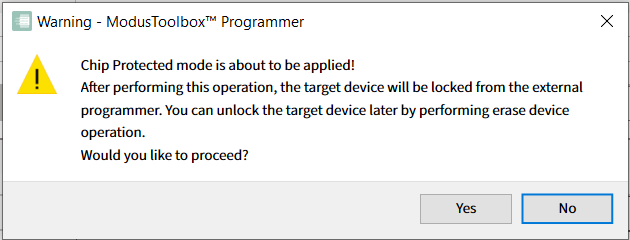
A warning message displays asking for confirmation.
For Kill mode being applied, it looks like this:
For Protected mode being applied, it looks like this:
Click
Yes
to apply Kill/Protected mode for your PSOC™ 4, PMG1, PAG2S and CCGx.
Be aware that after applying
Kill
mode, your device will be permanently locked from any external debugger or programmer software. A message in the
Log
indicates that the device was transferred to Kill/Protected mode successfully (or that an error occurred).
For
Kill
mode:

For chip
Protected
mode:

The device is then disconnected from the programmer automatically.