Program External Memory
Attach and select a device that supports external memory (for example, CY8CKIT-062-WiFi-BT with QSPI support).
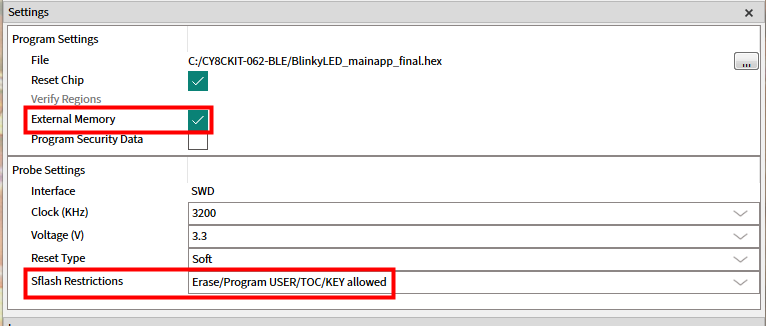
Select the
External Memory
option under
Program Settings
.
Select the programming file as described in the
Load programming file
section. The programming file should contain external memory region(s) and correct QSPI configuration data.
Select
Erase/Program USER/TOC/KEY allowed
option under
Probe Settings > Sflash Restrictions
. This is only needed for PSOC™ 6 devices.
Connect to the device (see
Connect device
).
Click the
Program
button.
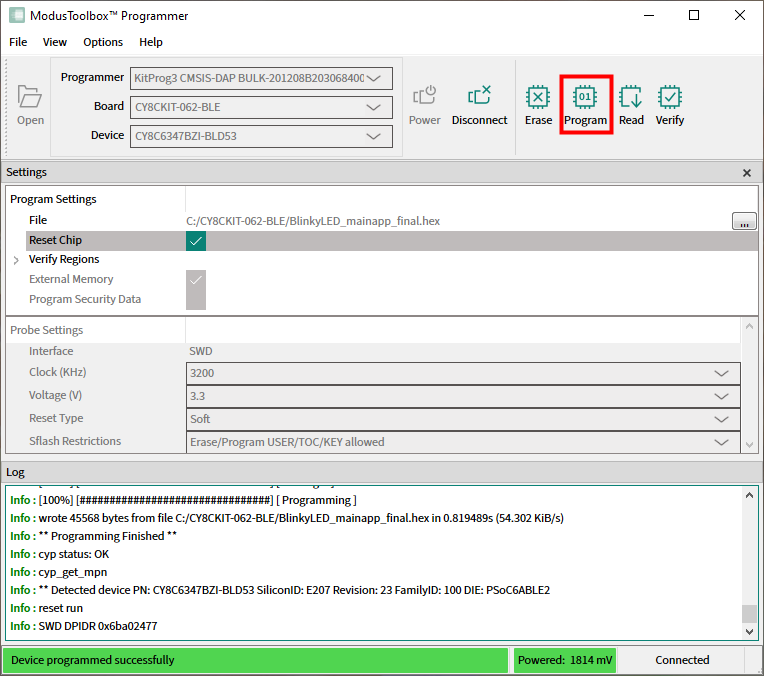
ModusToolbox™ Programmer programs the device and displays various messages in the
Log
. Then, a message in the Status Bar indicates that the device was programmed successfully or that an error occurred.