Switch to Protected mode
This operation temporarily disables access to chip's resources. Use the
Erase
button to clear chip protection and move the target to the open state.
Connect the device to the host computer and select it in the
Programmer
,
Board
, and
Device
drop-downs.
Select the
Chip Protection
pull-down and select
Protected
mode.
A warning message asking for confirmation is displays.
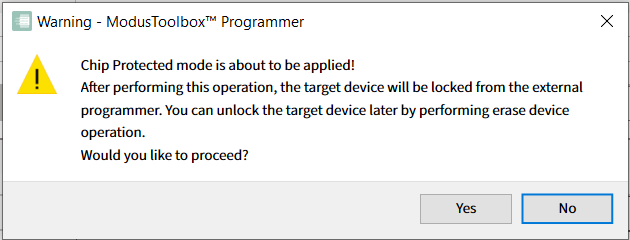
Click
Yes
to apply
Protected
mode for your PSOC™ 4, PMG1, PAG2S and CCGx.
When the operation completes, the log is appended with a message, and the device is disconnected from the programmer automatically.
