Calibration stages
Sensor tuning
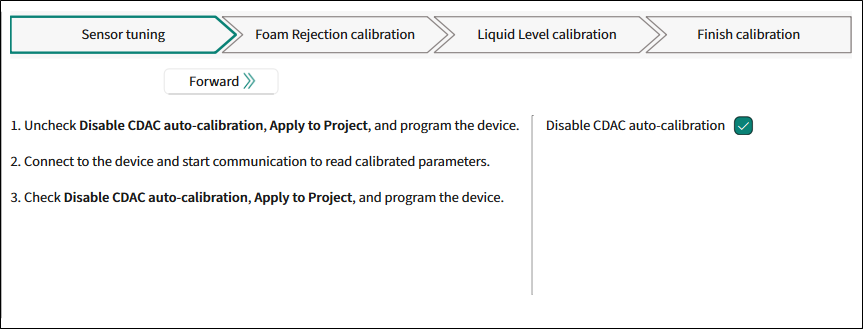
Instructions:
Uncheck
Disable CDAC auto-calibration
,
Apply to Project
, and program the device.
Connect to the device and start communication to read calibrated parameters.
Check Disable CDAC auto-calibration,
Apply to Project
, and program the device.
The parameter:
Disable CDAC auto-calibration
Foam Rejection calibration
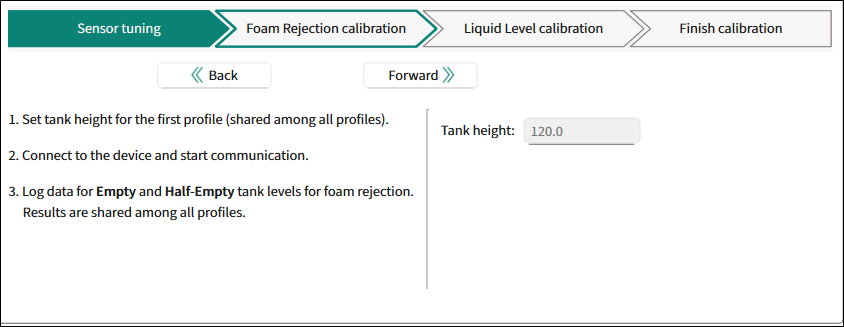
Instructions:
Set tank height for the first profile (shared among all profiles).
Set resolution.
Set number of average samples per step.
Connect to the device and start communication.
Log data for each liquid level starting with
Empty
tank
The parameter:
Tank height
– The height of the tank. Range: 30-1000.
Liquid Level calibration
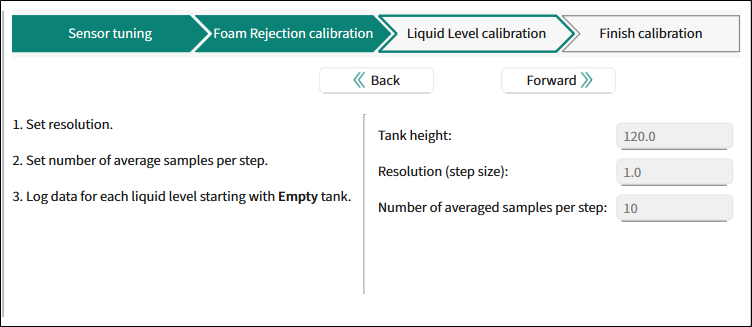
Instructions:
Set resolution.
Set number of average samples per step.
Log data from each level starting with
Empty
tank.
The parameters:
Tank height
– The height of the tank. Range: 30-1000.
Resolution (step size)
– The resolution of measurement. Range: 0.1-1000.
Number of average samples per step
– The number of samples per measurement level. Range: 1-1000.
Finish calibration
Active profile is ready for final widget calibration.
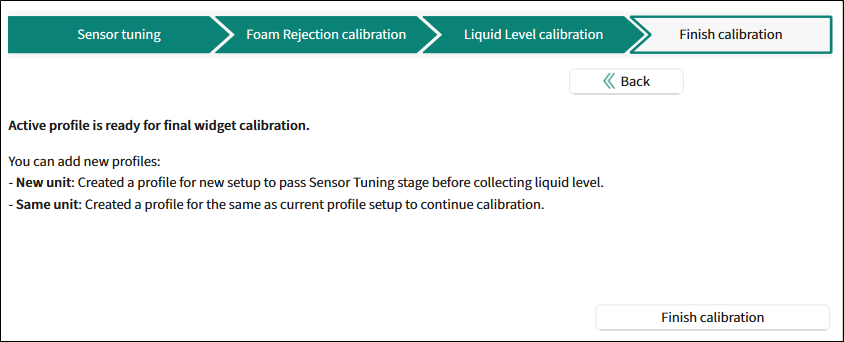
Instructions;
You can add new profiles.
New unit: Created a profile for a new setup to pass Sensor Tuning stage before collecting liquid level
Same unit: Created a profile for the same as current profile setup to continue calibration.
Click the
Final calibration
button. The dialog "Calibration options" displays.

Select profiles.
The Tuner starts the calibration process.
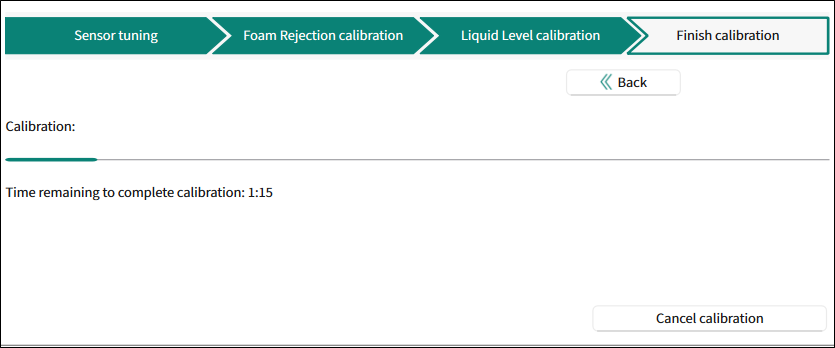
Final calibration completed
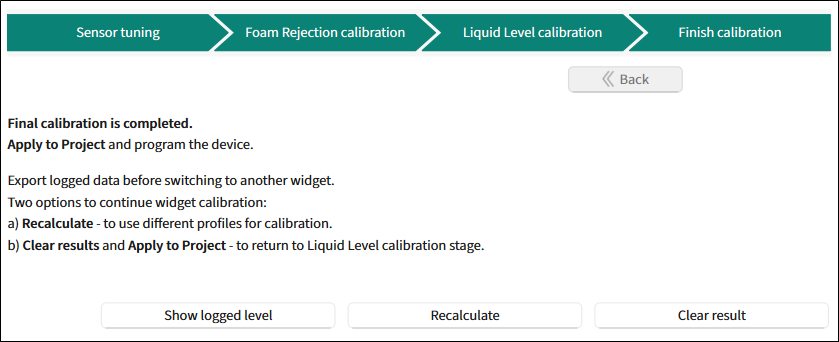
Final calibration is completed.
Instructions:
Apply to Project
and program the device.
Export logged data before switching to another widget.
Two options to continue widget calibration:
Recalculate – to use different profiles for calibration.
Clear
results and
Apply to Project
– to return to the Liquid Level calibration stage.
Use the
Show logged level
,
Recalculate
,
Clear results
buttons for relevant actions.