Illustration of Liquid Level calibration
This pane is the graphical illustration of the calibration process. The current level (tank) is indicated by the triangle.
The images show the tanks filling at different stages:
Foam Rejection calibration | Liquid Level calibration |
|---|---|
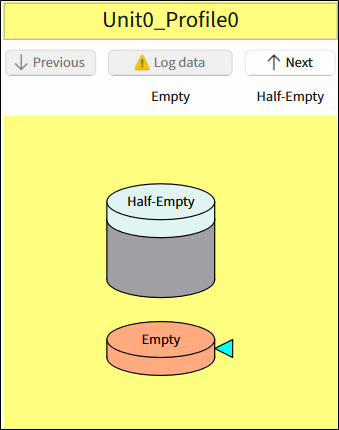 | 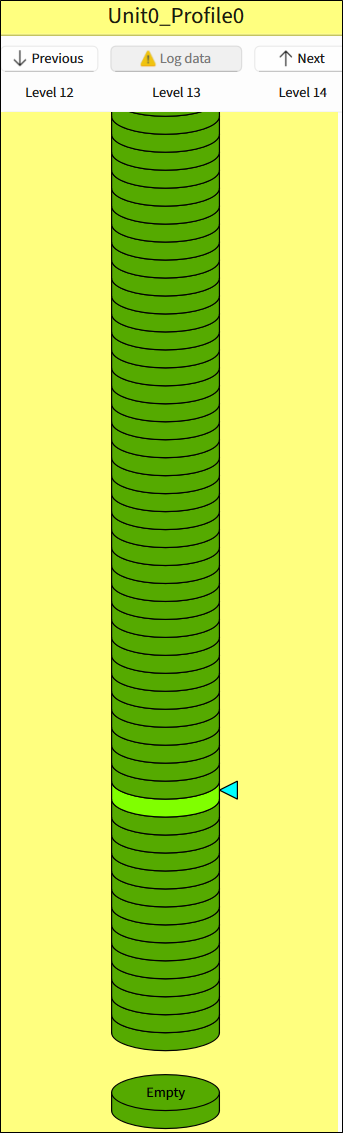 |
The pane contains buttons to execute the calibration process and a visual element.
Previous – Allows switching to the previous level but does not log data automatically. Disabled when there is no previous level.
Log data – Reads data from the device to the current level. After data is successfully read, the level automatically moves to the next one. The number of the level under the Log data button corresponds to the liquid level of the tank.
Next – Allows switching to the next level.
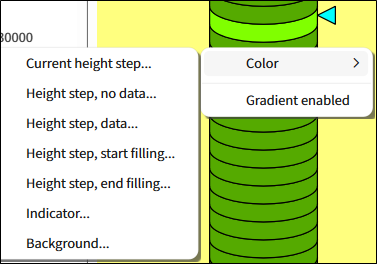
Use the context menu:
to set different colors for logged/not logged levels and background
to enable gradient
To see the height and data values of a level, hover over it.