Secure CM33 project
Select the secure CM33 project, open the Options dialog, and go to the
Debugger
category. Select the
Setup
tab, and then select the applicable
Driver
(I-jet, CMSIS-DAP, J-Link):

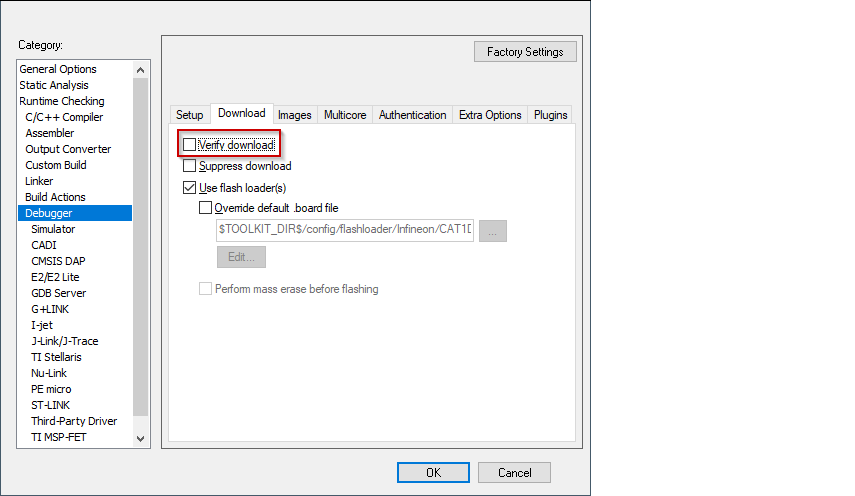
If any application (secure CM33, non-secure CM33, or CM55) needs to be programmed into external memory, switch to the
Download
tab and ensure the
Verify
check box is not selected.
If using CMSIS-DAP or I-jet, create a session configuration file. This is an xml file containing a projects list that will be launched in a multi-core debug session. The following shows an example for multi-core debug secure CM33 or non-secure CM33 and CM55 applications.
<?xml version="1.0" encoding="utf-8"?>
<sessionSetup>
<partner>
<name>Partner0</name>
<workspace>$WS_PATH$</workspace>
<project>$PROJ_PATH$</project>
<config>Debug</config>
<numberOfCores>1</numberOfCores>
</partner>
<partner>
<name>Partner1</name>
<workspace>$WS_PATH$</workspace>
<project>cm55</project>
<config>Debug</config>
<numberOfCores>1</numberOfCores>
<attachToRunningTarget>true</attachToRunningTarget>
</partner>
</sessionSetup>
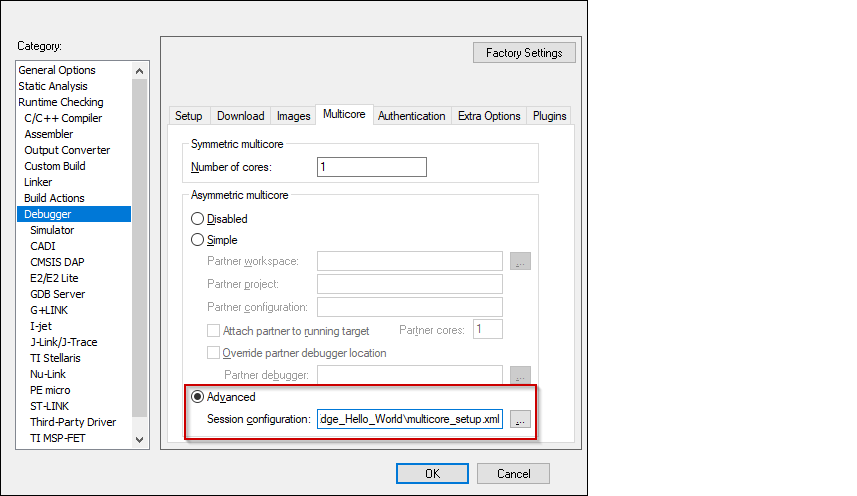
Switch to the
Multicore
tab, select the
Advanced
radio button, and specify a path to the session configuration file in the
Session configuration
field.
Select the driver for the
Debugger
category that you selected:
CMSIS-DAP
Switch to the
Setup
tab and select "Custom" from the
Reset
pull-down menu.

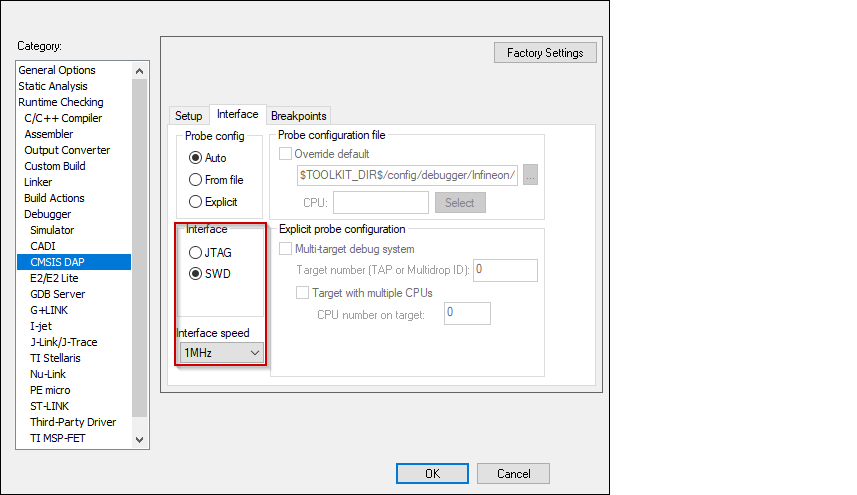
Switch to the
Interface
tab, and select
Interface
SWD, and set the
Interface speed
to 1MHZ.
I-jet
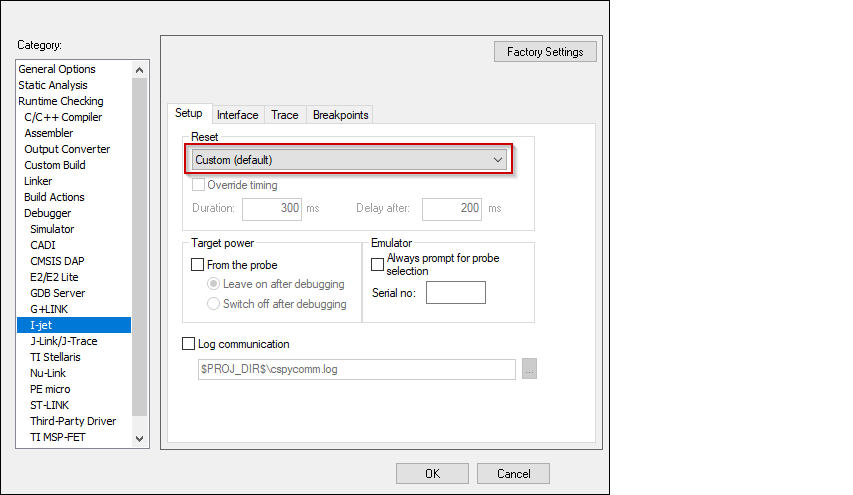
Switch to the
Setup
tab and select "Custom" from the
Reset
pull-down menu.
Switch to the
Interface
tab, and select
Interface
JTAG or SWD, and set the
Interface speed
to 1MHZ.

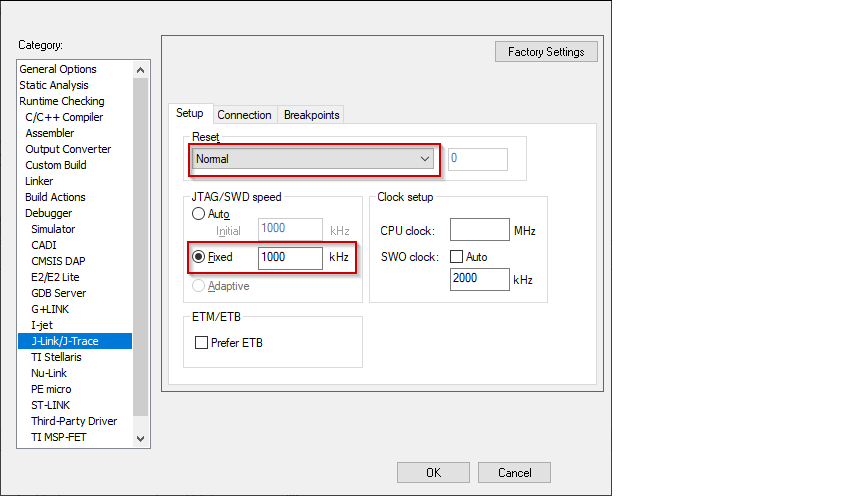
J-Link
Switch to the
Setup
tab and select "Normal" from the
Reset
pull-down menu and set the
JTAG/SWD
speed to
Fixed
1000 KHz.
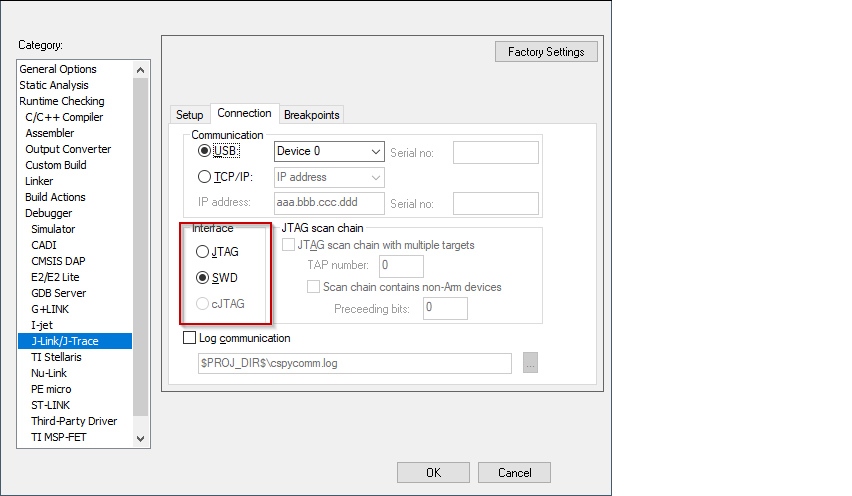
Switch to the
Connection
tab, and select
Interface
JTAG or SWD.
Click
OK
to close the Options dialog.