Non-secure CM33 project
Select the non-secure CM33 project, open the Options dialog, and go to the
Debugger
category. Select the
Setup
tab, and then select the applicable
Driver
(I-jet, CMSIS-DAP, J-Link):

If using CMSIS-DAP or I-jet, switch to the
Multicore
tab and select the
Advanced
radio button. Then, specify the path to the session configuration file (same file created for
Secure CM33 project
) in the
Session configuration
field.
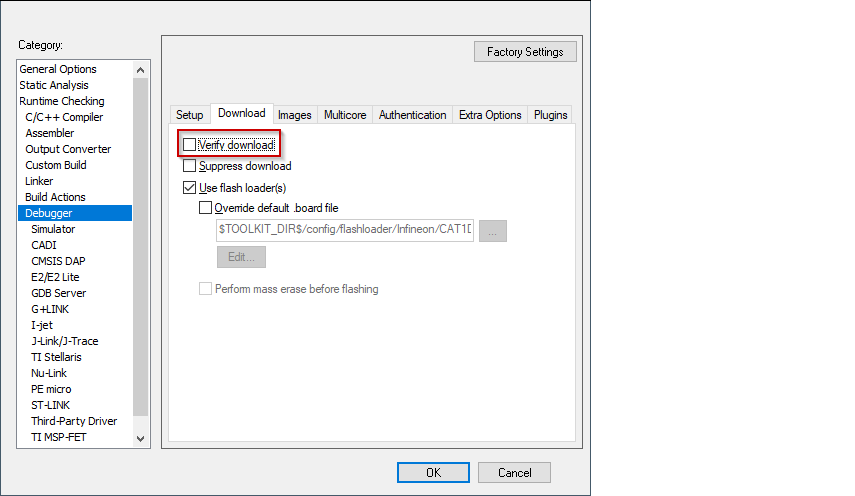
Open the .map file of the secure CM33 application (usually located in the
\proj_cm33_s\Debug\List
folder) and find the address in it that corresponds to the symbol
__vector_table.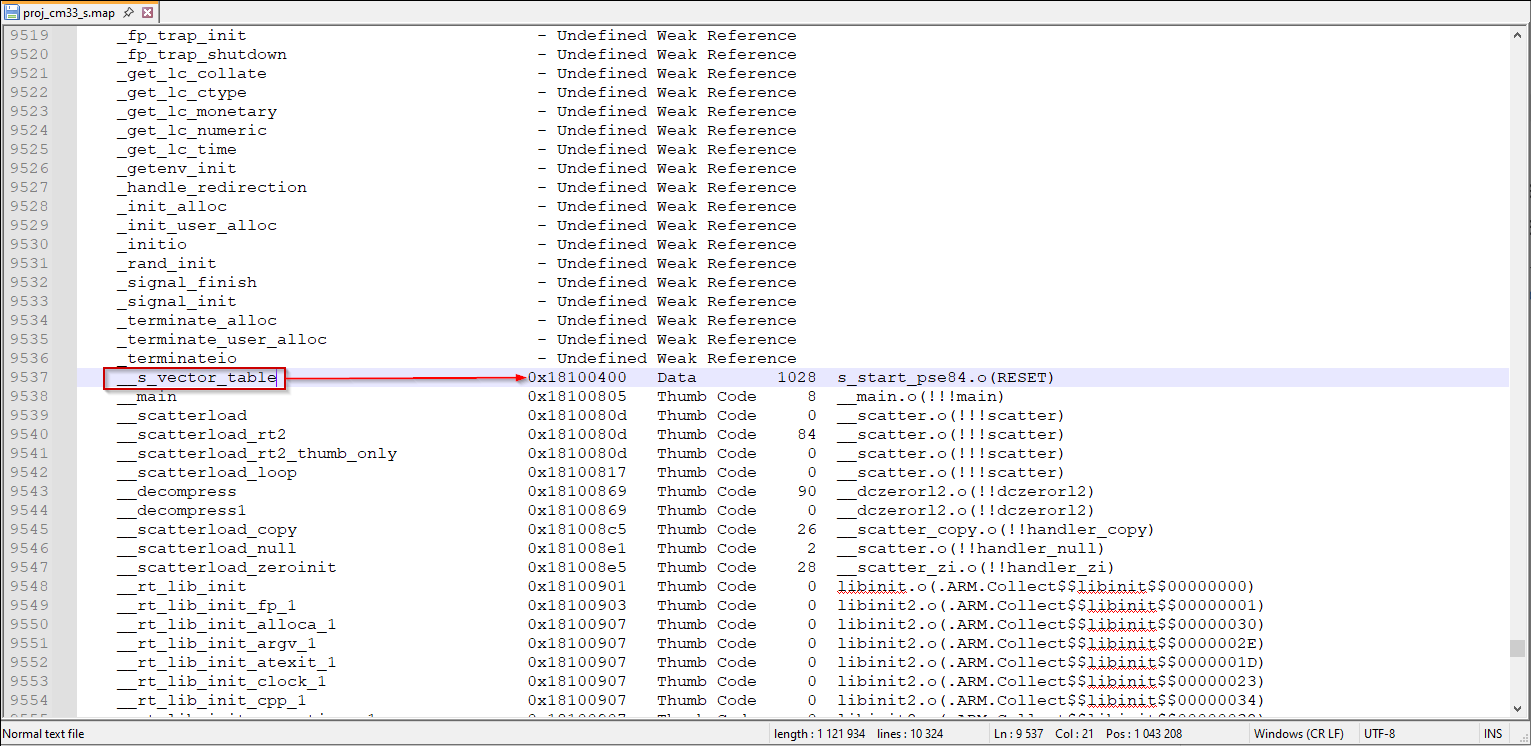
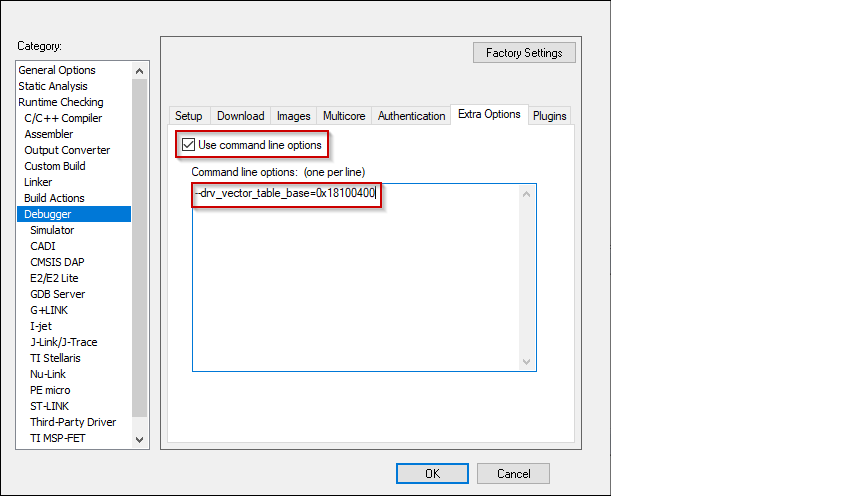
Switch to the
Extra Options
tab, select the
Use command line options
check box, and paste the following command-line parameter, specifying the actual address found for
__vector_table. symbol in the .map file.--drv_vector_table_base=0x18100400
Select the driver for the
Debugger
category that you selected:
CMSIS-DAP
Switch to the
Setup
tab and select "Custom" from the
Reset
pull-down menu.

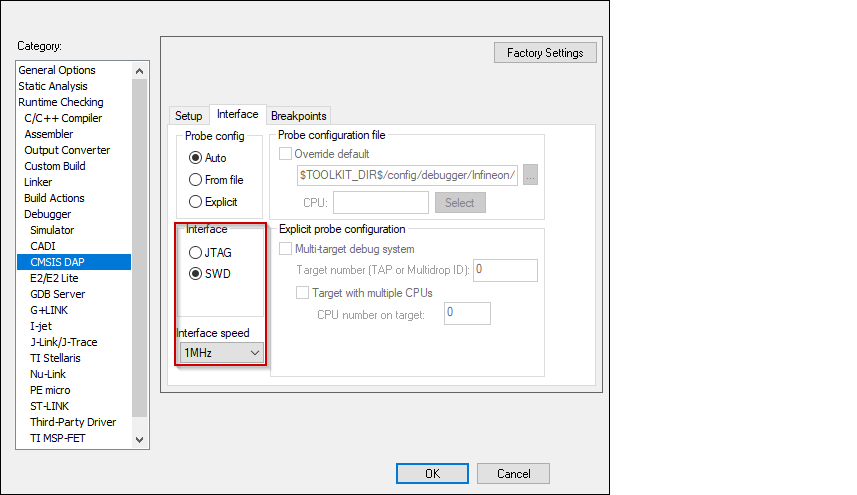
Switch to the
Interface
tab, and select
Interface
SWD, and set the
Interface speed
to 1MHZ.
I-jet
Switch to the
Setup
tab and select "Custom" from the
Reset
pull-down menu.
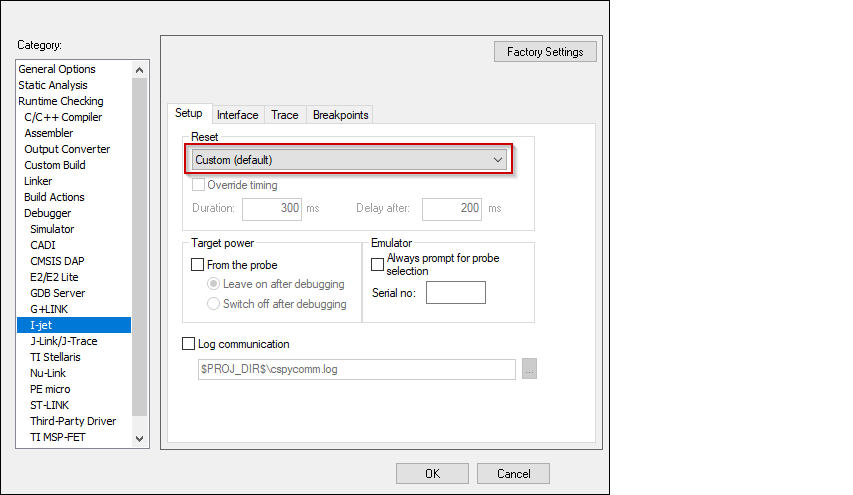
Switch to the
Interface
tab, and select
Interface
JTAG or SWD, and set the
Interface speed
to 1MHZ.

J-Link
Switch to the
Setup
tab and select "Normal" from the
Reset
pull-down menu and set the
JTAG/SWD
speed to
Fixed
1000 KHz.
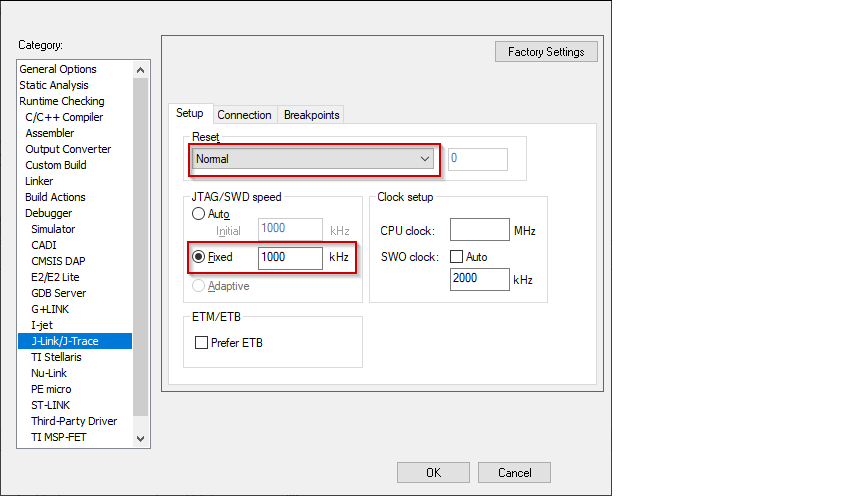
Switch to the
Connection
tab, and select
Interface
JTAG or SWD.
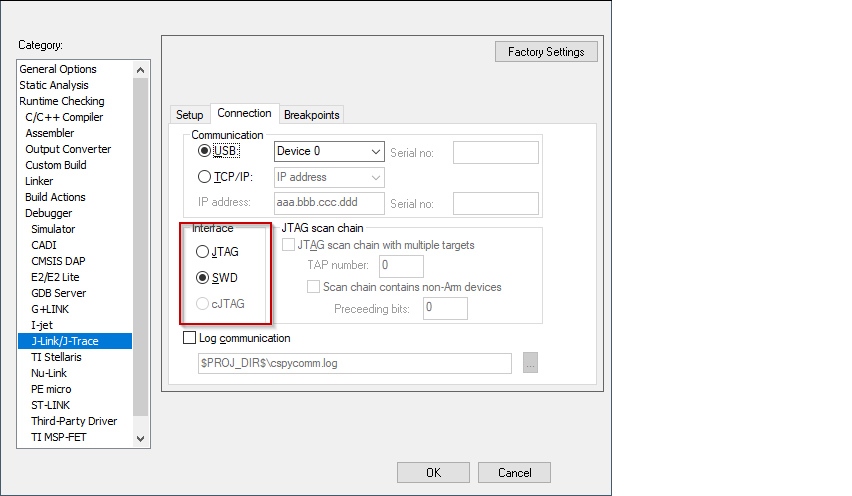
Click
OK
to close the Options dialog.