CM55 project
Select the CM55 project, open the Options dialog, and got to the
Debugger
category. Select the
Setup
tab, and then select the applicable
Driver
(I-jet, CMSIS-DAP, J-Link):

Select the driver for the
Debugger
category that you selected:
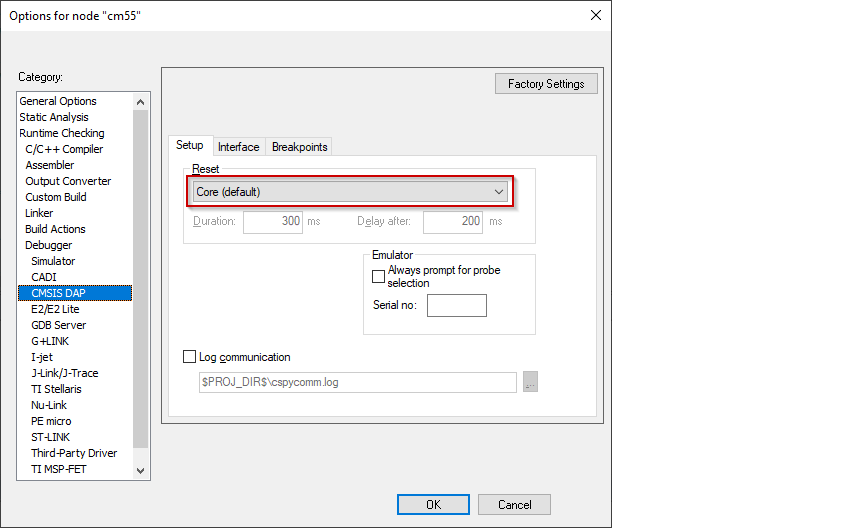
CMSIS-DAP
Switch to the
Setup
tab, and select "Core" from the
Reset
pull-down menu.
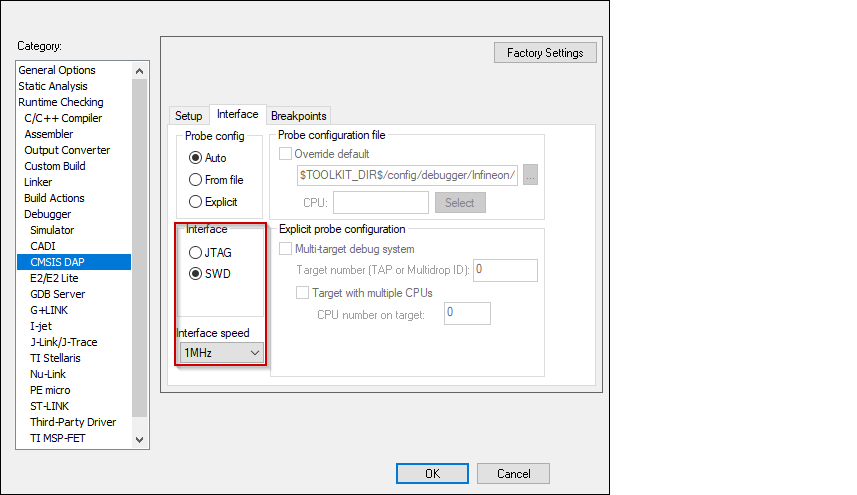
Switch to the
Interface
tab, and select
Interface
SWD, and set the
Interface speed
to 1MHZ.
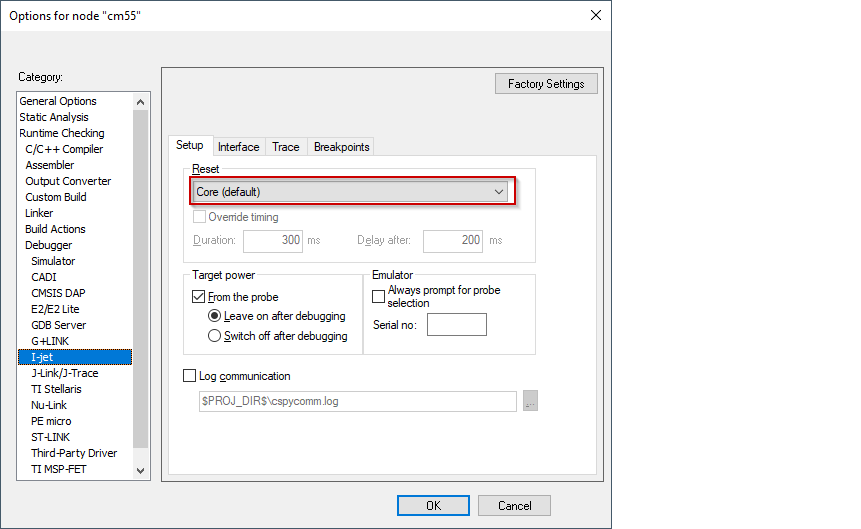
I-jet
Switch to the
Setup
tab, and select "Core" from the
Reset
pull-down menu.
Switch to the
Interface
tab, and select
Interface
JTAG or SWD, and set the
Interface speed
to 1MHZ.

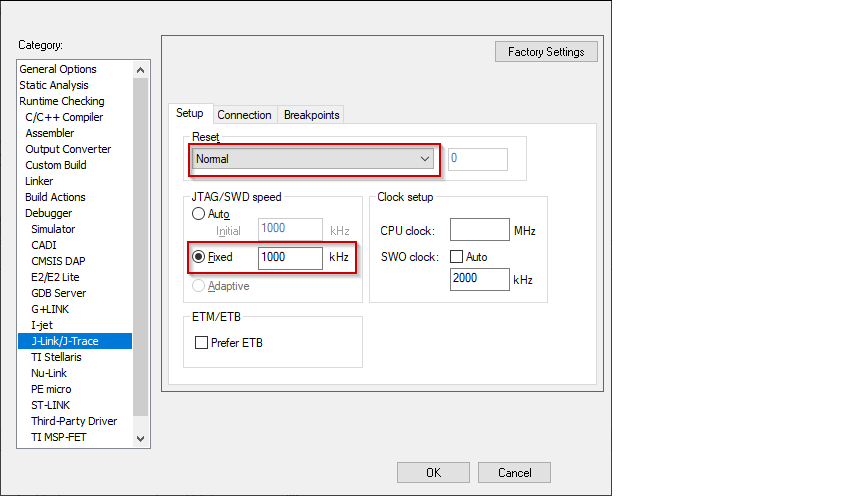
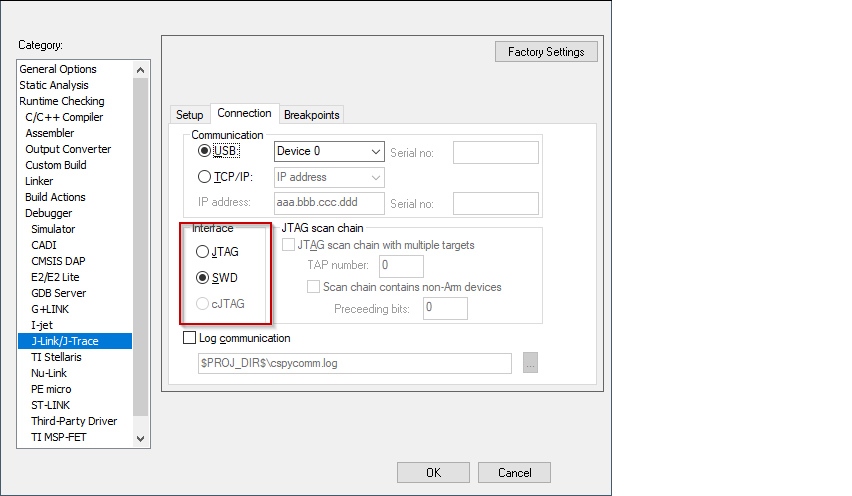
J-Link
Switch to the
Setup
tab and select "Normal" from the
Reset
pull-down menu and set the
JTAG/SWD
speed to
Fixed
1000 KHz.
Switch to the
Connection
tab, and select
Interface
JTAG or SWD.
Click
OK
to close the Options dialog.