CM55 project
Create a
debug_m55.ini
file in the project folder, and add the following lines to it:
LOAD $L%L NOCODE
g, main
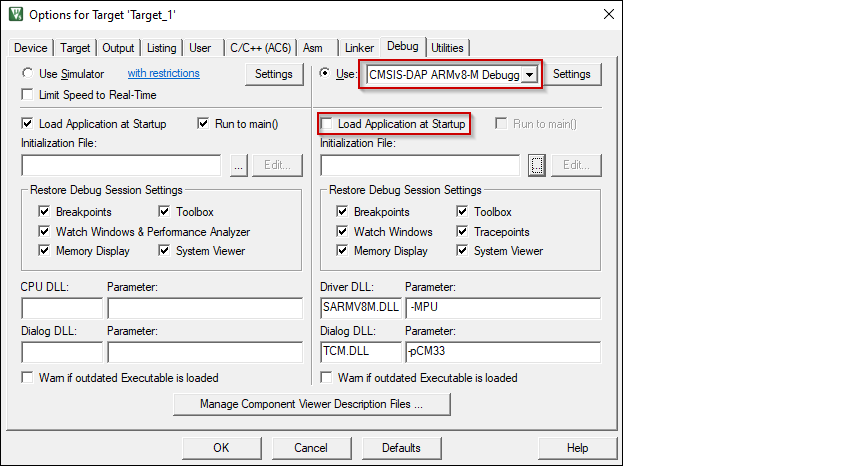
Open the Options dialog. Select the
Debug
tab and select the applicable debug probe (CMSIS-DAP or J-Link). Make sure that the
Load Application at Startup
check box is not selected.
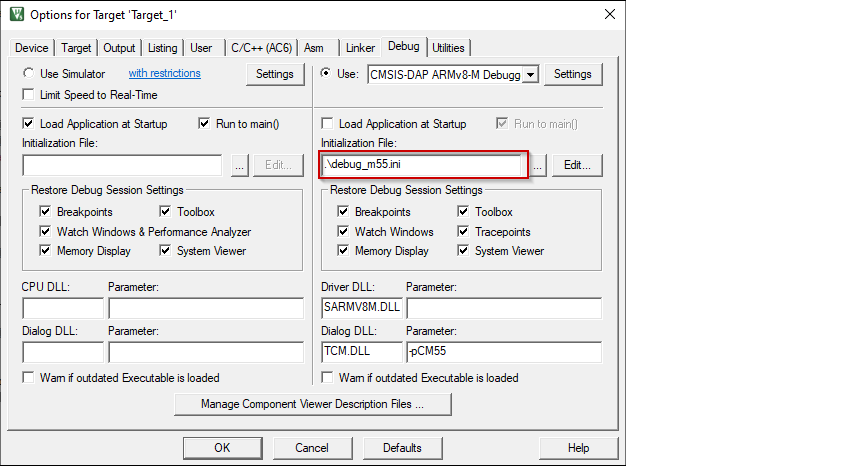
Select the
debug_m55.ini
file in the
Initialization File
field.
Click the
Settings
button to configure the target driver.

Select the
Debug
tab, and choose applicable connection options, the configuration settings are different for CMSIS-DAP and J-Link. Refer to the following sections for the applicable options:
CMSIS-DAP/ULINK2 Target Driver Setup
Use the following options:
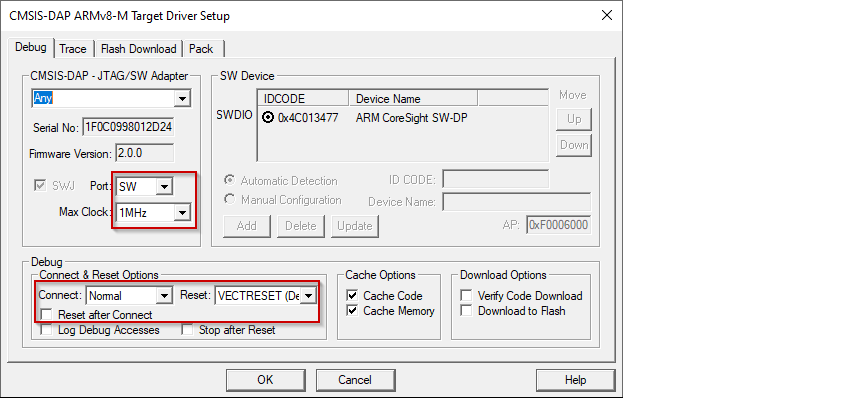
Port
: SW
Max Clock
: 1 MHz
Connect
: Normal
Reset
: VECTRESET
Reset after Connect
: Not selected
J-Link Target Driver Setup
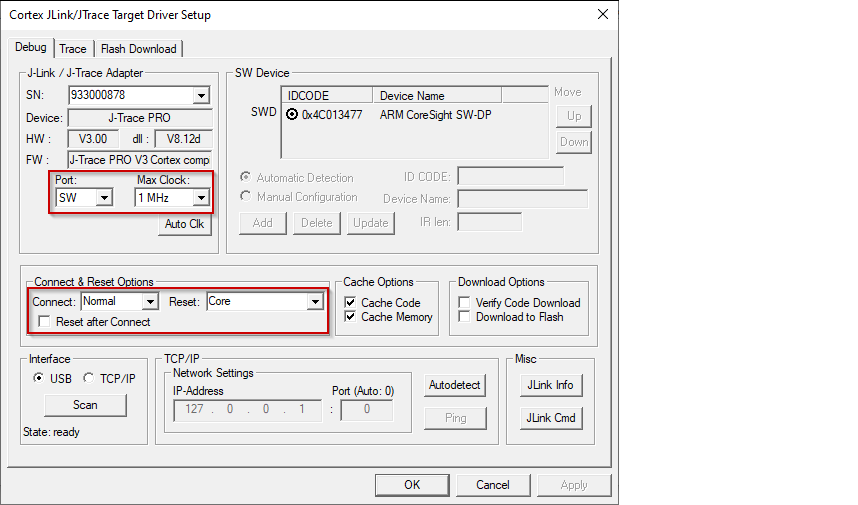
Use the following options:
Port
: SW
Max Clock
: 1 MHz
Connect
: Normal
Reset
: Core
Reset after Connect
: Not selected
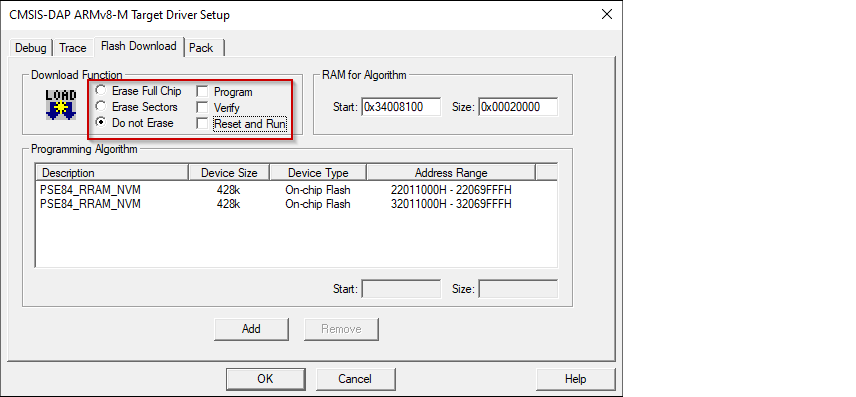
For either driver, switch to the
Flash Download
tab and select
Do not Erase Sectors
radio button, and deselect
Program
,
Verify
, and
Reset and Run
check boxes.
Click
OK
to close the Target Driver Setup dialog.
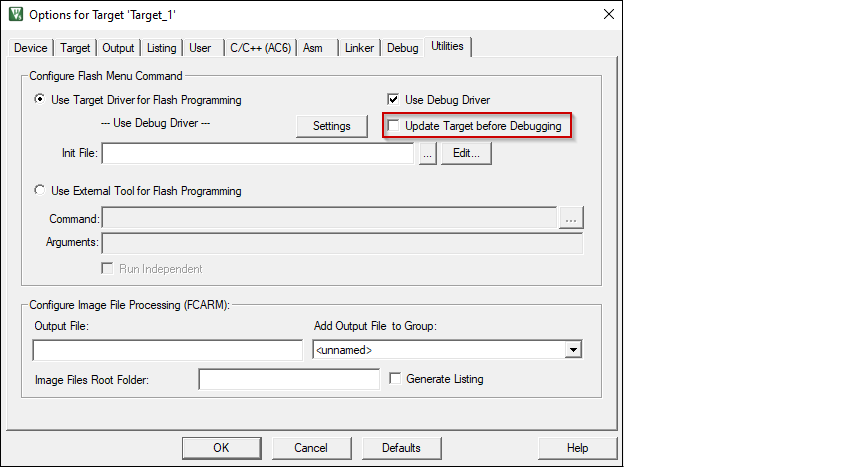
Switch to the
Utilities
tab. Deselect the check box
Update Target before Debugging
.
Close the Options dialog and save the project.