Launch multi-core debug session
Since two instances of µVision cannot debug the same core simultaneously, it is not possible to debug a secure CM33 application and a non-secure CM33 application at the same time. The following multi-core debug combinations are possible:
Debugging a secure CM33 project alongside a CM55 project.
Debugging a non-secure CM33 project alongside a CM55 project.
To initiate a multi-core debug session, you must open one project for the CM33 core (secure or non-scure) and another for the CM55 core in separate instances of the IDE. Here are the steps:
Select the µVision IDE instance with the project for the CM33 core and start debugging by selecting
Debug > Start/Stop Debug Session
.
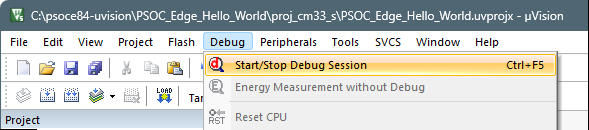
This will reset the target and halt execution at the beginning of the
main()
function of the CM33 project.
Select the µVision IDE instance with the project for the CM55 core and repeat the debugging process.
This will attach to the running CM55 core, which will be in boot mode until the CM33 project starts executing.
Note:
Ensure all projects are built and programmed before launching a debug session.
The projects will be similar to these images:
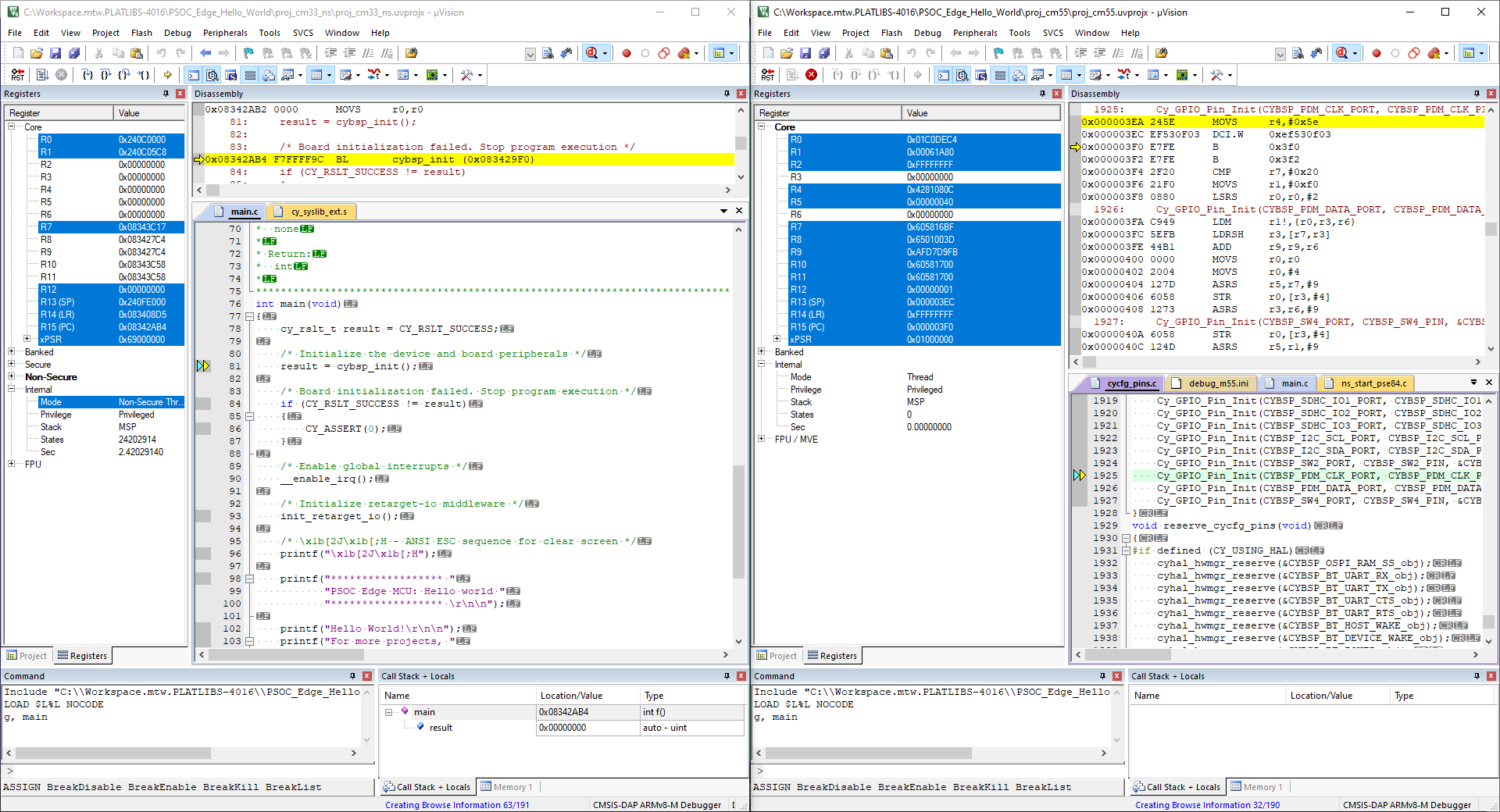
The left side of the screen shows a µVision IDE instance attached to the CM33 core. The right side shows the CM55 core has not started yet. Once the
Cy_SysEnableCM55()
function on the CM33 core has been executed, the CM55 will start executing its application. You can step through the code by switching back and forth between the two µVision IDE instances.