Debug set-up instructions
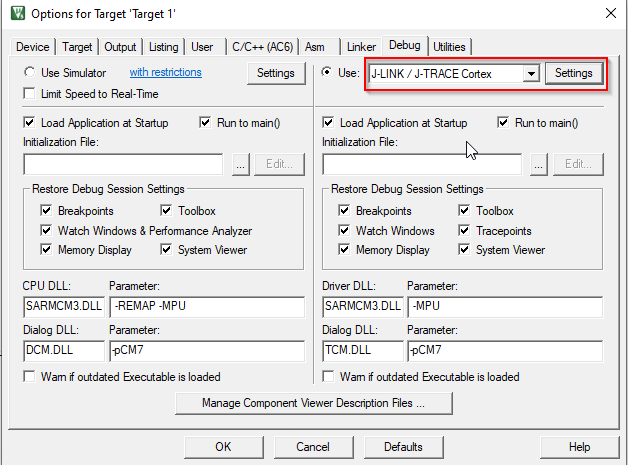
Select the
Debug
tab in the Options for Target dialog, select "J-LINK / J-TRACE Cortex" as the debug adapter, and click
Settings
.
On the
Debug
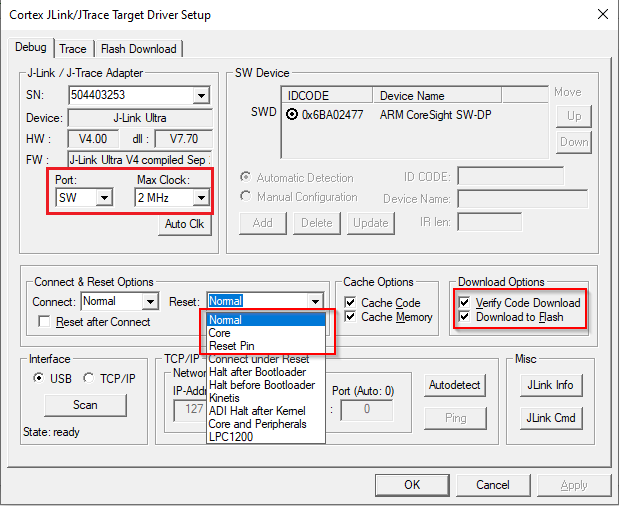
tab in the Target Driver Setup dialog:
Port
: select "SW"
Max Clock
: select 2 MHz
Reset
pull-down: select "Normal," "Core" or "Reset Pin"
Download Options
: enable "Verify Code Download" and "Download to Flash"