Launch multi-core debug session
To launch a multi-core debug session, all your µVision projects must be opened in separate IDE instances.
Open a µVision IDE session with the project for the CM0+ core and start debugging by pressing
Debug > Start/Stop Debug Session
. This will program all images, reset the target, and halt at the beginning of the CM0+ project
main()
.
Repeat the same process for the CM4/CM7 core(s). This will attach the running CM4/CM7 core that will be spinning in the boot code until the CM0+ project starts it.
Note:
Ensure both projects are built before launching a debug session.
For dual-core MCUs, the projects will be similar to these images:
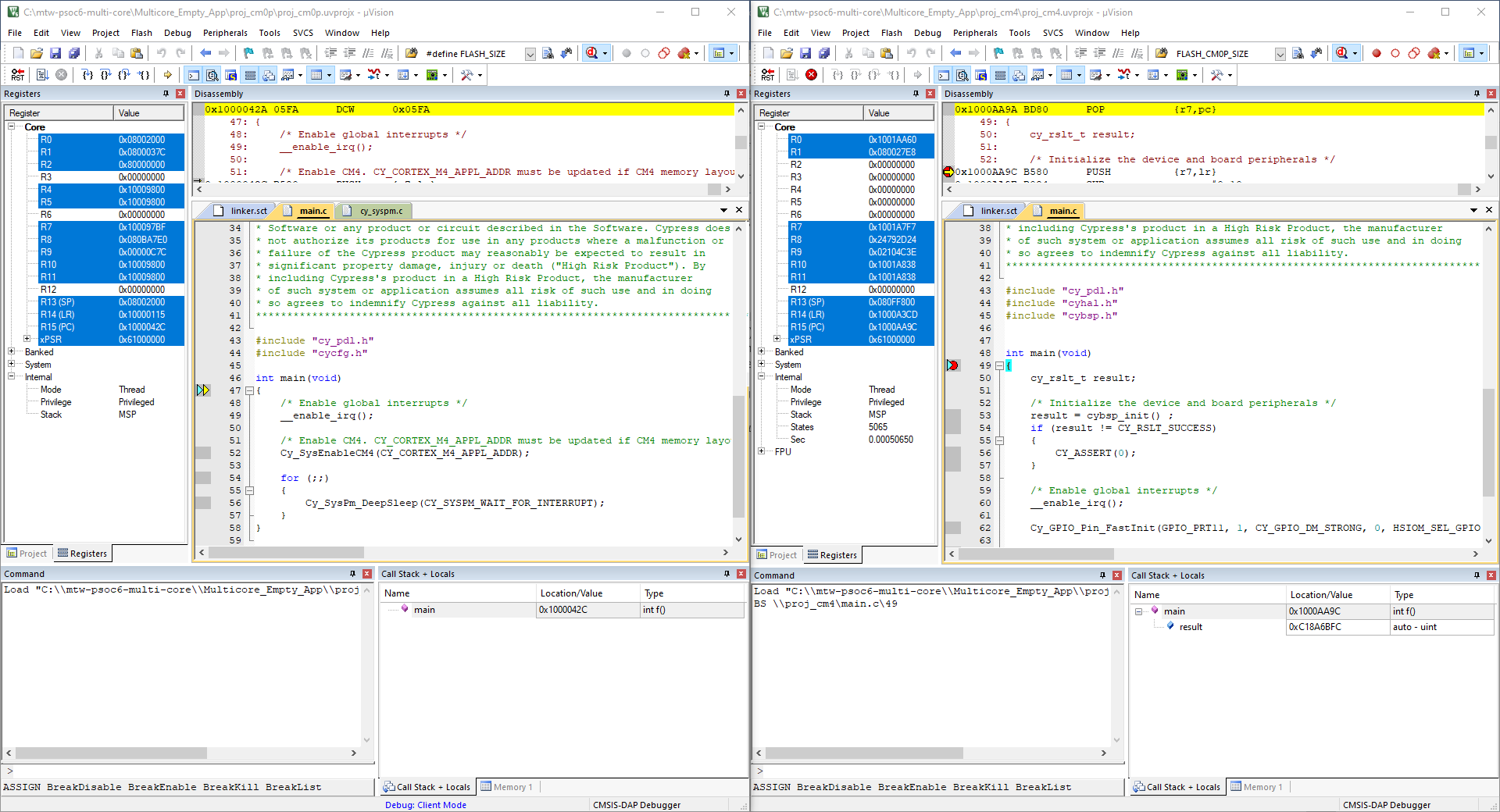
The left side of the screen shows a µVision IDE instance attached to the CM0+ core. The right side shows the CM4 core has not started yet. Once the
Cy_SysEnableCM4()
function on the CM0+ core has been executed, the CM4 will start executing its application. You can step through the code by switching back and forth between the two µVision IDE instances.