PSOC™ Edge E84 multi-core application
Follow steps in Create/export application for IAR Embedded Workbench.
Then, use the instructions in this section to configure, build, program, and debug a multi-core application for a PSOC™ Edge 84 device in IAR Embedded Workbench.
Target Programming
After preparing the combined image and setting up the debugger connection, the next step is to program the target. To accomplish this, follow these steps:
-
Select the secure CM33 project, open the Options dialog, and select the Debugger category.
-
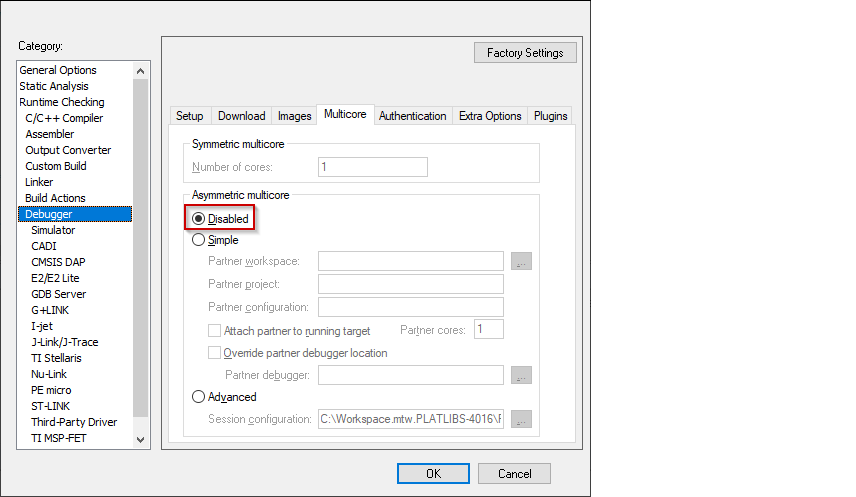
On the Multicore tab, and temporarily select the Disabled radio-button to allow erasing and downloading.
-
Click OK to close the Options dialog.
-
Select Project > Download > Download file… and select the build\app_combined.hex file (you may have to select all files).

-
Click Open . The following dialog displays while programming. This may take a few minutes.

-
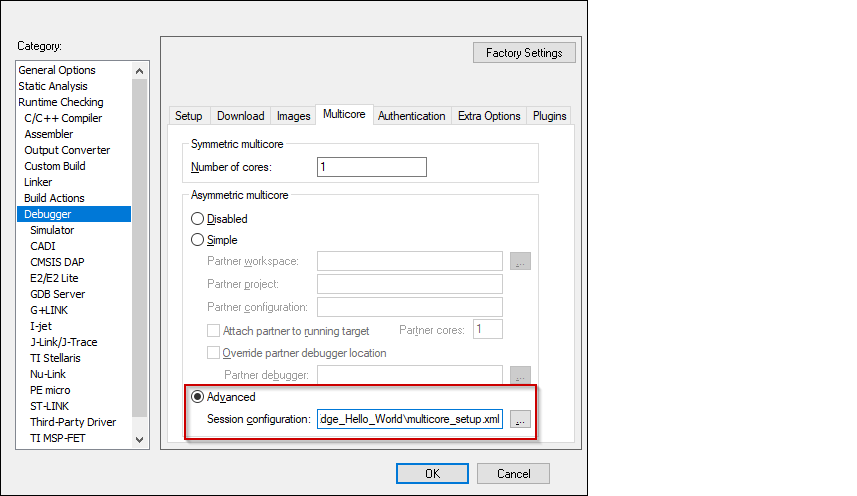
When complete, open the Options dialog to the Debugger category, select the Multicore tab, and re-enable the Advanced radio-button.
-
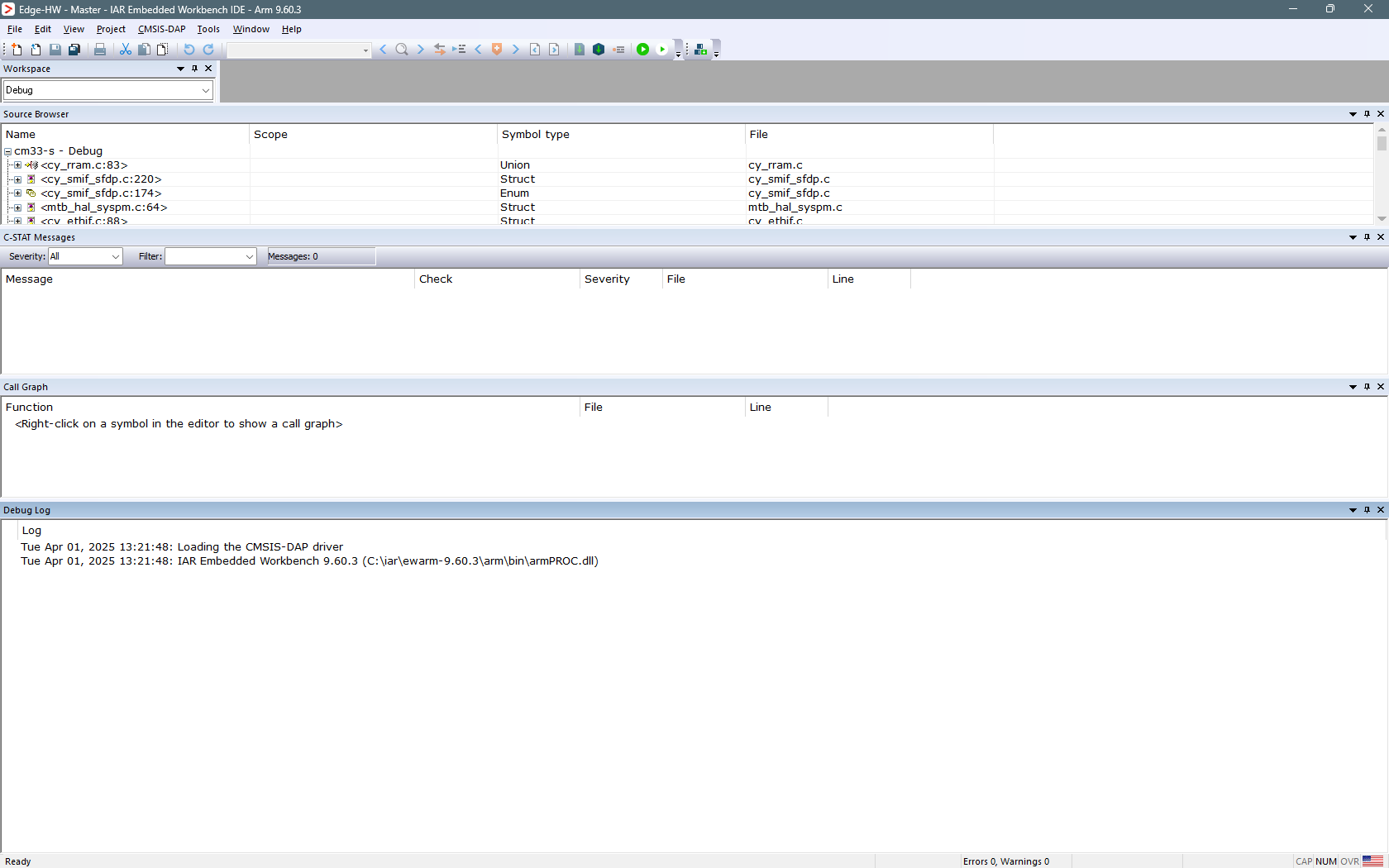
Click OK and the GUI changes appearance.
Launch multi-core debugging with CMSIS-DAP/I-jet
Since two instances of IAR cannot debug the same core simultaneously, it is not possible to debug a secure CM33 application and a non-secure CM33 application at the same time. The following multi-core debug combinations are possible:
- Debugging a secure CM33 application alongside a CM55 application.
- Debugging a non-secure CM33 application alongside a CM55 application.
To initiate a multi-core debug session, you must open one of the CM33 projects and Select Project > Debug without Downloading.
Ensure all projects are built and programmed before launching a debug session.
IAR opens a separate IDE instance for each project specified in the session file. It should look like to this. One is Master (cm33) and the other is Partner 1 (cm55):
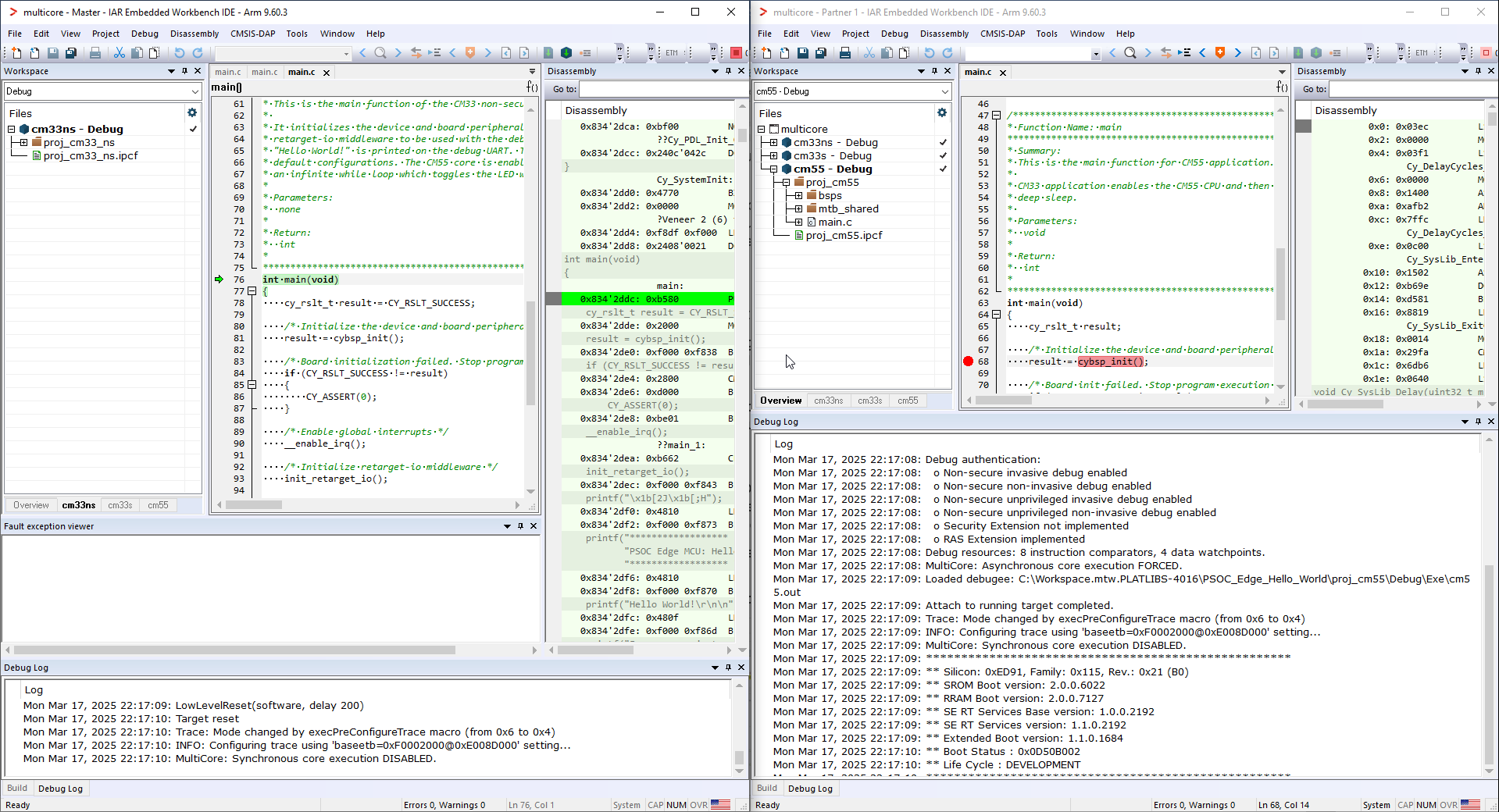
The left side of the screen shows the IAR IDE instance attached to the CM33 core. The right side shows the CM55 core not started yet. Once the Cy_SysEnableCM55() function is executed on the CM33 core, the CM55 will start executing its application. You can step through the code by switching back and forth between the two IAR IDE instances.
Launch multi-core debugging with J-Link
To launch multi-core debugging with J-Link:
-
Open two instances of IAR Embedded Workbench.
-
Select the CM33 project in the first IDE instance and click Project > Debug without Downloading. The debugger will reset the target, and halt at the beginning of the CM33 project's main().
-
Select the the CM55 project in the second instance and select: Project > Attach to Running Target.
-
After performing the attach, run the CM55 core before continuing with the debugging of the CM33 project.