Download/install software
ModusToolbox software
Download the ModusToolbox™ Setup program from https://softwaretools.infineon.com/tools/com.ifx.tb.tool.modustoolboxsetup. Refer to the instructions in the ModusToolbox™ software installation guide for how to install the necessary ModusToolbox™ tools and packages.
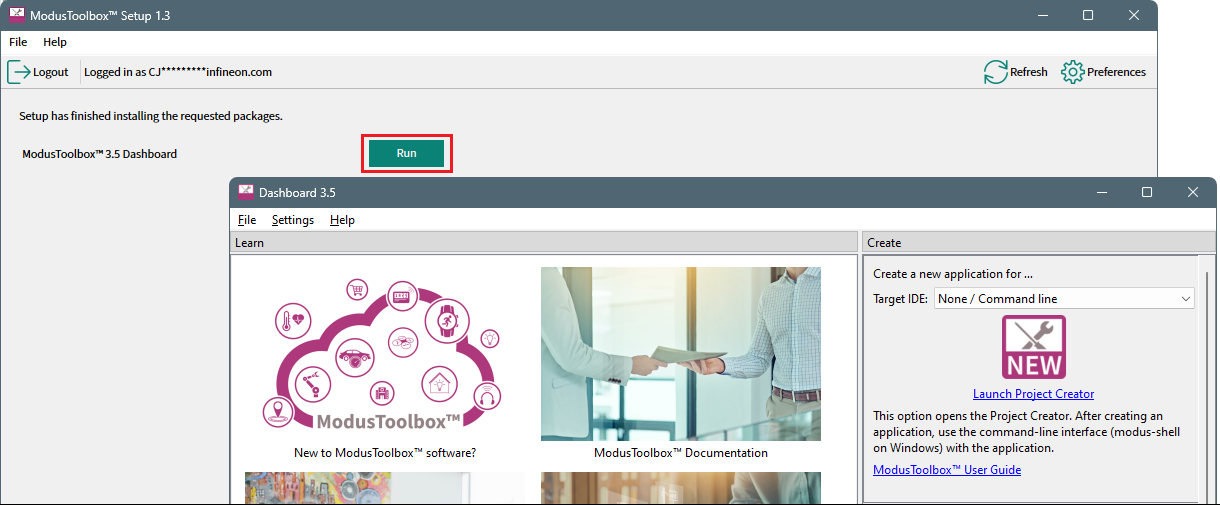
Once installation of all the tools is complete, click Run to launch the Dashboard.
IAR Embedded Workbench (Windows only)
We recommend and have tested IAR Embedded Workbench version 9.60.3 or later for PSOC™ Control C3 devices. This version can be used with all ModusToolbox™ supported devices.
The default installation location for the IAR compiler is C:\iar[version]\arm. Set the CY_COMPILER_IAR_DIR environment variable to the correct installation path using forward slashes. Alternatively, you can set this variable in the Makefile for each application. Refer to the ModusToolbox™ tools package user guide for more details about build system variables.
J-Link
For J-Link debugging, download and install J-Link software:
https://www.segger.com/downloads/jlink/#J-LinkSoftwareAndDocumentationPack