Enable softfp VFP mode
If your application has been set to use softfp, then some libraries may export softfp variant of libraries that are not compatible with the default IAR Embedded Workbench hardfp mode. You must enable softfp VFP mode as follows:
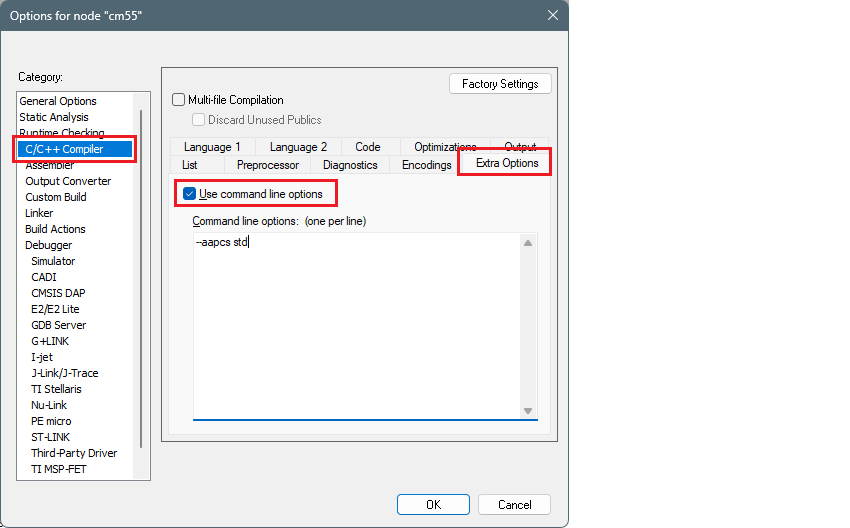
Open the Options dialog for you project/application.
Go to
C/C++ Compiler > Extra Options
, and enable
Use command line options
.
Enter the following in the entry box, and click
OK
:
--aapcs std
For more information, refer to
https://wwwfiles.iar.com/arm/webic/doc/EWARM_DevelopmentGuide.ENU.pdf
.