To use KitProg3/MiniProg4, CMSIS-DAP, and ULINK2 debuggers
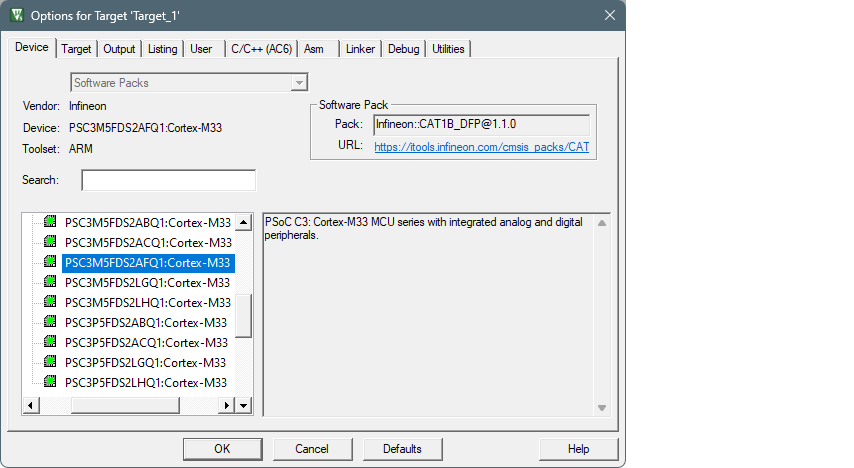
Select the
Device
tab in the Options for Target dialog and check correct core is selected:
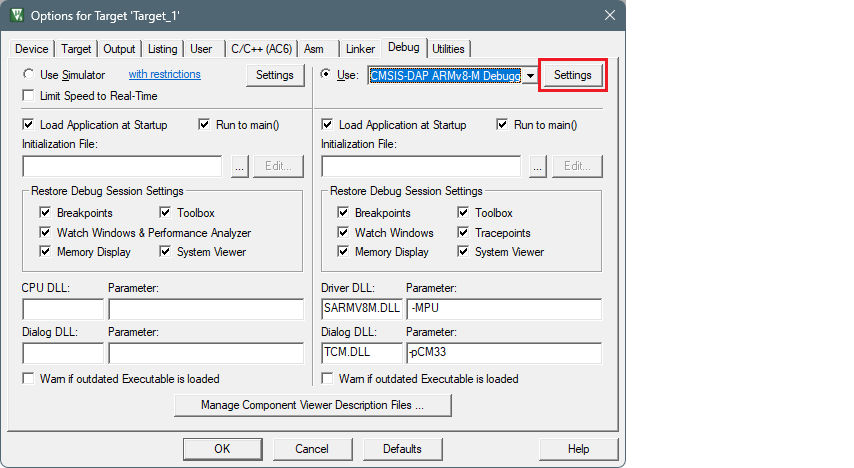
Select the
Debug
tab.
Note:To use the ULINK2 probe for multi-core debugging, select the CMSIS-DAP Debugger instead of ULink for each core of the project (CM4 and CM0P).
Click the
Settings
button.
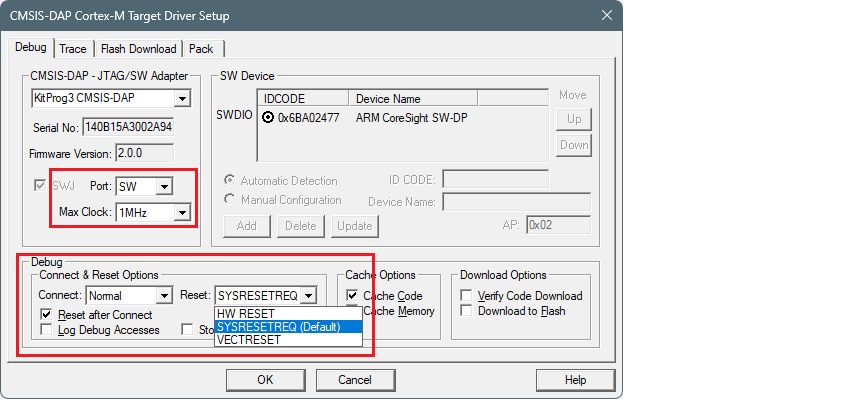
On the Target Driver Setup dialog on the
Debug
tab, select the following:
set
Port
to "SW"
set
Max Clock
to "1 MHz"
set
Connect
to "Normal"
set
Reset
:
For PSOC™ 6, to "VECTRESET"
For PSOC™ 4, PMG1, and AIROC™ CYW208xx, to "SYSRESETREQ"
enable
Reset after Connect
option
Select the
Flash Download
tab and select "Reset and Run" option after download, if needed:
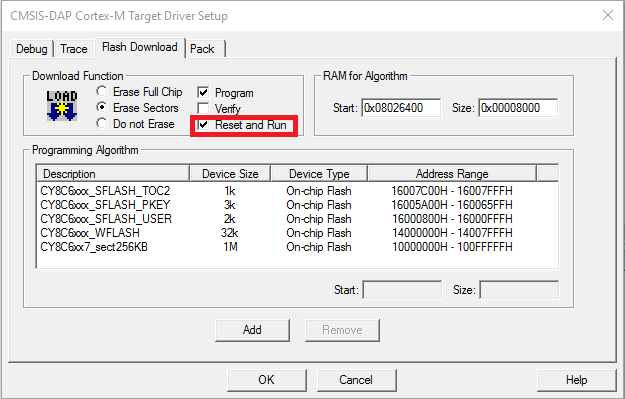
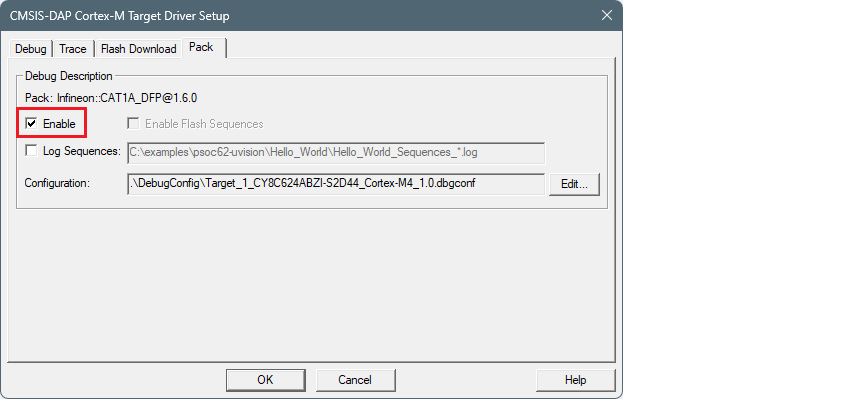
Select the
Pack
tab and check if the appropriate "DFP" is enabled: