Programming/Debugging
Refer to sections for setting up the applicable debugger probe under
Miscellaneous notes
. Then:
Connect the PSOC™ 6 kit to the host PC.
As needed, run the fw-loader tool to make sure the board firmware is upgraded to KitProg3. See
KitProg3 User Guide
for details. The fw-loader tool is located in this directory by default:
[install-path]/ModusToolboxProgtools-[version]/fw-loader/bin/
Select
Debug > Start/Stop Debug Session
.
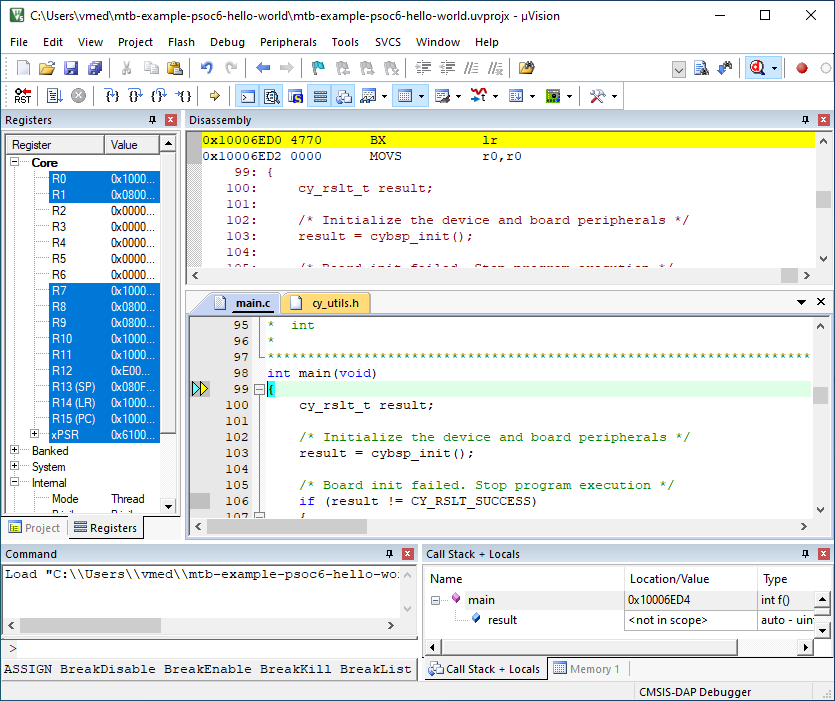
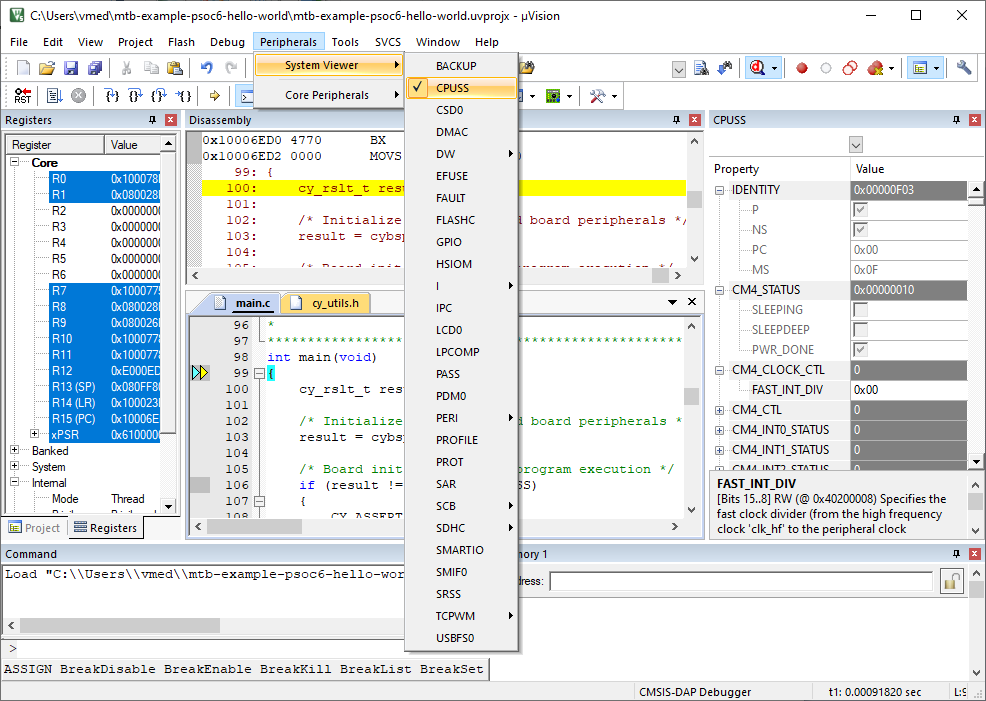
You can view the system and peripheral registers in the SVD view.
Program external memory
Download internal flash as described above.
Notice "No Algorithm found for: 18000000H - 1800FFFFH" warning.
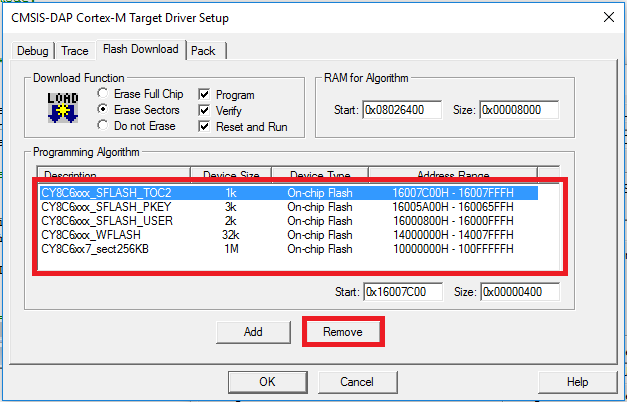
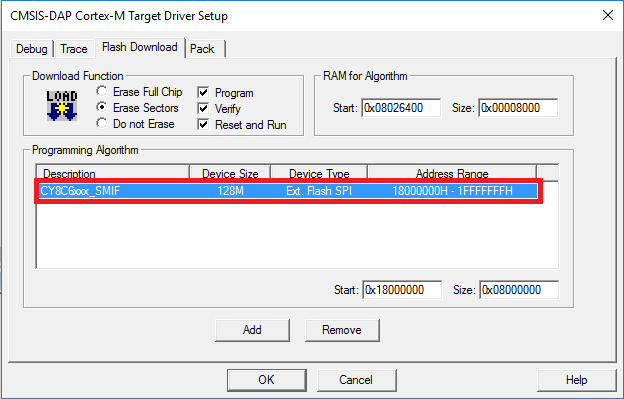
Select the Flash Download tab in Target Driver Setup dialog and remove all programming algorithms for On-chip Flash and add programming algorithm for External Flash SPI:
Download flash.
Notice warnings:
No Algorithm found for: 10000000H - 1000182FH
No Algorithm found for: 10002000H - 10007E5BH
No Algorithm found for: 16007C00H - 16007DFFH
Erase external memory
Select the
Flash Download
tab in Target Driver Setup dialog and remove all programming algorithms for On-chip Flash and add programming algorithm for External Flash SPI:
Click
Flash > Erase
in menu bar.