Configure and build the application
Right-click on the
mtb-example-psoc6-hello-world
directory in the µVision Project view, and select
Options for Target '<application-name>' …
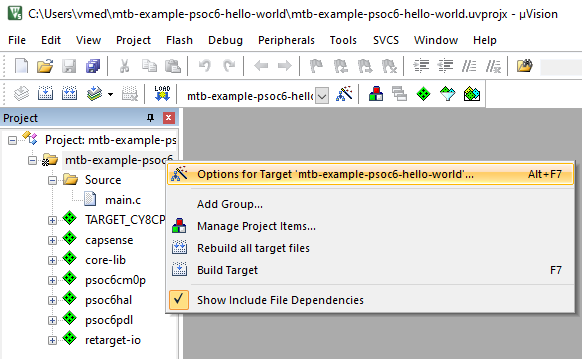
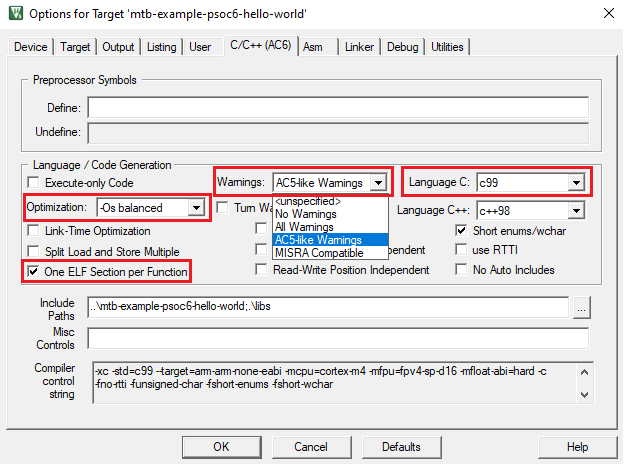
On the dialog, select the
C/C++ (AC6)
tab.
Check that the Language C version was automatically set to c99.
Select "AC5-like warnings" in the Warnings drop-down list.
Select "-Os balanced" in the Optimization drop-down list.
To reduce memory usage, select the One ELF Section per Function check box.
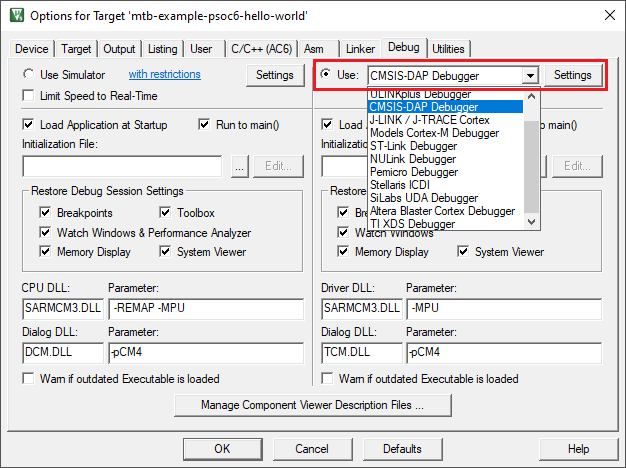
Select the
Debug
tab, and select KitProg3 CMSIS-DAP as an active debug adapter:
Click
OK
to close the Options dialog.
Note:
For applications using thePSOC™ 64 secure single-core application,AIROC™ CYW20829 single-core application, orPSOC™ Control C3 applicationskip the next step. Instead, perform the steps outlined in the applicable section.
Select
Project > Build target
.
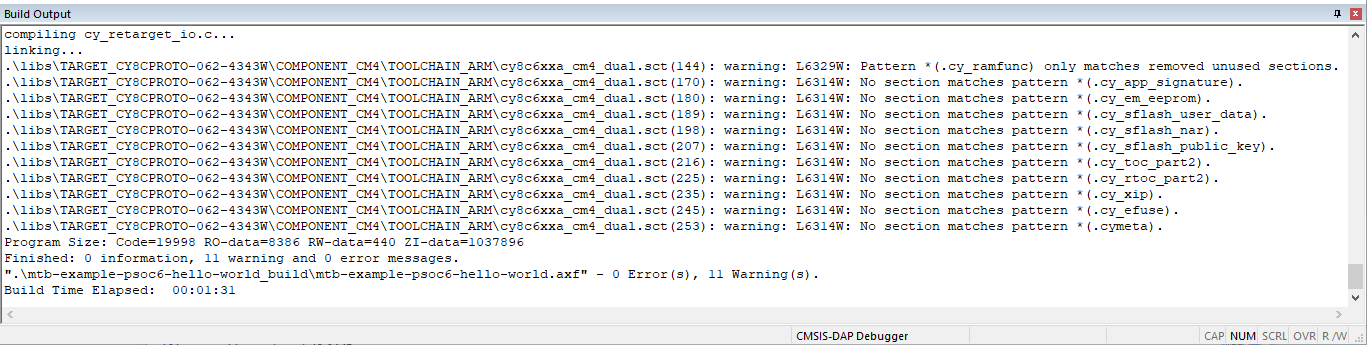
To suppress the linker warnings about unused sections defined in the linker scripts, add "6314,6329" to the
Disable Warnings
setting in the Project Linker Options.