Widget View tab
The Widget View tab provides a visual representation of all widgets selected in the Widget Explorer pane. If a widget consists of more than one sensor, individual selected sensors are highlighted in the Widget Explorer pane and Widget/Sensor Parameters pane.
The toolbar is described in Tabs toolbars.
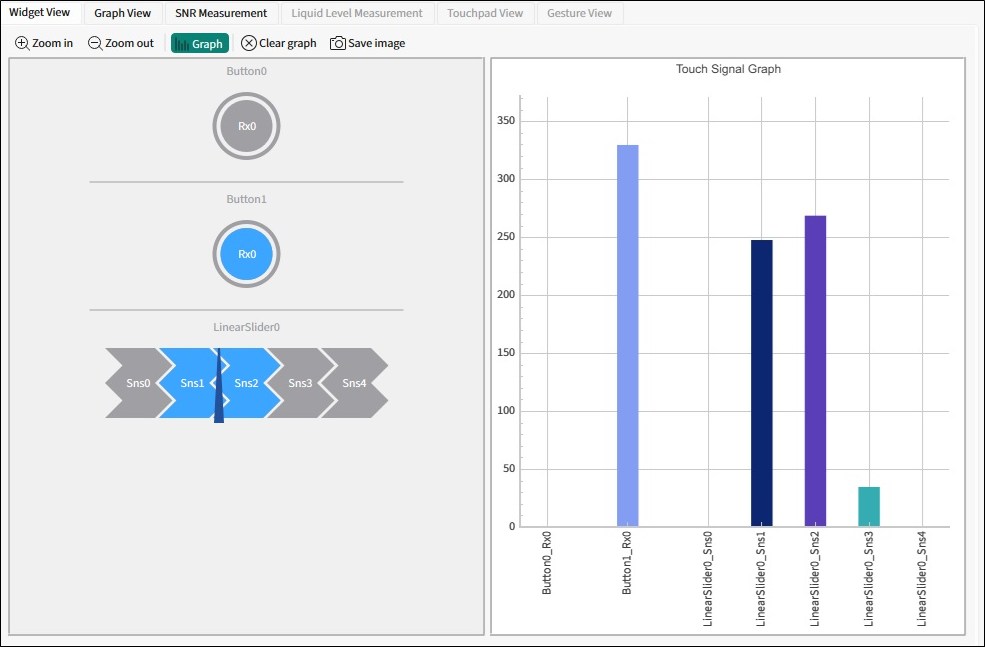
The Widget and/or sensors are highlighted when the device reports their touch status as active.
Some additional features are available depending on the widget type.
Touch Signal Graph
The Widget View tab also displays the Touch Signal Graph. This graph contains a touch signal level for each sensor selected in the Widget Explorer pane.