Download/install software
ModusToolbox software
Download the ModusToolbox™ Setup program from https://softwaretools.infineon.com/tools/com.ifx.tb.tool.modustoolboxsetup. Refer to the instructions in the ModusToolbox™ software installation guide for how to install the necessary ModusToolbox™ tools and packages.
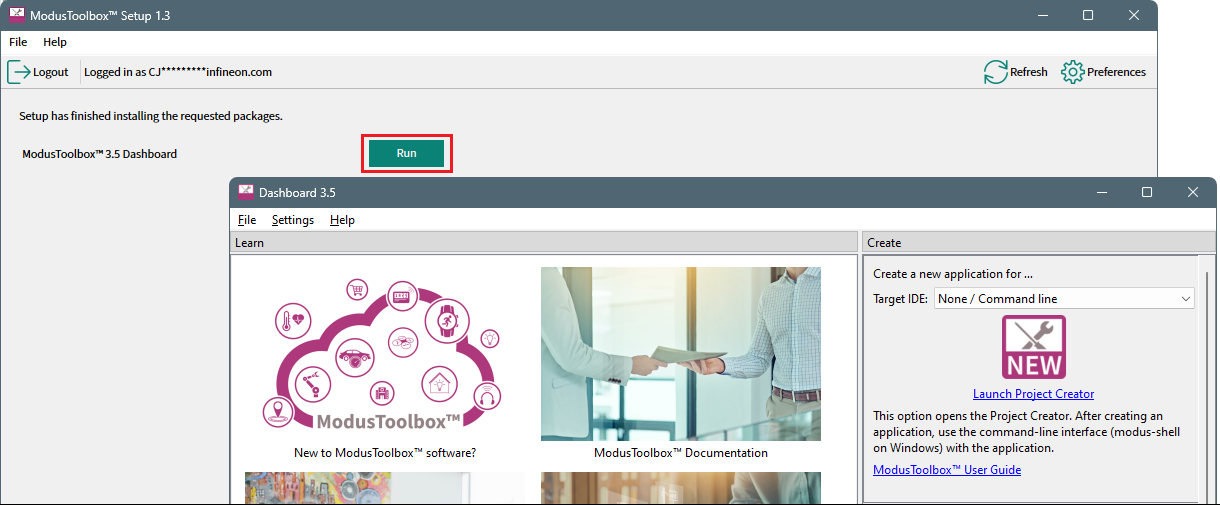
Once installation of all the tools is complete, click Run to launch the Dashboard.
Keil µVision (Windows only)
We recommend and have tested Keil µVision (MDK-ARM) version 5.43 for all ModusToolbox™ supported devices.
Do not use version 5.42a. There is a known defect with cprj files in that version. Also, do not use version 5.43a due to an issue with FPU settings.
The default installation location for the ARM compiler is C:\Keil_v5\ARM. Set the CY_COMPILER_ARM_DIR environment variable to the correct installation path using forward slashes. Alternatively, you can set this variable in the Makefile for each application. Refer to the ModusToolbox™ tools package user guide for more details about build system variables.
J-Link
For J-Link debugging, download and install J-Link software: