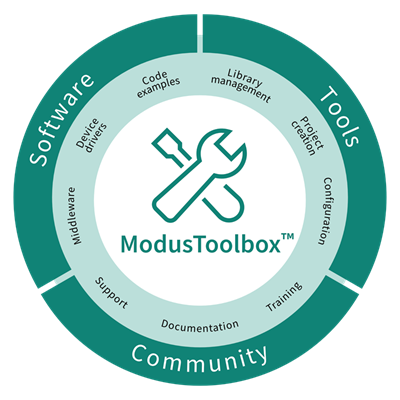
ModusToolbox™ software also includes an extensive collection of

GitHub-hosted repos

comprising Code Examples, BSPs, plus middleware and applications support. We release run-time software on a quarterly "train model" schedule, and access to new or updated libraries typically does not require you to update your ModusToolbox™ installation.

New projects start with one of our many

Code example templates

that showcase everything from simple peripheral demonstrations to complete application solutions. Every Infineon kit is backed by a comprehensive BSP implementation that simplifies the software interface to the board, enables applications to be re-targeted to new hardware in no time, and can be easily extended to support your custom hardware without the usual porting and integration hassle.

The extensive middleware collection includes an ever-growing set of sensor interfaces, display support, and connectivity-focused libraries. Refer to

https://github.com/Infineon/modustoolbox-software#libraries

for more details.

Code examples

All current ModusToolbox™ examples can be found using the Project Creator tool. There you will find links to examples for the PSOC™, XMC™, and AIROC™ devices, among others. For most code examples, you can use the

Create application from template

to create an application and use it directly with ModusToolbox™ tools. For some examples, you will need to follow the directions in the code example repository to instantiate the example. Instructions vary based on the nature of the application and the targeted ecosystem.

In the ModusToolbox™ build infrastructure, any example application that requires a library downloads that library automatically.

You can control the versions of the libraries being downloaded and also their location on disk, and whether they are shared or local to the application. Refer to the

Library Manager user guide

for more details.

Libraries (middleware)

In addition to the code examples, there are many other parts of ModusToolbox™ that are provided as libraries. These libraries are essential for taking full advantage of the various features of the various devices. When you create a ModusToolbox™ application, the system downloads all the libraries your application needs. See

ModusToolbox™ build system

chapter to understand how all this works.

All current ModusToolbox™ libraries can be found through the GitHub

ModusToolbox™ software page

. A ModusToolbox™ application can use different libraries based on the Active BSP. In general, there are several categories of libraries. Each library is delivered in its own repository, complete with documentation.

Common library types:

Most BSPs have some form of the following types of libraries:

  • Abstraction Layers – This is usually the RTOS Abstraction Layer.

  • Base Libraries – These are core libraries, such as core-lib and core-make.

  • Board Utilities – These are board-specific utilities, such as display support or BTSpy.

  • MCU Middleware – These include MCU-specific libraries such as freeRTOS or Clib support.

AIROC™ Bluetooth® Libraries:

For the AIROC™ Bluetooth® BSPs, there specific libraries that do not apply to any other BSPs, including:

  • BTSDK Chip Libraries

  • BTSDK Core Support

  • BTSDK Shared Source Libraries

  • BTSDK Utilities and Host/Peer Apps

BSP-specific base libraries:

BSP-specific libraries include the following:

  • PSOC™ Edge (mtb-dsl-pse8xxgp)

  • PSOC™ Control, PSOC™ 6, AIROC™ CYW20829, XMC7xxxx, TRAVEO™ II (mtb-hal-cat1, mtb-pdl-cat1, recipe-make-cat1a, cat1b, etc.)

  • PSOC™ 4 and PMG devices (mtb-pdl-cat2, recipe-make-cat2)

  • XMC™ Industrial MCUs (1000 and 4000) (recipe-make-cat3, mtb-xmclib-cat3)

  • AIROC™ CYW43907 and CYW54907 (mtb-hal-cat4, recipe-make-cat4)

  • AIROC™ CYW55513/CYW55913 (mtb-hal-cat5, mtb-pdl-cat5, recipe-make-cat5)

Device database (device-db)

The device-db consists of a set of devices, known as marketing part numbers (MPNs), distributed in a set of hierarchical directories. Each MPN contains a base view describing the basic characteristics of the device and additional views as defined by applications that use the device-db.

The most current version of device-db is included in new applications, and the device-db version is locked to contain only those MPNs available at that time. If, at a later date, you want to update the MPN to a newer device not available in the device-db, you will have to update it using the Library Manager.

The device-db is dependent on the application's PDL. In some cases when you need to update the device-db, you may also need to update the PDL. We recommend updating the PDL version as minimally as possible required by the device-db, because the PDL may contain many more changes than your application requires. Refer to the device-db

README.md

and

RELEASE.md

file for details.

BSPs

The BSP is a central feature of ModusToolbox™ software. The BSP specifies several critical items for the application, including:

  • hardware configuration files for the device (for example, design.modus )

  • start-up code and linker files for the device

  • other libraries that are required to support a kit

BSPs are aligned with our development/evaluation kits; they provide files for basic device functionality. A BSP typically has a

design.modus

file that configures clocks and other board-specific capabilities. That file is used by the ModusToolbox™ configurators. A BSP also includes the required device support code for the device on the board. You can modify the configuration to suit your application.

Supported devices

ModusToolbox™ software supports development on the following Arm® Cortex-M MCUs.

  • PSOC™ Edge

  • PSOC™ Control

  • PSOC™ 4 (See AN79953: Getting Started with PSOC™ 4 for the supported PSOC™ 4 devices.)

  • PSOC™ 6

  • AIROC™ Wi-Fi and Bluetooth® chips

  • TRAVEO™

  • USB device controller

  • PMG1 USB-C Power Delivery

  • Wireless Charging devices

  • XMC™ Industrial

BSP releases

We release BSPs independently of ModusToolbox™ software as a whole. This

search link

finds all currently available BSPs on our GitHub site.

The search results include links to each repository, named TARGET_kitnumber. For example, you will find links to repositories like

TARGET_KIT_PSC3M5_CC2

. Each repository provides links to relevant documentation. The following links use this BSP as an example. Each BSP has its own documentation. The information provided varies, but typically includes one or more of:

  • an API reference for the BSP

  • the BSP overview

  • a link to the associated kit page with kit-specific documentation

A BSP is specific to a board and the device on that board. For custom development, you can create or modify a BSP for your device.