OpenOCD commands description
This section includes all relevant OpenOCD commands along with their descriptions and usage examples.
Most of the examples described in this section can be executed against different PSOC™ Edge/6/4 MCU targets. See Supported target configurations for the detailed list of available target devices and corresponding OpenOCD configuration files.
- General OpenOCD commands
- KitProg3/MiniProg4 driver commands
- Flash driver commands
- cmsis_flash flash driver commands
- Other commands
- CYW4390x commands
- AIROC™ CYW20829 Wi-Fi & Bluetooth® combo chip commands
General OpenOCD commands
version
Displays a string identifying the OpenOCD version.
Example:
openocd -c "version; shutdown"
help
With no parameters, prints help text for all commands. Otherwise, prints each help-text-containing string. Not every command provides help text.
help [string]
Example:
openocd -c "help; shutdown"
shutdown
Closes the OpenOCD server, disconnecting all clients (GDB, telnet, other). If the error option is used, OpenOCD will return non-zero exit code to the parent process.
shutdown [error]
Example:
openocd -c "shutdown error"
log_output
Redirects logging to the filename; the initial log output channel is stderr.
log_output [filename]
Example:
openocd -s ../scripts -f interface/kitprog3.cfg -f target/infineon/pse84xgxs2.cfg -c "log_output d:/log.txt; targets; shutdown"
debug_level
Displays the debug level. If n (from 0..3) is provided, set it to that level.
This affects the kind of messages sent to the server log:
- Level 0: Error messages only
- Level 1: Level 0 messages + warnings
- Level 2: Level 1 messages + informational messages
- Level 3: Level 2 messages + debugging messages
The default is Level 2, but that can be overridden on the command line along with the location of that log file (which is normally the server's standard output).
debug_level [n]
Example (KitProg3 & PSOC™ Edge MCU):
This example sets the debug level to L3 at the start of the target initialization, then switches to L1 for programming operation.
openocd -s ../scripts -f interface/kitprog3.cfg -f target/infineon/pse84xgxs2.cfg -c "debug_level 3; init; reset init; debug_level; program c:/firmware/firmware.hex verify; shutdown"
reset_config
Displays or modifies the reset configuration of your combination of the board and target.
reset_config <mode_flag> ...
The mode_flag options can be specified in any order, but only one of each type – signals, combination, gates, trst_type, srst_type and connect_type – may be specified at a time. If you don't provide a new value for a given type, its previous value (perhaps the default) remains unchanged.
For example, do not say anything about TRST just to declare that if the JTAG adapter should want to drive SRST, it must explicitly be driven HIGH (srst_push_pull).
The signals option specifies which of the reset signals is/are connected.
For example, If the board doesn't connect SRST provided by the JTAG interface properly, OpenOCD cannot use it. The possible values are:
- none (default)
- trst_only
- srst_only
- trst_and_srst
See the OpenOCD documentation for details.
Example (KitProg3 & PSOC™ Edge MCU):
This example configures the reset configuration to trst_and_srst for the target MCU.
openocd -s ../scripts -f interface/kitprog3.cfg -f target/infineon/pse84xgxs2.cfg -c "reset_config trst_and_srst; targets; shutdown"
adapter speed
Sets a non-zero speed in kHz for the debug adapter. Therefore, to specify 3 MHz, provide 3000.
adapter speed <max_speed_kHz>
JTAG interfaces usually support a limited number of speeds. The speed actually used will not be faster than the speed specified. Chip datasheets generally include a top JTAG clock rate. The actual rate is often a function of a CPU core clock, and is normally lower than that peak rate.
For example, most Arm® cores accept up to one sixth of the CPU clock. Speed 0 (kHz) selects the RTCK method. If your system uses RTCK, you will not need to change the JTAG clocking after a setup.
Example:
This example configures SWD transport and sets the clock for J-Link to 2 MHz.
openocd -s ../scripts -c "transport select swd” -f interface/jlink.cfg -f target/infineon/pse84xgxs2.cfg -c "init; reset init; adapter speed 2000; program c:/firmware/firmware.hex verify; shutdown"
adapter serial
Specifies the serial number of the adapter device to use, and can be used to specify which device to use if multiple devices are connected to the host PC. If not specified, serial numbers are not considered.
adapter serial <serial_number>
Example:
openocd -s ../scripts -f interface/kitprog3.cfg -c "adapter serial 1A1509F301237400; shutdown"
transport list
Displays the names of the transports supported by this version of OpenOCD.
Example:
openocd -c "transport list; shutdown"
transport select
Selects which of the supported transports to use in this OpenOCD session.
transport select <transport_name>
When invoked with the transport_name option, OpenOCD attempts to select the named transport. The transport must be supported by the debug adapter hardware and by the version of OpenOCD you are using (including the adapter's driver). If no transport has been selected and no transport_name is provided, transport select auto-selects the first transport supported by the debug adapter. transport select always returns the name of the session's selected transport, if any.
Example:
openocd -s ../scripts -f interface/jlink.cfg -c "transport select jtag"
targets
With no parameter, this command displays a table of all known targets in a user-friendly form. With a parameter, this command sets the current target to a given target with a given name; this is relevant only to boards with more than one target.
targets [name]
Example (KitProg3 & PSOC™ Edge MCU):
Displays all available targets of the connected PSOC™ Edge MCU:
openocd -s ../scripts -f interface/kitprog3.cfg -f target/infineon/pse84xgxs2.cfg -c "targets; shutdown"
Selects the SYS AP of the PSOC™ Edge MCU as the current target:
openocd -s ../scripts -f interface/kitprog3.cfg -f target/infineon/pse84xgxs2.cfg -c "targets cat1d.sys; target current"
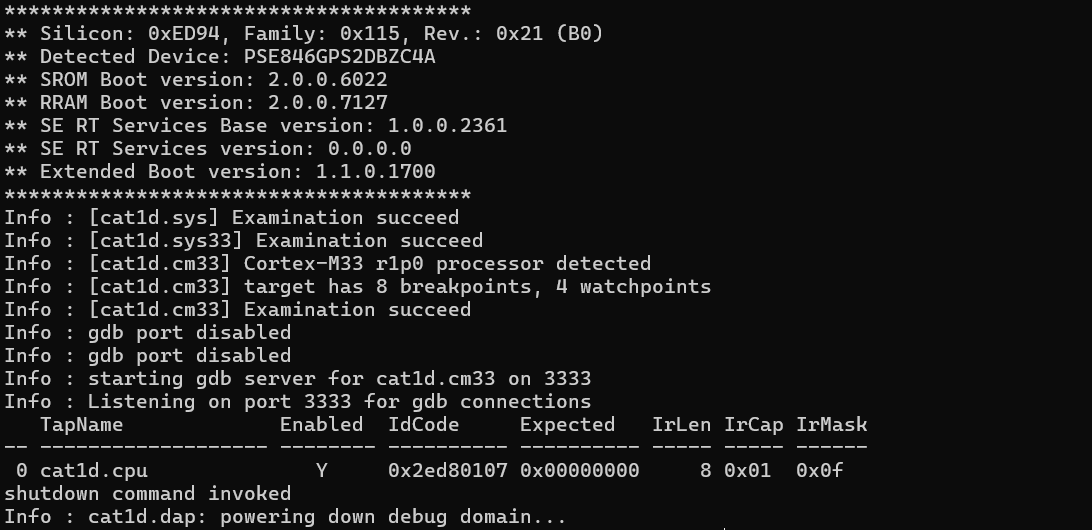
scan_chain
Displays the TAPs in the scan chain configuration, and their status. (Do not confuse this with the list displayed by the targets command. That only displays TAPs for CPUs configured as debugging targets.)
Example (J-Link & PSOC™ Edge MCU):
openocd -s ../scripts -f interface/jlink.cfg -c "transport select jtag; adapter speed 1000; init; scan_chain; shutdown"
md(w)(h)(b)
Displays the contents of address addr, as 32-bit words (mdw), 16-bit half-words (mdh), or 8-bit bytes (mdb).
mdw [phys] <addr> [count]
mdh [phys] <addr> [count]
mdb [phys] <addr> [count]
When the current target has a present and active MMU, addr is interpreted as a virtual address. Otherwise, or if the optional phys flag is specified, addr is interpreted as a physical address. If count is specified, it displays that many units; otherwise, only one item is displayed.
Example KitProg3 + PSOC™ Edge MCU):
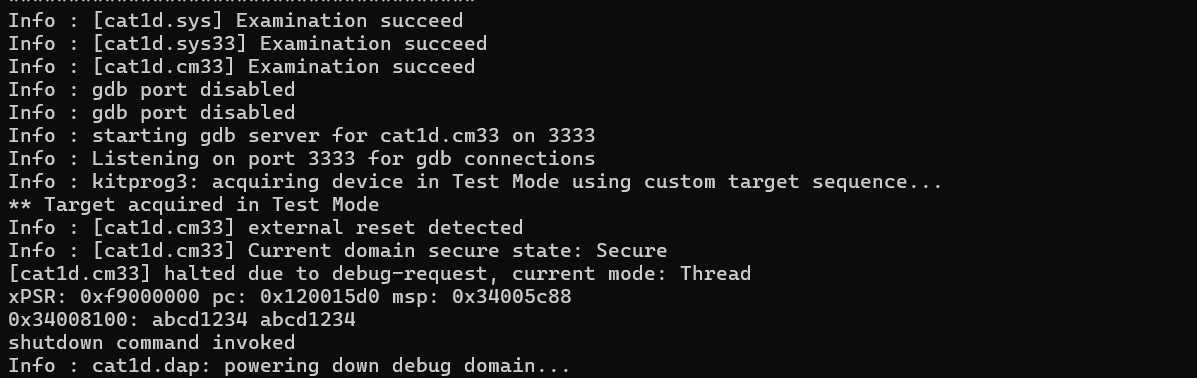
Displays two 32-bit words of memory of the PSOC™ Edge MCU.
openocd -s ../scripts -f interface/kitprog3.cfg -f target/infineon/pse84xgxs2.cfg -c "init; reset init; mdw 0x34008100 2; shutdown"
mw(w)(h)(b)
Writes the specified word (32 bits), halfword (16 bits), or byte (8-bit) value at the specified address addr.
mww [phys] <addr> <word>
mwh [phys] <addr> <halfword>
mwb [phys] <addr> <byte>
When the current target has a present and active MMU, addr is interpreted as a virtual address. Otherwise, or if the optional phys flag is specified, addr is interpreted as a physical address.
Example (KitProg3 + PSOC™ Edge MCU target):
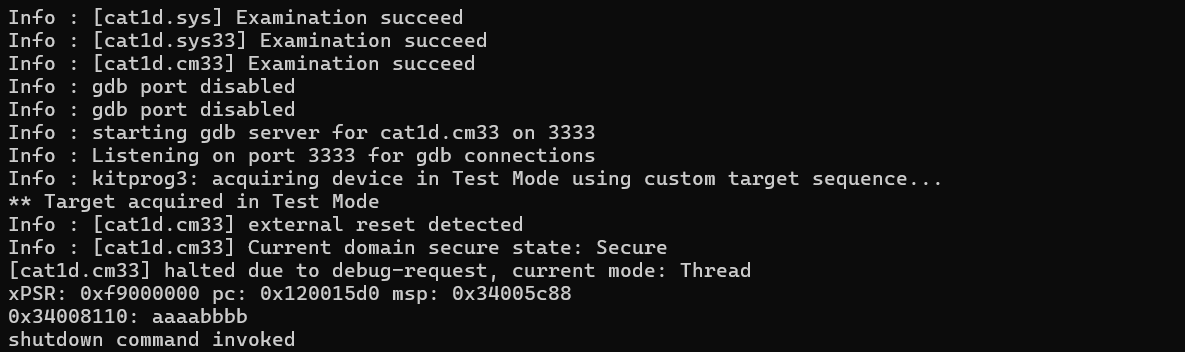
Write a 32-bit word to the memory of the PSOC™ Edge MCU.
openocd -s ../scripts -f interface/kitprog3.cfg -f target/infineon/pse84xgxs2.cfg -c "init; reset init; mww 0x34008110 0xAAAABBBB; mdw 0x34008110; shutdown"
init
This command terminates the configuration stage and enters the run stage. This helps to have the startup scripts manage tasks such as resetting the target and programming flash. To reset the CPU upon a startup, add init and reset at the end of the config script or at the end of the OpenOCD command line using the -c command line switch.
If this command does not appear in any startup/configuration file, OpenOCD executes the command for you after processing all configuration files and/or command-line options.
This command normally occurs at or near the end of your config file to force OpenOCD to initialize and make the targets ready. For example: If your config file needs to read/write memory on your target, initialization must occur before the memory read/write commands.
Example (KitProg3 + PSOC™ 6 MCU target):
openocd -s ../scripts -f interface/kitprog3.cfg -f target/infineon/pse84xgxs2.cfg -c "init; shutdown"
reset [run] [halt] [init]
Performs as hard a reset as possible, using SRST if possible. All defined targets will be reset, and target events will fire during the reset sequence.
The optional parameter specifies what should happen after a reset. If there is no parameter, a reset run is executed. The other options will not work on all systems. See reset_config.
-
run– Let the target run -
halt– Immediately halt the target -
init– Immediately halt the target, and execute the reset-init script
Example (KitProg3 & PSOC™ Edge MCU):
openocd -s ../scripts -f interface/kitprog3.cfg -f target/infineon/pse84xgxs2.cfg -c "init; reset init; shutdown"
program
Programs a given programming file in the HEX, SREC, ELF, or BIN formats into the flash of the target device.
program <filename> [preverify] [verify] [reset] [exit] [offset]
The only required parameter is filename; others are optional.
-
preverify– Performs the verification step before flash programming. Programming will be skipped if the flash contents match the data file. -
verify– Compares the contents of the data file filename with the contents of the flash after flash programming -
reset– "reset run" is called if this parameter is given (see reset [run] [halt] [init] for details) -
exit– OpenOCD is shut down if this parameter is given. -
offset– If relocation offset is specified, it is added to the base address for each section in the image.
Example (KitProg3 & PSOC™ Edge MCU):
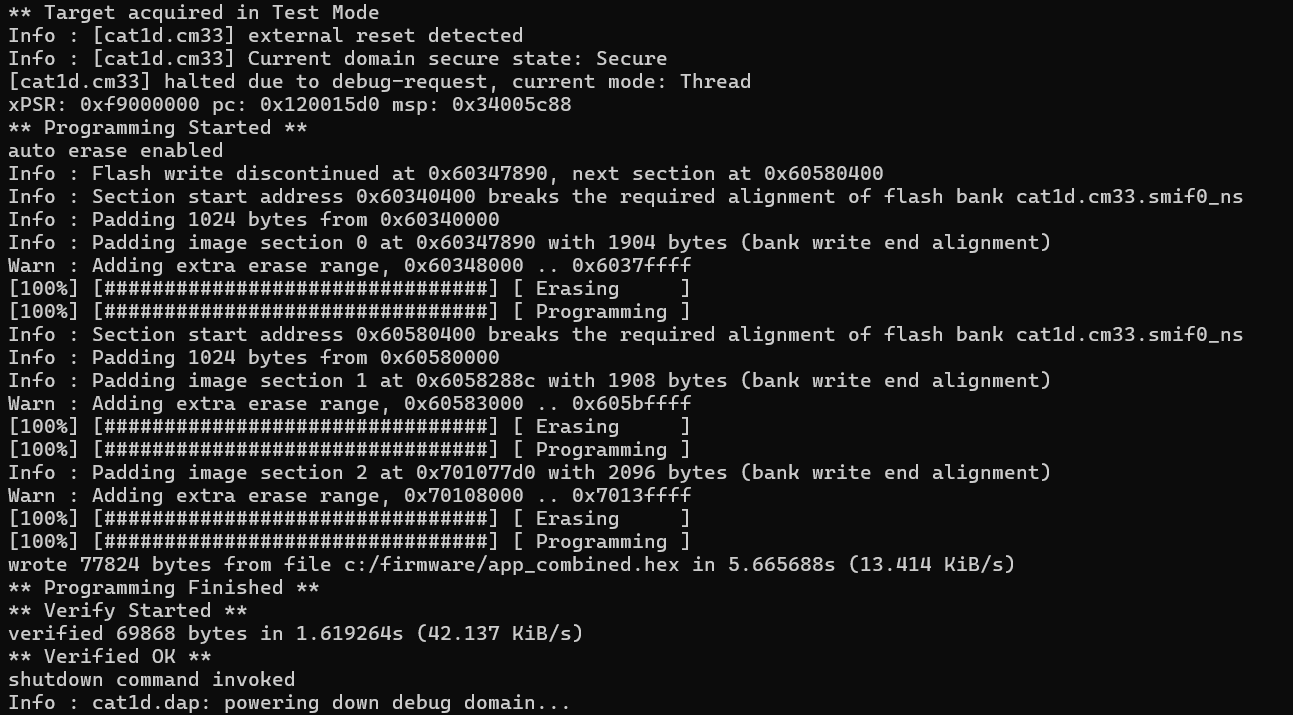
This example specifies QSPI configuration and and connects to the KitProg3 probe with the PSOC™ Edge MCU target, programs flash with the app_combined.hex file, verifies programmed data, and finally shuts down the OpenOCD programmer.
openocd -s ../scripts -f interface/kitprog3.cfg -c "set SMIF_BANKS { 0 {addr 0x60000000 size 0x01000000 psize 0x00000200 esize 0x00040000} }" -f target/infineon/pse84xgxs2.cfg -c "program c:/firmware/app_combined.hex verify exit"
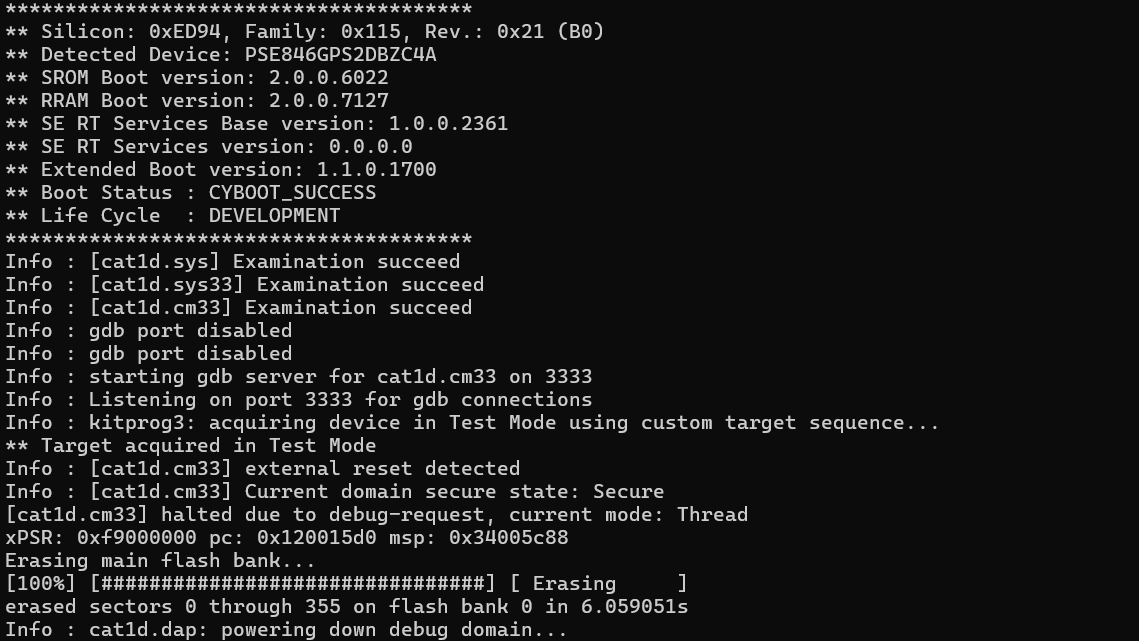
erase_all
This command erases the flash memory. Some SFlash rows could be skipped due to restrictions, see psoc6/cat1c/traveo2/xmc5xxx sflash_restrictions command.
Example (KitProg3 & PSOC™ 6 MCU target):
openocd -s ../scripts -f interface/kitprog3.cfg -f target/infineon/pse84xgxs2.cfg -c "init; reset init; erase_all; exit"
flash banks
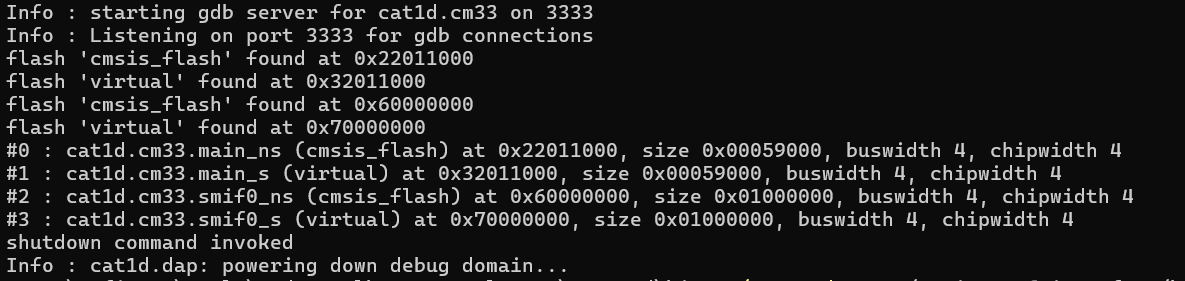
Prints a one-line summary of each flash bank of the target device.
Example (KitProg3 & PSOC™ 6 MCU):
./openocd -s ../scripts -f interface/kitprog3.cfg -c "set SMIF_BANKS { 0 {addr 0x60000000 size 0x01000000 psize 0x00000200 esize 0x00040000} }" -f target/infineon/pse84xgxs2.cfg -c "init; flash probe 0; flash probe 1; flash probe 2; flash probe 3; flash banks; shutdown"
flash info
flash info <num> [sectors]
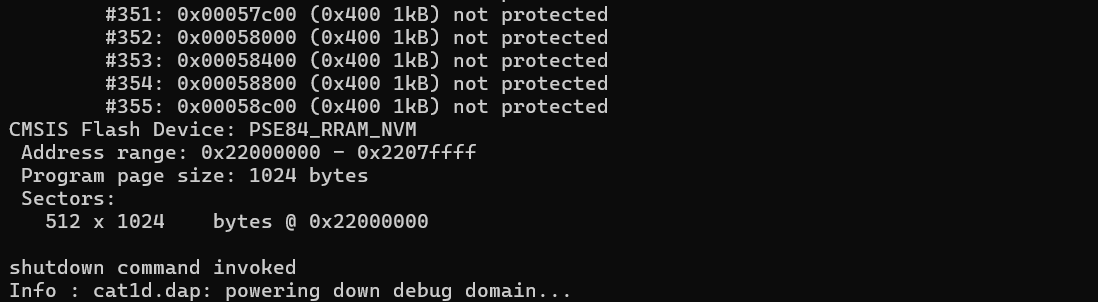
Prints info about the flash bank num, a list of protection blocks and their status. Uses sectors to show a list of sectors instead. The num parameter is a value shown by flash banks. This command will first query the hardware; it does not print cached and possibly stale information.
Example (KitProg3 & PSOC™ Edge MCU):
openocd -s ../scripts -f interface/kitprog3.cfg -f target/infineon/pse84xgxs2.cfg -c "init; reset init; flash info 0; shutdown"
Prints the information about flash bank 0:
flash protect
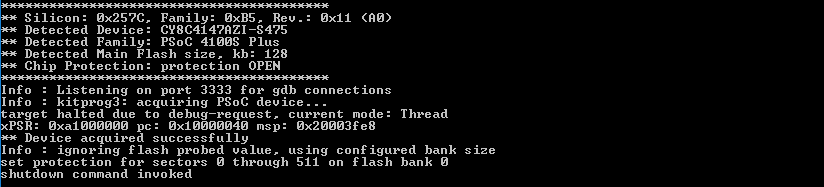
Enables (on) or disables (off) protection of flash blocks in flash bank num, starting at protection block first and continuing up to and including last.
This command is applicable for PSOC™ 4 MCU only.
flash protect num first last (on|off)
Providing a last block of last specifies "to the end of the flash bank". The num parameter is a value shown by flash banks. The protection block is usually identical to a flash sector. Some devices may utilize a protection block distinct from the flash sector. See flash info for a list of protection blocks.
Example (KitProg3 & PSOC™ 4 MCU):
openocd -s ../scripts -f interface/kitprog3.cfg -f target/infineon/psoc4.cfg -c "init; reset init; flash protect 0 0 last on; shutdown"
Protect all sectors from being written in flash bank 0:
flash erase_sector
Erases sectors in the bank num, starting at Sector first up to and including Sector last.
flash erase_sector <num> <first> <last>
Sector numbering starts at 0. Providing the last sector of last specifies "to the end of the flash bank". The num parameter is a value shown by flash banks.
On PSOC™ 4, PSOC™ 4 HVPA, and PSOC™ 4 HVMS MCU devices, per-sector erase operation is not supported, only mass-erase is available. This command is ignored on the device unless a full erase of the flash is requested (flash erase_sector 0 0 last).
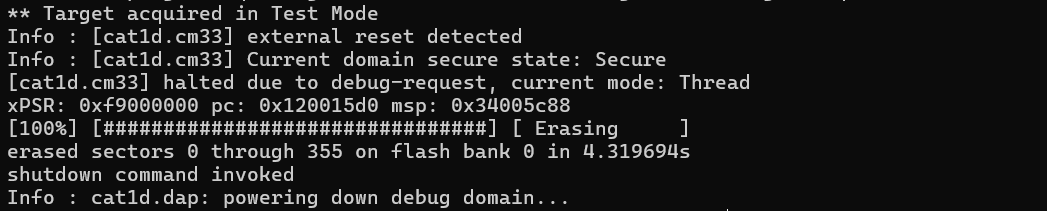
Example (KitProg3 & PSOC™ Edge MCU):
openocd -s ../scripts -f interface/kitprog3.cfg -f target/infineon/pse84xgxs2.cfg -c "init; reset init; flash erase_sector 0 0 last; shutdown"
Erases all sectors in flash bank 0:
flash erase_address
Erases the sectors starting at address for the length bytes.
flash erase_address [pad] [unlock] <address> <length>
Unless pad is specified, address must begin a flash sector, and address + length - 1 must end a sector. Specifying pad erases the extra data at the beginning and/or end of the specified region, as needed to erase only full sectors. The flash bank to use is inferred from the address, and the specified length must stay within that bank. As a special case, when length is zero and address is the start of the bank, the whole flash is erased. If unlock is specified, the flash is unprotected before erase starts.
On PSOC™ 4, PSOC™ 4 HVPA, and PSOC™ 4 HVMS MCU devices, per-sector erase operation is not supported, only mass-erase is available. This command is ignored on the device unless a full erase of the flash is requested (e.g., flash erase_address 0 65536 for 64 KB parts).
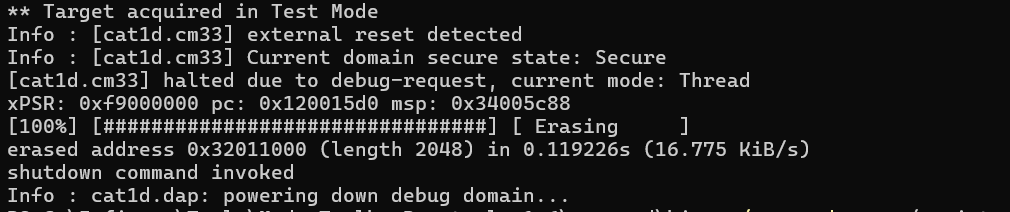
Example (KitProg3 & PSOC™ Edge MCU):
In this example, OpenOCD erases the 2-KB block starting at address 0x32011000:
openocd -s ../scripts -f interface/kitprog3.cfg -f target/infineon/pse84xgxs2.cfg -c "init; reset init; flash erase_address 0x32011000 2048; shutdown"
flash write_bank
Writes the binary filename to flash bank num, starting at offset bytes from the beginning of the bank.
flash write_bank <num> <filename> <offset>
The num parameter is a value shown by flash banks.
Example (KitProg3 & PSOC™ Edge MCU):
Writes the binary file firmware.bin to flash bank 0 with starting at offset 0:
openocd -s ../scripts -f interface/kitprog3.cfg -f target/infineon/cy8c6xxx.cfg -c "init; reset init; flash write_bank 0 d:/firmware.bin 0x0; shutdown"

flash write_image
Writes the image filename to the current target's flash bank(s).
flash write_image [erase] [unlock] <filename> [offset] [type]
Only loadable sections from the image are written. If a relocation offset is specified, it is added to the base address for each section in the image. The file [type] can be specified explicitly as bin (binary), ihex (Intel hex), elf (ELF file), or s19 (Motorola s19). The relevant flash sectors will be erased prior to programming if the erase parameter is given. If unlock is provided, the flash banks are unlocked before erase and program. The flash bank to use is inferred from the address of each image section.
Be careful using the erase flag when the flash is holding data you want to preserve. Portions of the flash outside those described in the image's sections might be erased with no notice.
-
When a section of the image being written does not fill out all the sectors it uses, the unwritten parts of those sectors are necessarily also erased, because sectors cannot be partially erased.
-
Data stored in sector "holes" between image sections are also affected. For example,
flash write_image erase ...of an image with one byte at the beginning of a flash bank and one byte at the end erases the entire bank – not just the two sectors being written.
Also, when flash protection is important, you must reapply it after it has been removed by the unlock flag.
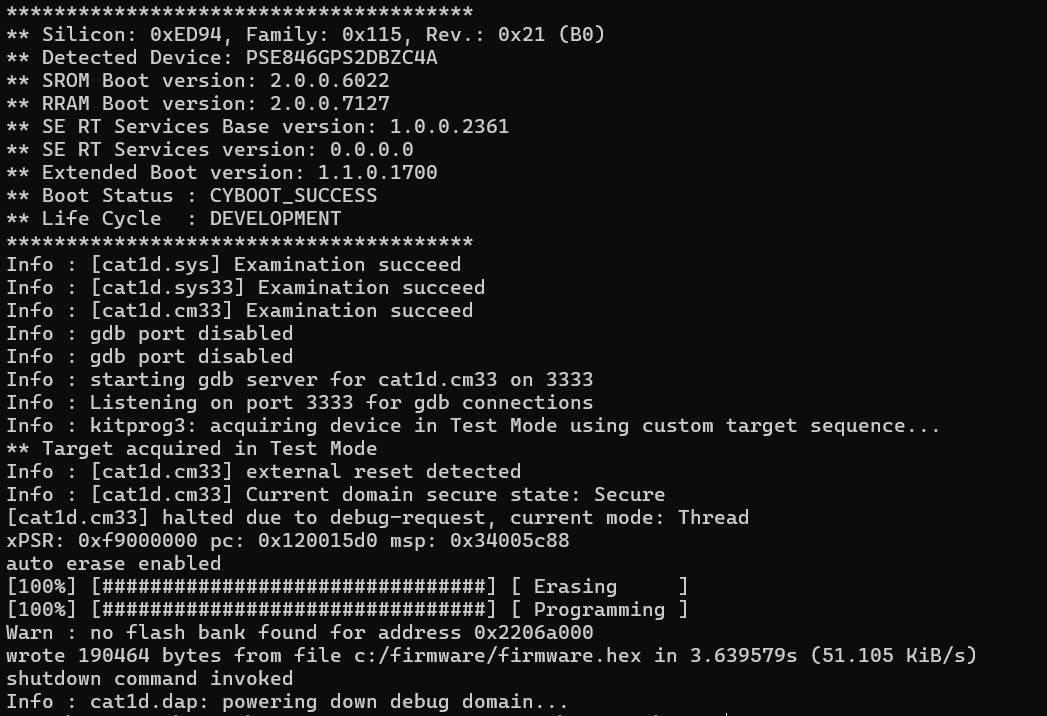
Example (KitProg3 & PSOC™ Edge MCU):
Writes the ELF image firmware.hex to the PSOC™ Edge MCU:
openocd -s ../scripts -f interface/kitprog3.cfg -f target/infineon/pse84xgxs2.cfg -c "init; reset init; flash write_image erase c:/firmware/firmware.hex; shutdown"
flash fill(w)(h)(b)
Fills the flash memory with the specified word (32 bits), half-word (16 bits), or byte (8-bit) pattern, starting at address and continuing for length units (word/half-word/byte).
flash fillw <address> <word> <length>
flash fillh <address> <halfword> <length>
flash fillb <address> <byte> <length>
No erase is done before writing; when needed, that must be done before issuing this command. Writes are done in blocks of up to 1024 bytes, and each write is verified by reading back the data and comparing it to what was written. The flash bank to use is inferred from the address of each block, and the specified length must stay within that bank.
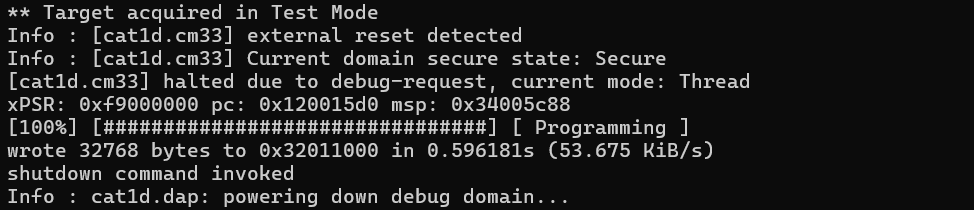
Example (KitProg3 & PSOC™ Edge MCU):
Fills the 32-KB block of memory starting at address 0x32011000 with the pattern 0x5A:
openocd -s ../scripts -f interface/kitprog3.cfg -f target/infineon/pse84xgxs2.cfg -c "init; reset init; flash fillw 0x32011000 0x5A5A5A5A 0x00002000; shutdown"
flash read_bank
Reads the length bytes from the flash bank num starting at offset and writes the contents to the binary filename. The num parameter is a value shown by flash banks.
flash read_bank <num> <filename> <offset> <length>
Example (KitProg3 & PSOC™ Edge MCU):
Reads the 32-KB block of bank #0 memory and writes it to the binary file:
openocd -s ../scripts -f interface/kitprog3.cfg -f target/infineon/pse84xgxs2.cfg -c "init; reset init; flash read_bank 0 read_bank_0.bin 0x0 0x2000; shutdown"

flash verify_bank
Compares the contents of the binary file filename with the contents of the flash num starting at offset. Fails if the contents do not match. The num parameter is a value shown by flash banks.
flash verify_bank <num> <filename> <offset>
Example (KitProg3 & PSOC™ Edge MCU):
Verifies the content of bank #0.
openocd -s ../scripts -f interface/kitprog3.cfg -f target/infineon/pse84xgxs2.cfg -c "init; reset init; flash verify_bank 0 c:/firmware/firmware.bin 0x0; shutdown"

flash padded_value
Sets the default value used for padding any image sections.
flash padded_value <num> <value>
This should normally match the flash bank erased value. If not specified by this command or the flash driver, it defaults to 0xff.
Example (KitProg3 & PSOC™ Edge MCU):
Sets a padded value to 0xFF for bank #0.
openocd -s ../scripts -f interface/kitprog3.cfg -f target/infineon/pse84xgxs2.cfg -c "init; reset init; flash padded_value 0 0xFF; shutdown"

flash rmw
The command is intended to modify flash individual bytes.
flash rmw <address> <data>
The command can be used to program the data to an arbitrary flash address preserving all data that belongs to the same flash sector.
-
address– The start address for the programming. -
data– The hexadecimal string with data to be programmed. The format of the string is shown in the following example:
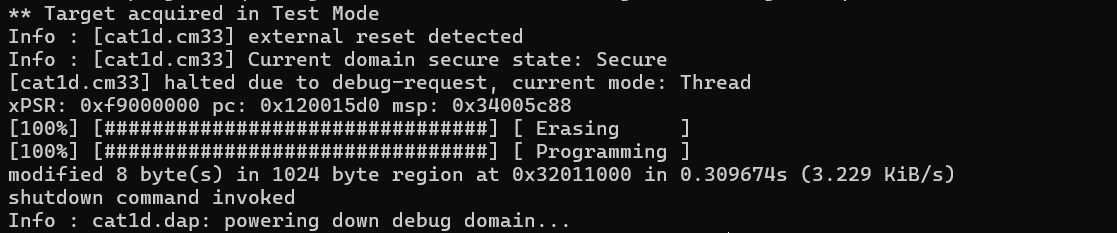
The flash rmw command is a custom command implemented in ModusToolbox™ OpenOCD CLI to extend its functionality.
Example (KitProg3 & PSOC™ Edge MCU):
Modifies 8 bytes of the PSOC™ 6 MCU flash at address 0x10001234.
openocd -s ../scripts -f interface/kitprog3.cfg -f target/infineon/pse84xgxs2.cfg -c "init; reset init; flash rmw 0x32011234 DEADBEEFBAADC0DE; shutdown"
add_verify_range
The command allows specifying memory regions to be compared during the verify operation.
add_verify_range <target> <address> <size>
By default, when no regions are defined, all the regions present in the firmware image file are compared with the corresponding target memory. This breaks the verification process for some non-memory-mapped regions such as EFuses. When the target has at least one verify region specified, only data that belongs to that verify region is verified.
-
target– The target device to assign verify regions. -
address– The start address of the region. -
size– The size of the region, in bytes.
The add_verify_range command is a custom command implemented in ModusToolbox™ OpenOCD CLI to extend its functionality.
show_verify_ranges
This command displays all active verify ranges for all targets that were added using the add_verify_range command. This command does not take any arguments.
Example (KitProg3 & PSOC™ Edge MCU):
openocd -s scripts -f interface/kitprog3.cfg -f target/infineon/pse84xgxs2.cfg -c "init; show_verify_ranges; add_verify_range cat1d.cm33 0x22011000 0x1000; show_verify_ranges; exit"
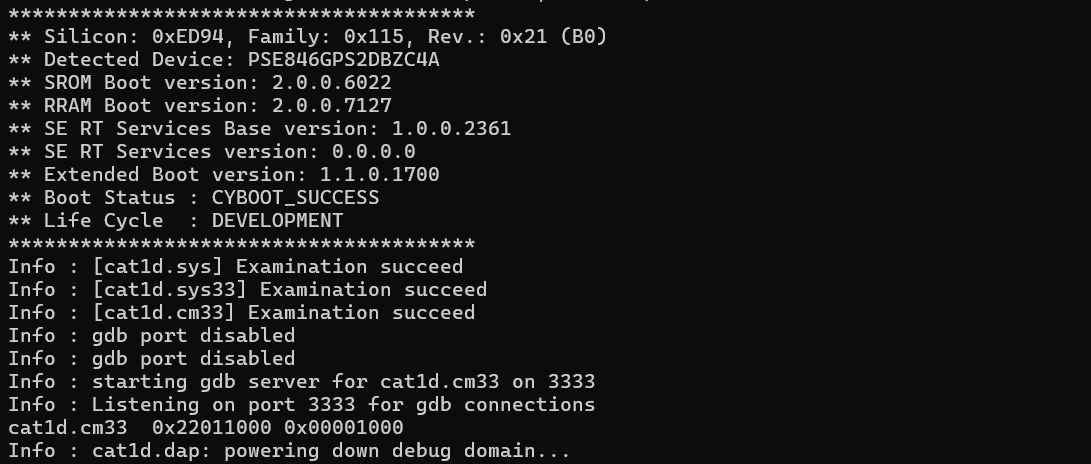
The show_verify_ranges command is a custom command implemented in ModusToolbox™ OpenOCD CLI to extend its functionality.
clear_verify_ranges
This command deletes all verify ranges for the specified target that were added using the add_verify_range command.
clear_verify_ranges <target>
The clear_verify_ranges command is a custom command implemented in ModusToolbox™ OpenOCD CLI to extend its functionality.
verify_image
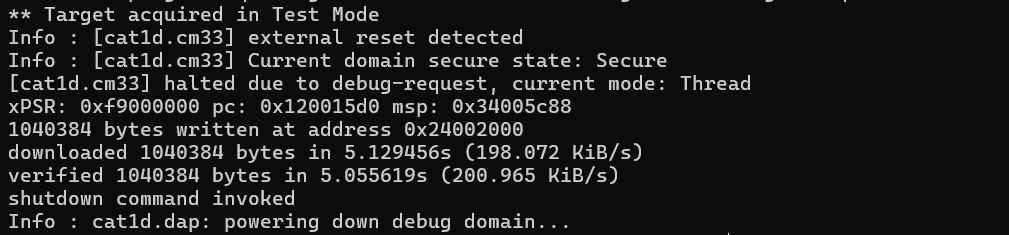
Verifies filename against the target memory starting at address. The file format may optionally be specified (bin, ihex, or elf). This will first attempt a comparison using a CRC checksum; if that fails, it will try a binary compare.
verify_image <filename> <address> [bin|ihex|elf]
Example (KitProg3 & PSOC™ Edge MCU):
Verifies a firmware.hex image against the target memory.
openocd -s ../scripts -f interface/kitprog3.cfg -f target/infineon/pse84xgxs2.cfg -c "init; reset init; load_image c:/firmware/firmware.hex; verify_image c:/firmware/firmware.hex; shutdown"
verify_image_checksum
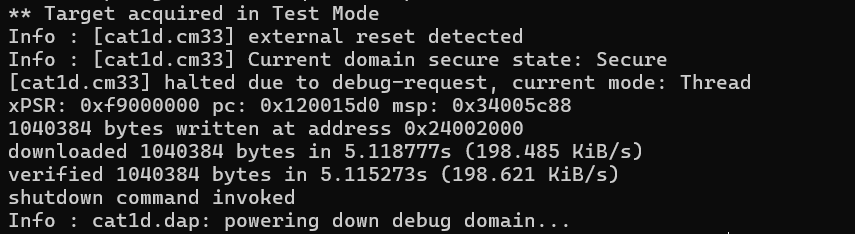
Verifies filename against the target memory starting at address. The file format may optionally be specified (bin, ihex, or elf). This perform a comparison using a CRC checksum only.
verify_image_checksum <filename> <address> [bin|ihex|elf]
Example (KitProg3 & PSOC™ Edge MCU):
Verifies a firmware.hex image against the target memory of the PSOC™ Edge MCU using the CRC checksum only.
openocd -s ../scripts -f interface/jlink.cfg -c "transport select swd" -f target/infineon/pse84xgxs2.cfg -c "init; reset init; verify_image_checksum d:/firmware.hex 0x0; shutdown"
load_image
Loads an image from file filename to the target memory offset by address from its load address. The file format may optionally be specified (bin, ihex, elf, or s19). Also, the following arguments may be specified:
-
min_addr– Ignore the data below min_addr (this is w.r.t. to the target's load address + address) -
max_length– Maximum number of bytes to load
load_image filename address [[bin|ihex|elf|s19] min_addr max_length]
Example:
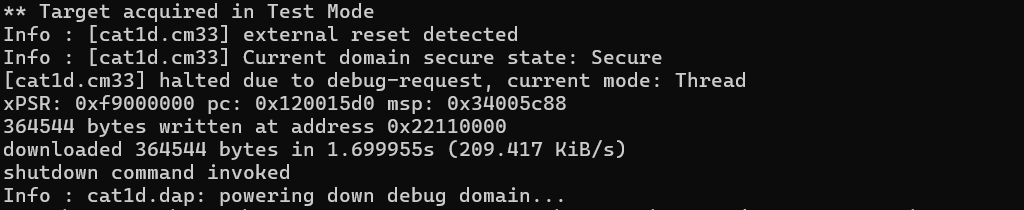
Loads the binary file firmware.bin to the RAM of the PSOC™ Edge MCU.
openocd -s ../scripts -f interface/kitprog3.cfg -f target/infineon/pse84xgxs2.cfg -c "init; reset init; load_image c:/firmware/firmware.bin 0x22110000; shutdown"
dump_image
Dumps size bytes of the target memory starting at address to the binary file named filename.
dump_image <filename> <address> size
Example:
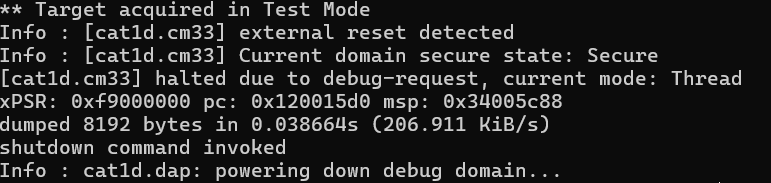
Dumps 8 KB of the PSOC™ Edge MCU memory to the file dump_mem.bin.
openocd -s ../scripts -f interface/kitprog3.cfg -f target/infineon/cy8c6xxx.cfg -c "init; reset init; dump_image d:/dump_mem.bin 0x10001234 0x2000; shutdown"
KitProg3/MiniProg4 driver commands
The KitProg3/MiniProg4 probe implements the CMSIS-DAP protocol defined by Arm® with some extensions. Consequently, the KitProg3/MiniProg4 driver in OpenOCD is a wrapper around the native CMSIS-DAP driver that extends its functionality with the KitProg3-specific extensions.
A full list of the CMSIS-DAP-specific configuration commands can be found in the OpenOCD official documentation.
Besides the standard CMSIS-DAP options, the KitProg3 driver exposes several custom Tcl configuration commands. All commands in this section must be prefixed with the name of the driver – "kitprog3".
kitprog3 acquire_config
The command controls device acquisition parameters and optionally enables acquisition during the early initialization phase. Can be called at any time.
acquire_config <status> [target_type] [mode] [attempts] [timeout] [ap]
-
status– A mandatory parameter, enables or disables the acquisition procedure during the initialization phase. The possible values: On, Off. -
target_type– Specifies the target device type. This parameter is mandatory only ifstatus=on. The possible values:- 0 – PSOC 4
- 1 – PSOC 5
- 2 – PSOC 6
- 3 – T2G, XMC7xxx and XMC5xxx
- 4 – AIROC
-
mode– Specifies the acquisition mode. This parameter is mandatory only ifstatus=on. The possible values: 0 – Reset, 1 – Power Cycle. The mode affects only the first step (how to reset the part at the start of the acquisition flow).-
Reset mode: To start programming, the host toggles the XRES line and then sends SWD/JTAG commands
-
Power Cycle mode: To start programming, the KitProg3-based probe powers on the MCU and then starts sending the SWD/JTAG commands. The XRES line is not used. Power Cycle mode support is optional and should be used only if the XRES pin is not available on the part's package.
Note: Before using Power Cycle acquisition, make sure that the target is not powered externally!
-
-
attempts– The number of attempts to acquire the target device. This parameter is ignored whenstatus=on. -
timeout– (Optional) Timeout value in seconds. The maximum value for the timeout is 30 seconds. -
ap– Access port to use for the acquisition. The value of this parameter should be in range 0…255. This parameter is mandatory if thetimeoutparameter is specified.
Example (KitProg3 & PSOC™ 6 MCU):
openocd -s ../scripts -f interface/kitprog3.cfg -f target/infineon/cy8c6xxx.cfg -c "kitprog3 acquire_config on 2 0; init; reset init; shutdown"
kitprog3 acquire_psoc
Performs device acquisition. Can be called at any time. The acquisition procedure must be configured using acquire_config before calling this command.
Example (KitProg3 & PSOC™ 6 MCU)::
openocd -s ../scripts -f interface/kitprog3.cfg -f target/infineon/cy8c6xxx.cfg -c "kitprog3 acquire_config on 2 0; init; kitprog3 acquire_psoc; reset init; shutdown"
kitprog3 power_config
Controls the KitProg3-internal power supply parameters and optionally enables power during the early initialization phase. Can be called at any time.
kitprog3 power_config <status> [voltage]
-
status–Mandatory; enables or disables power supply during the initialization phase. Possible values: on|off. -
voltage– The power supply voltage in millivolts. This parameter is optional. Either default (2.5 volts) or kit-specific voltage will be applied if this parameter is not specified.
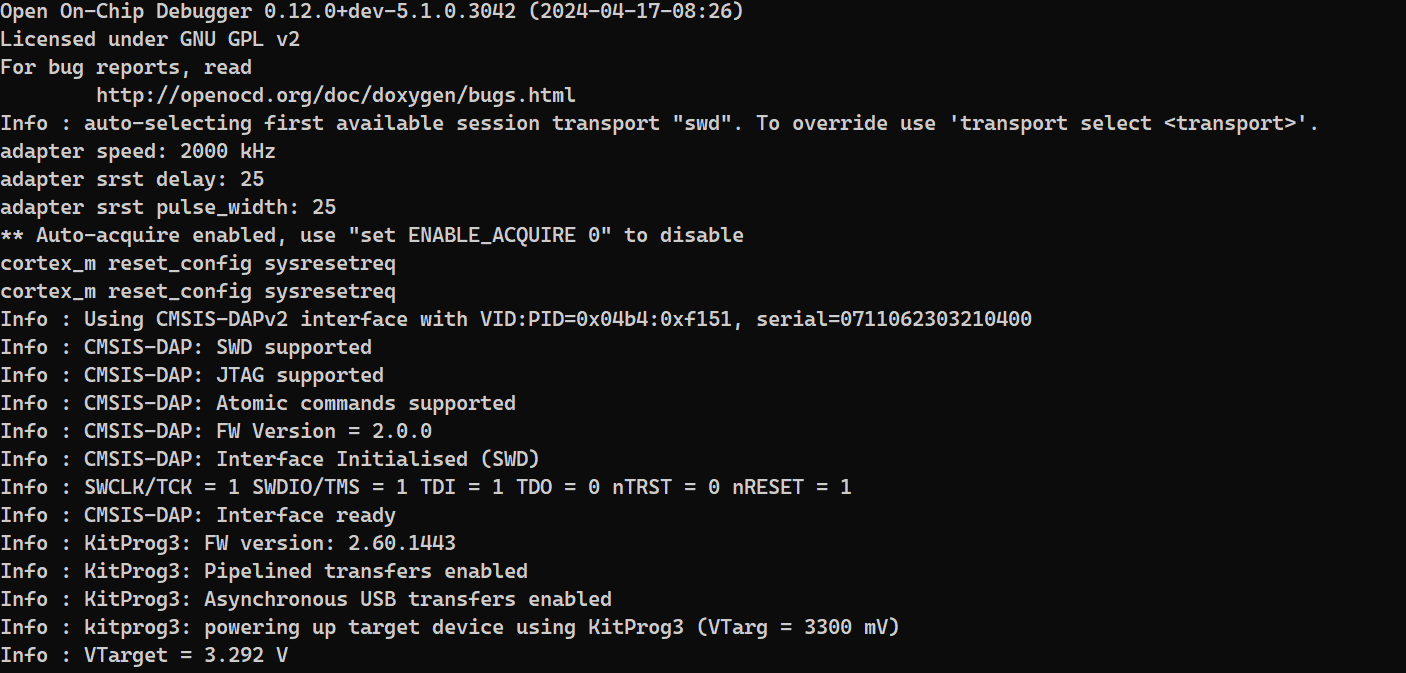
Example (KitProg3 & PSOC™ Edge MCU):
openocd -s ../scripts -f interface/kitprog3.cfg -f target/infineon/pse84xgxs2.cfg -c "kitprog3 power_config on 3300; init; shutdown"
kitprog3 led_control
Controls the KitProg3 LEDs. Can be called only after the initialization phase.
kitprog3 led_control <type>
type– Mandatory; specifies the type of the LED indication. The possible values:- 0 – Ready
- 1 – Programming
- 2 – Success
- 3 – Error
**Example: **
openocd -s ../scripts -f interface/kitprog3.cfg -f target/infineon/pse84xgxs2.cfg -c "init; kitprog3 led_control 2"
kitprog3 get_power
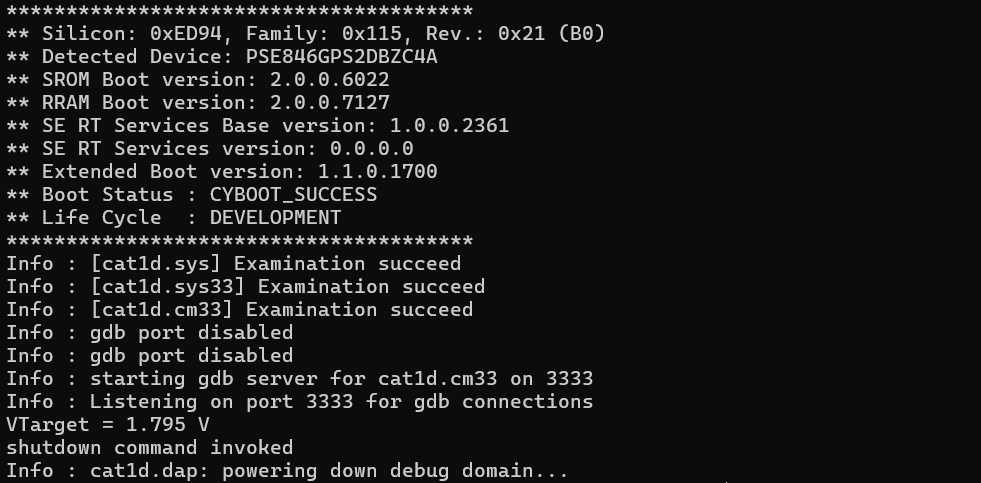
Reports the target voltage in millivolts. Can be called only after the initialization phase.
**Example: **
openocd -s ../scripts -f interface/kitprog3.cfg -f target/infineon/pse84xgxs2.cfg -c "init; kitprog3 get_power; shutdown"
Flash driver commands
This section contains a list of custom commands exposed by the target MCU's Flash driver.
psoc6/cat1c/traveo2/xmc5xxx sflash_restrictions
The command enables or disables writes to SFlash regions other than USER, NAR, TOC2, and KEY.
psoc6 sflash_restrictions <mode>
cat1c sflash_restrictions <mode>
traveo2 sflash_restrictions <mode>
xmc5xxx sflash_restrictions <mode>
The command can be called at any time.
mode– Mandatory; specifies the behavior of SFlash programming. The possible values:-
0 – Erase/Program of SFlash is prohibited.
-
1 – Erase and Program of USER/TOC/KEY is allowed.
-
2 – Erase of USER/TOC/KEY and program of USER/TOC/KEY/NAR is allowed.
Be aware that the NAR sub-region cannot be overwritten or erased if the new data is less restrictive than the existing data.
Warning: Unintentional writing to this region may corrupt your device!
-
Erase of USER/TOC/KEY and program of the whole SFlash region is allowed.
-
Writes to SFlash regions other than USER/TOC/KEY/NAR is possible only on the VIRGIN silicon, so the mode=3 option is mostly intended for internal use. It is useful for flash boot developers and validation teams. Note that erase (programming with 0x00 for PSOC™ 6, or 0xFF for XMC7xxx and TRAVEO™ T2G MCUs) is performed only for the USER, TOC2, and KEY regions; it is skipped for other SFlash regions regardless of this command.
**Example (KitProg3 & PSOC™ 6 MCU): **
openocd -s ../scripts -f interface/kitprog3.cfg -f target/infineon/cy8c6xxx.cfg -c "init; reset init; psoc6 sflash_restrictions 2; shutdown"

psoc6/cat1c/traveo2/xmc5xxx allow_efuse_program
Allows or disallows writes to the EFuse region. Can be called any time. Writes to the EFuse region are skipped by default. Be aware that EFuses are one-time programmable. Once an EFuse is blown, there is no way to revert its state. EFuse programming must be allowed for lifecycle transitions to work.
psoc6 allow_efuse_program <on|off>
cat1c allow_efuse_program <on|off>
traveo2 allow_efuse_program <on|off>
xmc5xxx allow_efuse_program <on|off>
**Example (KitProg3 & PSOC™ 6 MCU): **
Writes 1 bit to the EFuse region at address 0x907003FF of the PSOC™ 6 MCU:
openocd -s ../scripts -f interface/kitprog3.cfg -f target/infineon/cy8c6xxx.cfg -c "init; reset init; psoc6 allow_efuse_program on; flash fillb 0x907003FF 1 1; flash read_bank 3 d:/dump_efuse.bin 0x3FF 0x1; shutdown"

psoc6/cat1c/traveo2/xmc5xxx reset_halt
The command simulates a broken vector catch on PSOC™ 6, XMC7xxx, TRAVEO™ T2G and XMC5xxx MCUs.
psoc6 reset_halt <mode>
cat1c reset_halt <mode>
traveo2 reset_halt <mode>
xmc5xxx reset_halt <mode>
The command retrieves the address of the vector table from the VECTOR_TABLE_BASE registers, detects the location of the application entry points, sets a hardware breakpoint at that location, and performs a reset of the target. The type of the reset can be specified by the optional mode parameter.
Parameters:
mode– (Optional) The type of reset to be performed. Possible values aresysresetreqandvectreset. If not specified,SYSRESETREQis used for the CM0 core andVECTRESETis used for other cores in the system.
Example (KitProg3 & PSOC™ 6 MCU):
openocd -s ../scripts -f interface/kitprog3.cfg -f target/infineon/cy8c6xxx.cfg -c "init; reset init; psoc6 reset_halt vectreset; shutdown"

psoc4/cat1c/traveo2/xmc5xxx ecc_error_reporting
Enables or disables the ECC error reporting during OpenOCD operations.
psoc4 ecc_error_reporting <on|off>
cat1c ecc_error_reporting <on|off>
traveo2 ecc_error_reporting <on|off>
xmc5xxx ecc_error_reporting <on|off>
OpenOCD supports the detection and reporting of ECC errors during the flash read operation. In the current implementation, OpenOCD reads word-by-word a requested amount of data and checks for the ECC status after each Read. This ensures all ECC errors for all memory locations are properly detected. If an ECC error occurs, OpenOCD retrieves the address of the faulty location from the hardware. All ECC errors along with their locations are reported to the user by means of warning messages. This process will be performed until all requested data has been read.
In this section, psoc4 means only PSOC™ 4 HV devices.
Example (KitProg3 & XMC7000 MCU):
openocd -s ../scripts -f interface/kitprog3.cfg -f target/infineon/cytxbb.cfg -c "init; reset init; cat1c ecc_error_reporting on; shutdown"
cat1c/traveo2/xmc5xxx wflash blank_map [first_sector [last_sector | 'last']]
Displays per-word validity map of the given sectors of work flash. It accepts two optional parameters with the following rules:
-
If no parameters are given, command displays validity map for all sectors
-
If one parameter is given, parameter means sector number and the command displays validity map for given sector
-
If two parameters are given, command displays validity map for range of sectors (param1 ... param2). The word 'last' can be used as a parameter #2 (same as erase_sector ).
Example (KitProg3 & XMC7000 MCU):
> cat1c wflash blank_map 0

WorkFlash word validity map:
0x14000000 (#000): -+++-+-+--------------------------------------------------
0x14000100 (#000): ----------------------------------------------------------
0x14000200 (#000): ----------------------------------------------------------
0x14000300 (#000): ----------------------------------------------------------
0x14000400 (#000): ----------------------------------------------------------
0x14000500 (#000): ----------------------------------------------------------
0x14000600 (#000): ----------------------------------------------------------
0x14000700 (#000): ----------------------------------------------------------
cat1c/traveo2/xmc5xxx wflash write_image [filename] [offset]
Programs individual 32-bit words from given file to the work flash. All data in the file that does not belong to WFlash region is skipped. All unaligned data is trimmed to make the starting address and length of the data aligned on 32-bit boundaries. Appropriate warnings are displayed in this case. Command works with elf, hex, srec and bin files. Optional offset can be specified (same as flash write_image).
Example (KitProg3 & XMC7000 MCU):
The file contains unaligned data and also data which does not belong to the WFlash region.
> cat1c wflash write_image foo.hex

Warn : Section [0x13fff950, 0x13fff991) will be skipped
Warn : Section [0x13fffdac, 0x13fffe19) will be skipped
Warn : Section [0x13fffff0, 0x1400005d) will be truncated to [0x14000000, 0x1400005c)
Warn : Section [0x14000290, 0x14000299) will be truncated to [0x14000290, 0x14000298)
Warn : Section [0x140003b0, 0x140003e5) will be truncated to [0x140003b0, 0x140003e4)
[100%] [################################] [ Programming ]
cat1c/traveo2/xmc5xxx wflash write_words [address] [word_1] [word_2] ... [word_N]
Command is similar to 'flash rmw' except:
- Starting address must be aligned on 32-bit boundary
- Command works with 32-bit words which must be separated with a space
Example (KitProg3 & XMC7000 MCU):
> cat1c wflash write_words 0x14000004 0xDEADBEEF 0xBAADF00D 0xBAADC0DE
> cat1c wflash write_words 0x14000014 0x01234567
> cat1c wflash write_words 0x1400001C 0x89ABCDEF
> cat1c wflash blank_map 0

[100%] [################################] [ Programming ]
[100%] [################################] [ Programming ]
[100%] [################################] [ Programming ]
WorkFlash word validity map:
0x14000000 (#000): -+++-+-+--------------------------------------------------
0x14000100 (#000): ----------------------------------------------------------
0x14000200 (#000): ----------------------------------------------------------
0x14000300 (#000): ----------------------------------------------------------
0x14000400 (#000): ----------------------------------------------------------
0x14000500 (#000): ----------------------------------------------------------
0x14000600 (#000): ----------------------------------------------------------
0x14000700 (#000): ----------------------------------------------------------
psoc6 secure_acquire
Performs acquisition of PSOC™ 64 "Secure Boot" MCUs.
psoc6 secure_acquire <magic_num_addr> <mode> <handshake> <timeout>
Parameters:
-
magic_num_addr– Address in RAM to poll for the magic number. This address is different across different PSOC™ 6 MCU devices:- CYB06447, CYB06447-BL - 0x08044804
- CYS0644A, CYB0644A - 0x080FE004
- CYB06445 - 0x0803E004
-
mode– Mode of acquisition. Possible values:run,halt.-
In run mode, the command will perform reset and will wait for the "secure" application to open the corresponding access port.
-
In halt mode, a "secure" handshake will be performed right after reset to prepare the device for flash programming.
-
-
handshake– Specifies whether full or short acquisition procedure should be executed. The short acquisition procedure simply waits until "secure" FW opens the given access port. This is intended for multi-core configuration when full acquisition has already been done with the other CPU core.- Possible values:
handshake– full acquisition,no_handshake– short acquisition
- Possible values:
-
timeout– Timeout in milliseconds
psoc4 reset_halt
Performs the alternate acquire sequence as described in the PSOC™ 4 MCU programming specification.
psoc4 reset_halt
The command detects the location of the application entry points, sets a hardware breakpoint at that location, and issues a SYSRESETREQ reset.
Example (KitProg3 & PSOC™ 4 MCU):
openocd -s ../scripts -f interface/kitprog3.cfg -f target/infineon/psoc4.cfg -c "init; reset init; psoc4 reset_halt; shutdown"
psoc4 mass_erase
Performs mass erase operation on the given flash bank. The list of all flash banks can be obtained using flash banks command. This command is a shortcut and performs the same operation as the flash erase_sector [bank_id] 0 last command. The peculiarity of this command is that erasing of the mflash bank also erases the flashp bank. If the chip is in PROTECTED state, this command moves the protection state of the device from PROTECTED to OPEN and erases the entire flash device.
psoc4 mass_erase <bank_id>
Example (KitProg3 & PSOC™ 4 MCU):
openocd -s ../scripts -f interface/kitprog3.cfg -f target/psoc4.cfg -c "init; reset init; psoc4 mass_erase 0; shutdown"
psoc4 chip_protect
Changes the chip protection mode to PROTECTED. This mode disables all debug access to the user code or memory. Access to most registers is still available; debug access to registers to reprogram flash is not available. Protection mode can be changed back to OPEN by performing the mass erase operation described above.
psoc4 chip_protect
Example (KitProg3 & PSOC™ 4 MCU):
openocd -s ../scripts -f interface/kitprog3.cfg -f target/infineon/psoc4.cfg -c "init; reset init; psoc4 chip_protect; shutdown"
psoc4 kill_mode
Moves target from OPEN to KILL state. KILL state is a state where debug pins are switched OFF and any access to target is prohibited. Both debugging and flashing new image is impossible. This mode is useful if you have completely finalized image and there is a need to make it impossible to read out image via debug pins. From the user perspective, target executes flashed application but is not accessible via openOCD or any other tool.
This command is irreversible. So in order to prevent misuse, additionally, the variable ALLOW_KILL_MODE must be set to YES via openOCD arguments.
Example (KitProg3 & PSOC™ 4 MCU):
openocd -s ../scripts -f interface/kitprog3.cfg -c "set ALLOW_KILL_MODE YES" -f target/infineon/psoc4.cfg -c "init; reset init; psoc4 kill_mode; shutdown"
cmsis_flash flash driver commands
The "cmsis_flash" is a generic driver which uses the standard CMSIS flash loaders to program the flash. On Infineon devices, this driver is typically used for external flash programming but it also can be used for other purposes.
cmsis_flash init
Some types of flash banks are not mapped to the CPU address space right after reset. For example, the external flash connected to an SMIF peripheral requires special configuration of the MCU's hardware blocks in order to be mapped to the CPU address space. Usually, the flash loader's Init() function is responsible for enabling such mapping.
cmsis_flash init [bank_num]
This command loads the flash loader to the RAM and executes the Init() function. Beware that this function is intrusive. It requires that the MCU is acquired in "good-state" and all CPUs are halted (e.g., reset init is performed) before it can be called.
This command takes one optional argument – the number of the flash bank to be initialized. This command will initialize all cmsis_flash banks if no argument is specified.
cmsis_flash prefer_sector_erase
Controls driver strategy used during mass-erase of the flash bank. There are two possible strategies:
- Use the
EraseChipAPI (if available) - Use per-sector erase using the
EraseSectorAPI
The EraseChip method is used by default. This method is usually faster but it does not display the progress of the erase operation. The EraseChip API is optional; the driver will fall back to per-sector erase if the EraseChip API is not implemented in the flash loader. The other downside of this method is that depending on the flash loader implementation, it may erase all external memory banks, not only the bank specified in the erase_sector command.
Per-sector erase is usually slower but it displays the progress information and always erases the single flash bank specified in the erase_sector command.
cmsis_flash prefer_sector_erase [bank_num] <0/1|false/true>
Command takes two arguments:
-
bank_num– (Optional) Flash bank number to enable/disable the per-sector erase strategy. This option will be applied to all cmsis_flash banks if this argument is omitted. -
parameter_value– Mandatory boolean value specifying whether per-sector strategy should be enabled or disabled.
Other commands
source
Reads a file and executes it as a script. It is usually used with the result of the find command.
source [find FILENAME]
Example (KitProg3 & PSOC™ Edge MCU):
openocd -s ../scripts -c "source [find interface/kitprog3.cfg]; source [find target/infineon/pse84xgxs2.cfg]; targets; shutdown"
find
Finds and returns a full path to a file with a given name. It is usually used as an argument of the source command. This command uses an internal search path. (Do not try to use a filename which includes the "#" character. That character begins Tcl comments.)
source [find FILENAME]
Example (KitProg3 & PSOC™ Edge MCU):
openocd -s ../scripts -c "source [find interface/kitprog3.cfg]; source [find target/infineon/pse84xgxs2.cfg]; targets; shutdown"
set
Stores a value to a named variable, first creating the variable if it does not already exist. Declaration variable must be done before usage.
set VARNAME value
Example (KitProg3 & PSOC™ Edge MCU):
openocd -s ../scripts -c "set ENABLE_CM0 0; source [find interface/kitprog3.cfg]; source [find target/infineon/cy8c6xxx.cfg]; targets; shutdown"
sleep
Waits for at least msec milliseconds before resuming. Useful in a combination with script files.
sleep msec
Example:
openocd -c "sleep 1000; shutdown"
add_script_search_dir
Adds a directory to a file/script search path. Equivalent to the --search command-line option.
add_script_search_dir [directory]
Example (KitProg3 & PSOC™ Edge MCU):
openocd -c "add_script_search_dir ../scripts; source [find interface/kitprog3.cfg]; source [find target/infineon/pse84xgxs2.cfg]; targets; shutdown"
CYW4390x commands
The CYW4390x chip supports only limited subset of flash-related commands. Currently, the following flash programming commands are supported:
program
Programs a given binary programming into the flash of the target device.
program <filename> [reset] [exit]
The only required parameter is filename; the others are optional.
reset– Callsreset run(see reset [run] [halt] [init] for details)exit– Shuts down OpenOCD
Limitations compared to standard program command:
-
Only binary files are supported. Files in any format other than binary will be programmed as a binary data. For example, if a HEX file is programmed, the flash will contain textual representation of the file.
-
The
preverify,verify, andoffsetparameters are not supported. Verification is done automatically during programming.
Example:
The next example connects ModusToolbox™ OpenOCD CLI to the CYW9WCD1EVAL1 board with the CYW4390x MCU target, programs the flash with the firmware.bin file, resets the target, and finally shuts down the OpenOCD programmer.
openocd -s ../scripts -f board/cyw9wcd1eval1.cfg -c "program d:/firmware.bin reset exit"
For erasing CYW4390x chip use the erase_all command.
AIROC CYW20829 Wi-Fi & Bluetooth combo chip commands
provision_no_secure
Performs a transition from NORMAL to NORMAL_NO_SECURE lifecycle. CYW20829 devices come from a factory in the NORMAL lifecycle stage. In this stage, the boot code will not launch the programmed application after reset. The lifecycle must be changed to either SECURE or NORMAL_NO_SECURE stage to use the device. Normally, this task is performed using cysecuretools; this command is just a shortcut which simplifies the process. Transition to the SECURE lifecycle is not supported by this command and must be performed using cysecuretools.
This command must be executed before the init command.
provision_no_secure <service_app> <app_params> [service_app_addr] [params_addr]
Required parameters:
-
service_app– File name of the binary service application image, with path -
app_params– File name of the service application's parameters image, with path
Optional parameters:
service_app_addr – Address in the RAM where the service application will be loaded; 0x20004000 by default.
params_addr - Address in the RAM where the service application's parameters will be loaded; 0x2000D000 by default.
Example:
The next example connects ModusToolbox™ OpenOCD CLI to the CYW9WCD1EVAL1 board with the CYW4390x MCU target, programs the flash with the firmware.bin file, resets the target, and finally shuts down the OpenOCD programmer.
openocd -s ../scripts -f interface/kitprog3.cfg -f target/infineon/cyw20829.cfg -c "provision_no_secure D:/service_app.bin D:/app_params.bin; exit"