Upgrading to KitProg3
You can upgrade the kit firmware by using one of these:
PSOC™ Programmer (may not include the latest KitProg3 Firmware)
ModusToolbox™ Programmer (may not include the latest KitProg3 Firmware)
Firmware Loader Tool (includes latest KitProg3 Firmware with DAPLink)
This section describes how to upgrade kit firmware to KitProg3 by using a Programmer tool. See
Update DAPLink Firmware
for instructions on how to upgrade kit firmware to latest KitProg3 FW with DAPLink.
Because tools are released individually and on their own schedule, the most recent release of a programming tool may not have the very latest version of KitProg3 to install and update. You can also use the Firmware Loader (fw-loader) tool to upgrade the kit. See
Updating KitProg3
for more information.
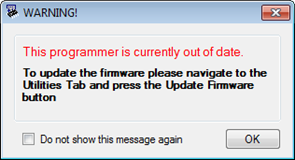
Use a Programmer tool to connect to a kit. The tool connection tells you what firmware is on the kit. If KitProg2 is installed on the kit, the tool notifies you, and gives you the option to upgrade firmware. Click
OK
to leave the firmware unchanged.
Click
Upgrade Firmware
and KitProg3 is loaded into the kit. The Programmer tool log window provides progress information and confirms connection to the new KitProg3 firmware on the kit.
Figure 1. Upgrading to KitProg3 in ModusToolbox™ Programmer
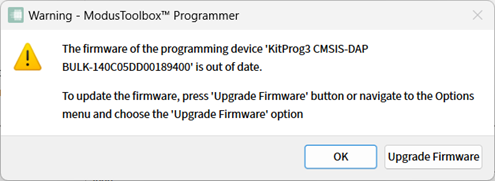
Figure 2. KitProg3 Firmware Update Warning in PSOC™ Programmer